Difference Between Camera and Camcorder: A Practical Comparison
Compare camera and camcorder design, usage, and workflows. Learn which tool fits stills, video, or hybrid projects, with practical buying tips from Best Camera Tips.


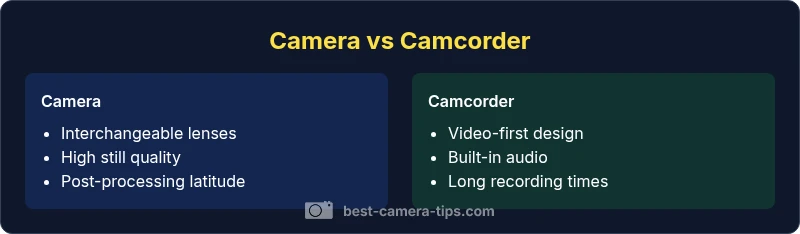
The difference between camera and camcorder hinges on design intent, video focus, and handling. A camera excels at high-quality stills and flexible lens choices, while a camcorder prioritizes long-form video with streamlined ergonomics, built-in audio, and ready-to-record convenience. Use-case should drive your choice: photos and versatility vs. simple, reliable video workflows.
Historical context and terminology
In the world of photography and video, the terms camera and camcorder originated from different design priorities. A traditional camera emphasizes still-image capture, sensor performance, and potentially interchangeable lenses. A camcorder, historically built for videography, focuses on continuous recording, integrated audio, and ergonomic handling for hours of shooting. Understanding this lineage helps explain why a modern hybrid device, like a mirrorless camera with strong video modes, often blurs the line between the two. For beginners, the distinction matters because it guides expectations about image quality, workflow, and accessory ecosystems. The phrase difference between camera and camcorder is not merely semantic; it reflects core trade-offs in optics, processing, and user experience. As you read, remember that Best Camera Tips frames this distinction around practical, real-world use.
Core design philosophies: stills vs video
Cameras are designed to maximize sensor performance for stills: resolution, color depth, dynamic range, and precision autofocus for static subjects. They tend to offer higher resolution options and broader creative control for post-processing. Camcorders, by contrast, optimize for video workflow: continuous framing, stable color reproduction across long takes, and predictable performance in handheld shooting. This difference explains why camcorders often ship with built-in XLR audio inputs, long battery life optimized for video, and internal stabilization tailored to motion rather than still-image sharpness. In modern setups, many users opt for a hybrid camera capable of excellent stills and solid video, blending the strengths of both worlds. The key takeaway is that the intended primary output—stills or video—shapes the camera’s core engineering.
Sensor sizes and image quality
Sensor size influences dynamic range, low-light performance, and depth of field, which matters for both stills and video. Cameras frequently pair larger sensors with high-quality color science andRAW capture options, enabling dramatic post-processing and cropping without significant loss of detail. Camcorders, while capable, often prioritize reliable color and exposure in live-action contexts, sometimes at the expense of ultra-wide dynamic range or extreme pixel-level flexibility in post. Practically, if you photograph fast-moving subjects or require large print quality, a camera with a capable sensor and RAW workflow tends to be preferable. If your focus is steady, consistent video footage with minimal editing, a camcorder’s sensor-to-color pipeline can be perfectly adequate.
Lenses, mounts, and adaptability
One of the most important differentiators is lens strategy. Cameras—especially mirrorless and DSLR bodies—offer interchangeable lenses, letting you tailor focal length, speed, and rendering to your subject. This flexibility drives image quality and artistic control but adds cost and upkeep. Camcorders traditionally come with a fixed or limited set of lenses, emphasizing reliability and portability. Some modern camcorders do support interchangeable optics, but the ecosystem is less expansive than dedicated camera systems. For long-term versatility, a camera system with a robust range of lenses often wins, provided you’re prepared for the investment.
Recording formats and codecs
Video recording formats indicate how data is compressed and stored. Camcorders typically emphasize consistent, easy-to-use codecs that deliver immediate editability with minimal transcoding. Cameras capable of video may offer multiple codecs (often including high-bitrate options) and even RAW or Log profiles for advanced color grading. If you value post-production flexibility and color grading latitude, camera-based video with RAW or log capture is advantageous. For quick-turnaround projects or documentary work, camcorders provide a straightforward, reliable path to publish-ready footage.
Media storage and capacity
Storage strategies reflect usage patterns. Camcorders emphasize built-in media options and straightforward media swapping for continuous shooting sessions, which is convenient on location. Cameras with video capabilities often rely on removable memory cards and can support larger bundles with external recorders. Capacity planning matters: longer shoots require cards with faster write speeds and ample space, plus robust backup workflows. The decision hinges on your typical session length, desired redundancy, and whether you prioritize compactness over expandable storage.
Ergonomics and handling
Design ergonomics differ notably. Camcorders are built for one-handed or shoulder-held operation with intuitive controls for steady, prolonged shoots. Cameras, especially when lens changes are involved, demand more deliberate handling and setup; they may feel lighter or more nimble with a prime or standard zoom. For event coverage or travel, camcorders can feel more natural; for intimate documentary work or street photography with dynamic framing, a camera setup provides greater freedom, even if it requires more attention to grip and posture.
Audio capture and integration
Audio is a critical signal in video. Many camcorders include well-integrated mic preamps, audio level controls, and sometimes built-in stereo m microphones designed for on-camera capture. Cameras may rely on external mics and separate recorders for top-tier sound, demanding more planning and additional gear. If audio quality is a priority, evaluate the camera’s native audio path versus the convenience of a camcorder’s built-in solution. In recent years, several cameras offer excellent internal mics and clean preamps, narrowing this gap for hybrid users.
Stabilization and autofocus
Stabilization and autofocus strategies respond to the device’s core use. Camcorders often feature robust optical or electronic stabilization tuned for long takes and forward-facing action, delivering smooth footage with minimal effort. Cameras emphasize speed and precision in autofocus, particularly for moving subjects, along with advanced stabilization when paired with compatible lenses. If you shoot handheld video, test both systems for jitter and subject tracking. The right choice depends on whether you value consistent framing (camcorder) or flexible focus and subject tracking (camera).
Battery life and power considerations
Power performance shapes how long you can shoot before swapping batteries. Camcorders typically optimize power for extended video capture, sometimes delivering longer runtime per charge. Cameras, especially with high-resolution sensors or fast lenses, may consume more energy during video, impacting endurance. Planning for extra batteries, external power options, or hot-swapping workflows is essential if you work on location or run-and-gun shoots. Always compare test footage runtimes rather than relying solely on spec sheets.
Cost, value, and lifecycle considerations
Budgeting involves upfront cost, lenses, and ongoing maintenance. Cameras often require investment in a broader ecosystem (lenses, bodies, and accessories), which can yield higher long-term value but demands continued spending. Camcorders may deliver a lower initial price and a self-contained setup, which is attractive for straightforward video work. If you anticipate expanding into diverse shooting scenarios, a camera-based system offers scalable value; for dedicated video projects with minimal gear, a camcorder can be the smarter short-term choice.
Workflow: editing, archiving, and delivery
Workflows diverge based on the file formats and retention choices. Camera footage (especially RAW or LOG) typically requires more processing in post-production, color grading, and backup symmetry. Camcorder footage often simplifies delivery with well-supported, camera-native codecs. A hybrid approach—capturing high-quality stills and robust video on a compatible camera—can streamline your post pipeline, but it may also introduce a steeper learning curve. Aligning your gear with your editing software and archival practices reduces friction in your creative process.
Common misconceptions
A common myth is that a camcorder cannot rival a camera in image quality. In reality, many modern cameras produce stunning stills while offering strong video features. Conversely, some believe that camcorders are obsolete; in fact, they remain viable for quick projects, interviews, or education content where ease of use matters. Debunking these myths helps you select gear based on your actual needs rather than outdated stereotypes. Always assess your typical projects, not just your aspirations, when choosing between a camera and a camcorder.
How to choose: a practical decision tree
Start with your primary output: stills, video, or both. If stills are your main priority, prioritize a camera with a solid sensor, high-resolution capture, and lens options. If video is paramount, examine stabilization, audio integration, and long-recording reliability in a camcorder. For hybrid work, a mid-range mirrorless camera that balances video quality with lens compatibility can be ideal. Consider your budget, portability requirements, and the availability of accessories like gimbals, external mics, and external recorders. Finally, test the ergonomics by holding the gear and simulating a typical shoot to ensure comfort and efficiency.
Real-world use cases: quick scenario guides
Scenario A: Travel photographer who occasionally shoots interviews—larger flexibility with lenses and stills, plus competent video. Scenario B: Event videographer needing reliable long-form footage with straightforward audio and stable framing. Scenario C: YouTubers who require a balance of content types, color grading options, and post-production control. In each case, mapping your workflow to the gear’s strengths—stills vs. video, portability vs. expandability—produces the most coherent setup. Best Camera Tips emphasizes matching gear to practice, not chasing the latest spec race.
Comparison
| Feature | Camera | Camcorder |
|---|---|---|
| Best for | Still photos, high customization with lenses | Long video shoots, easy handling, built-in audio |
| Sensor and image quality emphasis | High resolution sensors; wide dynamic range ideal for post-processing | Reliable color and exposure for video; often optimized for motion |
| Lenses and mounts | Interchangeable lenses; broad ecosystem | Often fixed or limited lens options; simpler workflow |
| Video capabilities | Strong video options in some models; variable codecs | Stable video with practical codecs; great for run-and-gun |
| Audio integration | External mic options needed for best audio | Typically strong onboard audio paths; some models support XLR |
| Storage and media | Removable cards; higher flexibility for archiving | Internal storage common; easy media management |
| Autofocus and stabilization | Advanced subject tracking for stills and video | Video-centric stabilization; steady footage with minimal setup |
| Cost and value | Higher up-front cost with lenses; long-term value depends on gear | Lower initial cost; simple package for video work |
Positives
- Flexibility to shoot high-quality stills and video with adapter options
- Expansive lens ecosystems and upgrade paths
- Excellent color control and post-processing latitude with cameras
Downsides
- Higher total cost when building a full camera system
- Can require more setup time and learning curve for video
- Camcorders may feel bulky for some travel scenarios
Cameras win for flexibility and image quality; camcorders win for straightforward video work.
Choose a camera when stills and future lens upgrades matter more. Choose a camcorder for simple, reliable video with integrated audio and long recording times.
Common Questions
What is the main difference between a camera and a camcorder?
The main difference is intent: cameras optimize still photography and flexibility with lenses, while camcorders optimize long-form video capture with built-in audio and easy handling.
The camera is best for photos and lenses, while the camcorder is best for easy video on the go.
Can a camera be used effectively for video without changing the setup?
Yes, many cameras shoot great video, especially those with good codecs and stabilization. You may need external audio gear for optimal sound and consider post-processing for color grading.
Yes, but you might want extra gear for audio and grading.
Are camcorders obsolete for professional work?
Camcorders remain valuable for certain workflows like documentary or event video where ease of use and continuous recording matter. However, modern cameras often provide comparable video quality with more flexibility.
Not obsolete; they still serve particular workflows well.
What should a beginner prioritize when choosing between the two?
Prioritize your main use case: if you want great photos and future-proofing, start with a camera; if you want quick, reliable video with less gear, a camcorder is appealing. Consider budget and workflow needs.
Think about whether you shoot mostly photos or videos and plan your budget accordingly.
Do modern camcorders offer interchangeable lenses?
Some camcorders support interchangeable optics, but the ecosystem is smaller than camera systems. If lens flexibility is important, a camera system with adapters is usually preferable.
Some do, but cameras still win for lens choices.
The Essentials
- Assess primary output: stills vs video
- Prioritize lens ecosystem for future growth
- Plan for audio and stabilization as core needs
- Consider bulk, power, and workflow demands