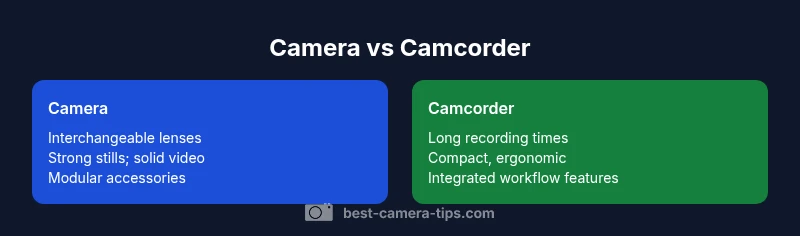
Camera or Camcorder: A Practical Guide for 2026
A rigorous, objective comparison of camera vs camcorder for aspiring photographers and home videographers. Learn key differences, use cases, budgets, and a decision framework to pick the right tool for photo, video, or hybrid needs.


According to Best Camera Tips, choosing between a camera or camcorder depends on your primary goal: stills, video, or a blend of both. A camera typically delivers superior image quality, lens flexibility, and future growth, while a camcorder emphasizes long recording times, ergonomic handling, and straightforward video workflows. For most beginners aiming to learn both crafts, a capable camera with strong video features offers the best long‑term value.
Defining the Choice: camera or camcorder
When you start shopping for a new imaging tool, the immediate question appears as a crisp choice: camera or camcorder? The answer hinges on your core priorities: do you want to capture stunning stills, build a versatile video library, or grow into both disciplines? A camera—especially a modern mirrorless or DSLR—tends to excel at still photography while delivering robust video options. A camcorder, by design, centers on video with ergonomic handling, reliable continuous recording, and a streamlined workflow. In practice, many devices blur the lines, offering strong photo and video features in one body. For aspiring photographers and home security enthusiasts who want a practical, evidence‑based guide, the right choice starts with your daily routine and learning goals. The keyword you’ll hear here is flexibility: a capable camera with good glass supports both worlds, while a camcorder prioritizes easy video capture. This guide uses the camera-or-camcorder lens to help you decide with confidence.
Core Differences in Specs and Build
Two words drive the core distinction: sensors and lenses. Cameras typically use interchangeable lenses and larger imaging sensors, yielding superior dynamic range, depth of field control, and versatility across genres. Camcorders may use fixed lenses or limited interchangeability with smaller sensors, focusing on reliable color science, stabilization, and a compact, run‑and‑gun form. Beyond hardware, consider the software side: bitrates, codecs, and recording formats. Enthusiast and pro cameras offer a broader codec palate and post‑production flexibility, while camcorders optimize ingest, reliability, and compatibility with consumer editing workflows. The upshot is clear: if your priority is image quality and lens flexibility, a camera is usually the better baseline; if you want long, stable video with minimal setup, a camcorder remains compelling.
Imaging vs Video: Still vs Motion
Stills and motion demand different strengths. A camera’s sensor and processing are tuned for crisp stills with accurate color, high dynamic range, and fast autofocus. In video, continuity, color grading latitude, and consistent exposure over long takes matter more. Some cameras perform well in both domains, but a camcorder’s color science, stabilization, and steady workflow can outpace in documentary or event contexts. If your focus is portraits or landscapes, you’ll value the resolution, color fidelity, and potential RAW/video formats on cameras. If you shoot events, weddings, or sports where you stay in motion with minimal setup, a camcorder’s simple menus and extended record times reduce friction. Map your typical scenes to these strengths to guide your decision.
Video Quality and Recording Capabilities
Video quality is defined not only by resolution but by bitrate, color depth, frame rates, and compression. Cameras often deliver high‑resolution video, strong dynamic range, and a spectrum of recording formats that support grading and post‑production flexibility. Camcorders are designed to optimize motion rendering, featuring advanced stabilization, built‑in microphones, and continuous recording suited to documentaries and live events. In today’s market, entry devices push 4K or higher; the decisive factor becomes latitude: can you maintain color and exposure across long takes without frequent reconfiguration? For many buyers, a modern camera with solid glass and a capable video mode suffices for most tasks, while a dedicated camcorder can simplify workflows where video takes precedence. Test with real scenes to compare highlight handling, noise, and motion artifacts.
Lens and Accessory Ecosystem
Lens availability powers long‑term satisfaction. Cameras with interchangeable lenses unlock a broad range of focal lengths, from ultra‑wide to super‑telephoto, enabling creative control across genres. The ecosystem includes third‑party lenses, adapters, gimbals, and external recorders, with resale value often improving as you expand. Camcorders typically feature built‑in zoom lenses and a narrower accessory path, though some models offer limited aftermarket options. If you plan to shoot a variety of settings—studio portraits, street scenes, nature—an open lens ecosystem and modular accessories provide growth room and flexibility. For learners who want future opportunities, a camera system is usually the better long‑term investment; for those who prefer a compact, do‑it‑now setup, a camcorder can be more straightforward.
Size, Weight, and Handling Realities
Physical handling affects day‑to‑day comfort. A camera with a large sensor and multiple lenses tends to be heavier, sometimes less convenient for long shoots, yet it rewards you with better low‑light performance and versatility. Camcorders prioritize ergonomic grip and balance, often delivering a lighter, more camera‑friendly hand‑held experience and steady stabilization. In practice, travelers or vloggers benefit from compact bodies and flexible kit options, while documentary crews may opt for a lighter rig with a warm mic and a single versatile lens. Weigh your usual shooting scenarios against weight, bulk, and mobility to determine which form factor aligns with your daily rhythm.
Battery Life and Power Considerations
Power endurance shapes how often you stop to recharge. Camcorders tend to be optimized for longer sessions and come with batteries designed for extended use. Cameras, particularly high‑resolution bodies, can drain quickly in heavy video workloads, though high‑capacity batteries and external power options mitigate this. If you’ll shoot events or travel, plan for spare batteries, dual‑charger setups, and extended‑record modes. Lens choice can affect power consumption during autofocus and stabilization as well. Strategize around your typical days to avoid gaps in footage or image capture.
Budget Scenarios and Value: When to Spend More
Budget planning matters more than sticker price alone. A camera system with interchangeable lenses scales from beginner to professional, with ongoing costs focused on glass, memory, and batteries. Camcorders can have lower upfront costs but may require ongoing investment in specialized media and accessories for broader use. The best value for many learners is a mid‑range camera with a versatile lens lineup and solid video features, plus essential audio and stabilization gear. Total cost of ownership matters—consider editing hardware and software, travel, and storage. If growth into higher resolution video or richer color science is likely, choose a camera path. If you expect long‑form, broadcast‑style video with minimal setup, a dedicated camcorder can be cost‑effective.
Hybrid Solutions and Real-World Picks
Several cameras today balance stills and video well: they offer strong autofocus in video, robust stabilization, and good codec support for color grading. These hybrids are often the recommended starting point for learners who want coverage across domains without buying two devices. When evaluating hybrids, test for speed and reliability of autofocus during video, the availability of wide and fast lenses, and the quality of internal processing for color grading. If your priority is a single device for many projects, a capable mirrorless body can be the best compromise. For strict video longevity and straightforward workflows, a camcorder may stay in the mix, especially in run‑and‑gun environments.
Real-World Scenarios: For Vloggers, Event Pros, and Hobbyists
Vloggers require compact bodies with reliable autofocus, stabilized footage, and a flexible kit lens. Event shooters want long battery life, solid audio options, and clean HDMI for live streaming. Hobbyists may value the ability to shoot both photos and videos without frequent gear swaps. In practice, many learners choose a hybrid camera to minimize compromises while leaving room for growth. Model your typical shoots—portraits, street, daytime, nightlife—to see how each option handles light and motion and to guide your upgrade path.
Maintenance and Longevity Tips
Care extends the life of both cameras and camcorders. Keep lenses clean, update firmware, protect from moisture, and store gear in a climate‑controlled space. Regular checks of connectors, ports, and cooling vents help prevent failures during critical shoots. For video users, offloading and backing up footage regularly reduces data loss, while testing memory cards and external recorders ensures reliability on the road. A routine that includes cleaning, firmware checks, and careful storage translates into fewer interruptions and durable performance over years.
5-Step Decision Framework for Your Next Buy
Step 1: List your primary uses—photos, video, or both. Step 2: Evaluate the lens ecosystem and upgrade paths. Step 3: Consider editing and sharing workflows; ensure device compatibility with your preferred software. Step 4: Estimate total cost of ownership, including lenses, memory, batteries, and accessories. Step 5: Try hands‑on with devices in a store or rental house to verify comfort and performance. This framework shifts focus from spec sheets to real‑world needs. In many cases, a capable hybrid camera offers the strongest overall value for beginners.
Comparison
| Feature | camera | camcorder |
|---|---|---|
| Best use case | Still photography, broad accessory ecosystem | Dedicated video work with reliable long recording times |
| Sensor and image quality | Larger sensors; superior dynamic range; extensive lens options | Often smaller sensors; optimized for video and stability |
| Video capabilities | High‑quality video in versatile formats; strong grading latitude | Stable, long takes with built‑in features for run‑and‑gun |
| Ergonomics | Modular setups; heavier rigs; broad accessory compatibility | Compact hands‑on design; ready to shoot without extra gear |
| Battery life | Depends on setup; strong options with multiple batteries | Typically long record times; optimized for video sessions |
| Price range | Wide ranges; scalable with lenses and bodies | Often lower upfront but total cost depends on accessories |
| Lens ecosystem | Massive, third‑party options for different styles | Limited to built‑in or few compatible lenses |
| Workflow | Versatile photo/video pipelines; strong post options | Video-first workflows; straightforward ingest and editing |
| Best for | Photography emphasis; strong hybrids possible | Pro video capture; events and run‑and‑gun shoots |
Positives
- Clear division of labor: stills vs video depending on setup
- Broad ecosystem of lenses, bodies, and accessories
- Stronger resale value and growth opportunities with cameras
Downsides
- Possible decision paralysis due to overlap in capabilities
- Total cost of ownership can rise with lenses and accessories
- Camcorders may lag behind modern cameras in low light and flexibility
For most aspiring shooters, a capable camera with strong video features offers the best long‑term value over a dedicated camcorder.
A hybrid or camera‑first approach typically yields more growth, flexibility, and resale value. Choose camcorder only if your primary need is simple, long‑form video with minimal setup and a compact kit.
Common Questions
What is the practical difference between a camera and a camcorder?
A camera focuses on still images and often offers strong video tools; a camcorder prioritizes video with long recording times and simplified video workflows. Many modern devices blend both strengths, but the intended use typically defines the best choice.
Cameras are built for photos and can shoot great video; camcorders focus on long, easy video.
Are hybrid cameras the best option for beginners?
Hybrid cameras are a popular starting point because they cover both photos and video. They may not reach the peak performance of single‑mission devices, but they offer growth potential and fewer gear changes.
Yes, hybrids are a great starting point if you want both skills.
Can I switch from camcorder to camera later on?
Yes. It’s common to start with a camcorder for video and later shift to a camera as your needs expand. The main consideration is investing in lenses and accessories that remain useful across both formats.
You can move to a camera later if your focus broadens.
What should I test in a hands-on trial?
Check autofocus performance in video, stabilization effectiveness, audio input quality, battery life, and how easy the menus are to navigate during actual shoots.
Test autofocus, stabilization, and battery life in real shoots.
Is price a reliable predictor of quality here?
Not always. You should consider total costs—lenses, memory, batteries, and editing gear—alongside device price. A mid‑range camera setup often yields the best value for learning.
Price isn’t everything; total costs matter more.
What about security camera roles?
The camera-versus-camcorder debate usually centers on imaging and motion capture for visual projects, not fixed security deployments. For security purposes, dedicated IP or security cameras are generally separate from consumer photo/video gear.
Security setups usually use dedicated cameras, not camcorders.
The Essentials
- Define your primary use: photos, video, or both
- Prioritize lens ecosystem for growth
- Consider total cost of ownership, not just the body price
- Hybrid cameras often balance versatility and value
- Test gear in real-world scenarios before buying