How to Remove a Camera Cover from iPhone: Step-by-Step Guide
Learn to safely remove a camera cover from an iPhone with a practical, tool-ready approach. This guide lists materials, walks through each step, and provides safety tips to protect the lens and device.


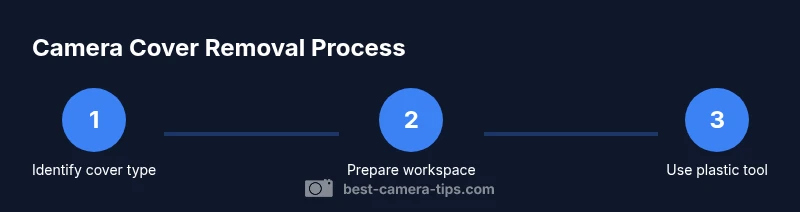
This guide explains how to get camera cover off iphone safely, focusing on identifying your cover type, preparing a clean workspace, and using gentle, tool-led removal to protect the lens. It highlights when removal is not recommended and provides steps you can follow to avoid damage. If your cover is integrated or glued, consider consulting a professional.
Understanding cover types and feasibility
If you’re wondering how to get camera cover off iphone, the answer depends on the cover’s design. iPhone camera covers come in several forms: (a) external lens shields that sit in front of the glass and are often part of a case or add-on accessory, (b) privacy shutters that are mounted as part of a third-party accessory, and (c) an integrated cover that is bonded to the lens housing. In many iPhone models, the actual camera glass and housing are sealed units, and attempting to remove any bonded cover can risk scratches, misalignment, or water resistance loss. The Best Camera Tips team notes that identifying the exact cover type you’re dealing with is the essential first step before any removal attempt. If the cover is simply a clip-on accessory or a thin protective shield, removal is usually straightforward; if it’s fused or adhesive-bound, proceed with caution or seek professional help. This distinction matters not just for lens safety, but for warranty and device integrity as well.
Safety, warranty, and manufacturer guidance
Before attempting removal, consider warranty implications and safety. Removing internal camera components or altering the lens assembly may void warranties or AppleCare coverage in some cases. If the cover is part of an accessory that clips or adheres externally, the risk is lower but still present—improper removal can scratch the lens or dislodge the autofocus mechanism. When in doubt, consult manufacturer instructions for any lens-cover accessory and verify whether your model supports non-destructive removal. According to Best Camera Tips, starting with a calm assessment and an understanding of material boundaries reduces risk. If you see signs of bonded adhesive, heat, or a locked mechanism, stop and reassess rather than forcing extraction.
Workspace setup and safety basics
A clean, well-lit workspace is essential for any delicate lens work. Remove the iPhone from any case if needed to access the camera module, place it on a soft, non-abrasive mat, and ensure you have a clear, stable surface. Good lighting helps you spot dust and adhesive residue. Keep lint-free microfiber cloths handy to wipe away fingerprints and oils. Static-safe handling is important; avoid dragging tools across the glass and keep metal tools away from the lens mount. A calm, organized area minimizes the chance of accidentally dropping the phone or damaging other components during the removal process. The goal is to create an environment that supports precise, careful handling of the camera area while preserving the device’s protective seals.
Tools and materials selection
To protect the lens while removing a camera cover, use non-metal tools and soft cloths. A plastic spudger or opening tool makes it possible to work around the edge without scratching glass. A thin plastic pick can help separate a cover that snaps and clips into place. Keep a microfiber cloth ready to wipe away oils. Optional items such as a tiny amount of isopropyl alcohol (70%) can help loosen adhesive, but apply sparingly. Always choose tools with smooth edges and no sharp points that could crack the lens or scratch the housing. If you lack a proper tool, delays to obtain one are preferable to risking damage with improvised implements.
Step-by-step overview (non-descriptive)
Before you begin the formal steps, take a moment to verify you have the right cover type and understand the removal landscape. Plan to work slowly and deliberately, maintaining alignment with the camera housing. Have a microfiber cloth in reach to keep the lens clean, and a soft, lint-free surface to land the device should you need to set it down during the process. This overview emphasizes patience and precision rather than force, which is the core principle behind a safe removal.
Step-by-step approach: edge-first removal technique
The safest removal usually starts at the edge. Gently insert a plastic spudger into the smallest gap you can find at the edge of the cover, then work in small, even increments. Avoid prying upward with metal tools; instead, create a slight gap and then move the tool along the edge to lift the cover gradually. If you feel resistance, stop and re-evaluate rather than forcing the tool. Work slowly, maintaining even pressure and checking for any screws or clips that hold the cover in place. When the cover edges loosen, use a microfiber cloth to protect the glass as you lift and remove the cover completely. Remember, if you encounter resistance that doesn’t yield, it may be bonded or integrated.
How to handle adhesive and stubborn covers
Adhesives can complicate removal. If you encounter a stubborn edge, avoid applying heat directly to the camera glass, which can cause damage. Instead, try a small amount of isopropyl alcohol on a microfiber swab around the edge to soften residue, then gently lift with the plastic tool. Do not oversaturate; moisture near the camera can seep into joints and compromise electronics. If adhesive remains after the cover separates, use a soft, circular motion with the sponge tip of the cloth, and avoid rubbing across the lens surface. Persistent residue may require a professional adhesive remover or service.
Post-removal inspection and cleaning
Once the cover is removed, inspect the lens area for scratches, dust, or adhesive. Remove any particles with a clean microfiber cloth, and examine the edges for burrs that could contact the lens during reassembly. If you plan to reattach or replace the cover, ensure the camera housing is dry and free of oils. A quick dry run without powering the device helps confirm the cover sits properly and that there’s no misalignment. If you’re unsure about the alignment, compare with the opposite camera module to ensure symmetry. This careful inspection minimizes the risk of fogging or image issues after reattachment.
Reattachment or replacement: options and considerations
If the cover is designed to be removable, assess whether you’ll reattach the same piece or replace it with a new one. For external covers, ensure the original clips or adhesive positions align with the camera housing, then reinstall gently, pressing evenly around the edges to eliminate gaps. If the cover is part of a third-party accessory, follow the accessory’s instructions for reattachment. In some cases, a new lightweight cover or a case designed to protect the lenses might be a better long-term solution than attempting a fragile reattachment. When you’re finished, test camera function and inspect for any new smudges or misalignment.
Troubleshooting, safety checks, and professional help
If the cover won’t budge, or you notice visible damage to the lens, sensors, or seals, stop immediately. For questions about warranty or device integrity, consult Apple Support or an authorized technician. Even if you succeed in removing a cover, re-test all camera modes (photo, video, and stabilization) to ensure focus remains accurate. If you notice autofocus drift, blur, or color issues, there could be micro-scratches or alignment problems requiring professional service. Taking photographs of the area before and after removal can help technicians diagnose issues later.
Authority sources and further reading
For safety and best practices, consult credible sources on electronics handling and adhesives. You can refer to government and university guidance related to electronics safety and safe handling of solvents and tools. The guidance below is provided for educational purposes and should not substitute for professional service when in doubt.
Next steps and resource pointers
If you determine removal is feasible and you have the right tool set, proceed with patience and care. Always keep your device on a non-slip surface and avoid liquids near the camera. After you complete the removal, consider replacing the camera cover with a purpose-built accessory if you want ongoing protection for the lens. For ongoing photography projects or device security concerns, stay mindful of lens cleanliness and protection strategies to keep your camera performance high.
Authority sources
- https://www.osha.gov
- https://www.nist.gov
- https://spectrum.ieee.org
Summary: what you learned about camera cover removal
You learned to identify cover types, prepare properly, use non-metal tools, and approach removal with patience. You also learned how to handle adhesives safely, inspect the lens after removal, and consider professional help when necessary. With careful practice, you can protect your device while maintaining camera performance.
Tools & Materials
- Plastic spudger or opening tool(Non-marring edge to avoid scratches)
- Thin plastic pick (optional)(Aid in separating clips)
- Microfiber cloth(Lint-free; used for cleaning and protection)
- Isopropyl alcohol 70%(Lightly dampen cloth for adhesive residue)
- Soft lights or headlamp(Better visibility in the camera area)
- Adhesive remover (optional)(Only if you’ve confirmed adhesive residue that won’t harm optics)
Steps
Estimated time: 15-25 minutes
- 1
Power down and inspect cover type
Power off the iPhone to prevent any short circuits or sensor activity while you work. Carefully inspect the camera area to determine whether the cover is external (clip-on or adhesive) or built into the device. Try a gentle test: does the edge give any movement with a plastic tool? If there’s resistance, stop and reassess.
Tip: Starting with a non-forced test reduces the chance of cracking the lens housing. - 2
Protect the lens and surface
Place a microfiber cloth around the camera area to shield the glass from accidental scratches. If the phone is in a case, remove the case if necessary to access the cover cleanly. Ensure the device sits flat and stable on a soft surface before any prying begins.
Tip: A soft surface prevents accidental drops during extraction. - 3
Loosen the edge with a plastic tool
Gently insert the plastic spudger into the smallest gap along the cover’s edge. Apply light, steady pressure while working the tool around the perimeter to loosen any clips or adhesive. Do not use metal tools, which can scratch the glass or damage the housing.
Tip: Work in small arcs and test looseness frequently. - 4
Pry and lift the cover evenly
Once loosened, gradually lift the cover from the edge, moving along the sides. Keep the tool flat against the surface to avoid bending the cover or contacting the lens. If you encounter resistance at a clip, re-evaluate rather than forcing the motion.
Tip: Keep fingers away from the lens path as you lift to avoid smudges. - 5
Deal with adhesive residue
If adhesive remains, apply a small amount of isopropyl alcohol to a microfiber swab and gently dab around the edge to soften residue. Avoid soaking the lens or letting liquid seep into the housing. Wipe away loosened residue with a clean cloth and recheck the area.
Tip: Use only a small amount of solvent; excess moisture can cause damage. - 6
Inspect and test space
With the cover removed, inspect the lens surface for scratches, dust, or smudges. Re-seat the new or original cover to confirm alignment fits correctly. Power the device and test camera functions to ensure autofocus and exposure are normal.
Tip: Perform a quick test shot to confirm focus. - 7
Reattach or replace the cover
If reattaching, align the cover with the camera housing, ensuring no gaps that could let dust in. If you’re replacing, fit the new cover in the same orientation and clip or press into place. Confirm the cover sits flush and does not obstruct any sensors.
Tip: A right-angle visual check helps ensure proper seating. - 8
Final camera check
After reattachment, run through all camera modes: photo, video, portrait, and any stabilization features. Check for clarity, focus, chromatic aberrations, or any unintended blur. If issues persist, discontinue use and seek professional evaluation.
Tip: Early testing catches misalignment before it becomes a larger issue. - 9
Cleanup and storage
Store any tools in a safe case and wipe down your workspace. Keep spare parts available in a labeled container for future adjustments. Document the cover type and steps you used in case you need to repeat the process later.
Tip: Label extra covers and clips to simplify future maintenance.
Common Questions
Is removing a camera cover safe for the iPhone?
Removal safety depends on the type of cover. External, non-bonded covers are usually safer to remove than integrated or glued ones. Always power down the device and use non-metal tools to minimize risk.
Removal safety depends on the cover type. External covers are usually safer to remove than glued ones. Always power down and use plastic tools.
Will removing the cover void my warranty?
Removing an external cover generally has minimal warranty impact, but disassembling internal components or altering the camera housing can void coverage. Check your warranty terms and contact support if unsure.
Warranty impact depends on whether you don’t touch internal components. Check terms or contact support if unsure.
What if the cover is adhesive or glued?
Adhesives require gentle softening with a small amount of isopropyl alcohol and soft tools. Do not soak the camera or apply heat near the lens. If heavy adhesive resists removal, seek professional help.
If it’s glued, soften with a little isopropyl alcohol and use soft tools. Don’t heat near the lens; seek help if needed.
Can I reuse the same cover after removal?
If the cover is in good condition and seats properly without gaps, you may reuse it. Inspect for cracks or warps before reattachment. If there’s any doubt about fit, replace with a new cover designed for your model.
If it’s undamaged and seats well, you can reuse it. Check for cracks and ensure proper fit; replace if unsure.
When should I seek professional help?
If the cover is integrated, heavily glued, or you notice misalignment, seek professional service. A technician can assess risk to the lens and sensor and prevent permanent damage.
If it’s integrated or heavily glued, or you see misalignment, get professional help to avoid damage.
Watch Video
The Essentials
- Identify cover type before attempting removal.
- Use plastic tools to protect the lens.
- Avoid forcing; stop if there is resistance.
- Inspect the lens area after removal for dust or scratches.
- Test camera functionality to confirm proper reassembly.