How to Get Camera Protector Off: A Practical Guide
Learn how to safely remove a camera protector from lenses or screens with practical steps, tools, and tips to avoid scratches or damage.


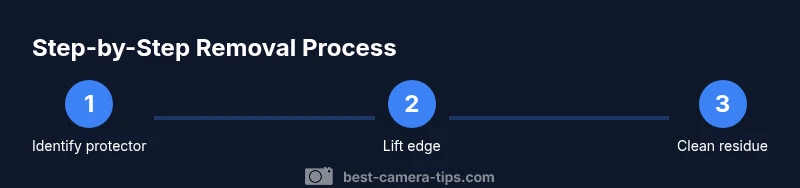
To safely get a camera protector off, identify the protector type (adhesive film, tempered glass, or a snap-on cover), then use the correct non-abrasive tools and minimal heat. Work in a clean, well-lit area, lift edges slowly, and avoid twisting the lens. If you feel resistance, stop to prevent damage and consider professional help. See our full guide for diagrams and exact tool recommendations.
Understanding camera protectors and removal goals
Camera protectors come in several forms: adhesive films, tempered glass shields, or clip-on covers built into camera housings. Each type presents unique removal challenges, and the approach should minimize any risk to the lens coating, housing, or internal optics. According to Best Camera Tips, the key to a safe removal is identifying the protector type and understanding how it attaches. Adhesive films peel away from the edge with steady, slow pulls; tempered glass may require mild heat to loosen the adhesive bond; clip-on protectors hinge away without removing attached glass. By starting with a quick assessment—where is the edge, is there a visible seam, does the protector bend— you set yourself up for a damage-free removal. Remember to work in a clean, well-lit area, keep your fingers dry, and avoid metal tools that can scratch the surface.
Safety and preparation before you begin
Preparation protects your camera during the removal process. Always power off the camera first, and if possible disconnect any external power or accessories. Work on a soft, lint-free surface, with a clean microfiber cloth nearby to catch any dust or particles. Avoid liquids near the lens and keep ambient humidity low to prevent moisture from seeping under the protector. If your protector has been in place for a long time, adhesive may have cured and require a more patient approach. Plan for a quiet, steady removal rather than a rushed pull. Lighting matters: a bright desk lamp angled to reveal edge gaps helps you see perfectly where to start.
Tools and safe handling practices (what you might need)
Common tools include a thin plastic card or spatula, a microfiber cloth, and a small amount of isopropyl alcohol or a camera-safe adhesive remover. Avoid metal tools, which can scratch coatings. If you need a little warmth to loosen a stubborn edge, a hair dryer on low, held at a safe distance, can help—never apply direct heat to the lens or glass for long periods. Keep all tools flat against the surface and avoid prying from the center of the protector. Work in short, controlled bursts to prevent slips that could damage the lens.
Removal approach for adhesive film protectors
Adhesive films are typically the easiest to remove. Start at a corner where the edge is barely visible. Use the plastic card to gently lift the edge, then peel the film away at a shallow angle, keeping the motion parallel to the lens surface. Maintain even pressure along the edge to prevent lifting the film in the center, which can cause air pockets and micro-scratches. If you encounter resistance, pause and re-check for additional lift points rather than forcing the film. After peeling, clean the exposed lens area with a microfiber cloth to remove adhesive residue.
Removal approach for tempered glass protectors
Tempered glass protectors often bond more aggressively to the lens. Begin with a small amount of warmth near the corner edge to soften the adhesive, then insert a plastic card under the edge and lift slowly. Gently work the edge up along the curve of the glass rather than pulling straight away, reducing the risk of cracking the coating or shattering the protector. If you see stubborn adhesive remaining, repeat the warm-up and lift a bit more, always keeping the motion slow and controlled.
Removal approach for clip-on protectors
Clip-on protectors can usually be removed by prying along an edge where the clip disengages from the lens housing. Use a plastic card to slide under the protective edge, lifting gradually to release the clip without bending or twisting the glass. Once the edge is free, peel the protector away along the curvature of the lens housing. Re-check the edge for any remaining clips or residue, and stop if you feel any resistance that could indicate a clip is still engaged.
Aftercare and cleaning
Once the protector is removed, inspect the lens surface for scratches or residue. Use a clean microfiber cloth to wipe away any adhesive remnants with a gentle, circular motion. If residue persists, dampen the cloth with a tiny amount of isopropyl alcohol (do not spray directly on the lens) and gently rub the area. Allow the lens to dry completely before using the camera. If there are any scratches or coating damage, consider seeking professional help to assess lens integrity.
Troubleshooting and common issues
If you encounter micro-scratches or fingerprint residue after removal, do not press hard on the lens—this can worsen coating wear. If the protector is stubborn and won’t budge, stop and consult a professional. Avoid aggressive prying, which can bend lens edges or loosen coatings. In humid environments, moisture can make adhesives cling; give it extra time or consult a technician if removal fails.
Authority sources
This guide reflects best-practice lens-care principles and practical experience from photography education sources. While there are no formal government guidelines specifically for removing camera protectors, the approach emphasizes safety, gentle handling, and minimal heat or chemicals near the lens. Always prioritize the lens surface and coatings.
Tools & Materials
- Plastic card or thin plastic edge tool(Thin, flexible, non-metal; used to lift edges without scratching)
- Microfiber cloth(Lint-free; used to wipe residue and dust)
- Isopropyl alcohol (70% or less) or camera-safe adhesive remover(Apply sparingly to cloth; do not spray directly on lens)
- Hair dryer (optional)(Low heat, held at a safe distance; helps loosen strong adhesives)
- Gloves (optional)(Nitrile or latex to keep oils off the lens)
Steps
Estimated time: 20-40 minutes
- 1
Identify protector type
Examine the edge to determine if you’re dealing with an adhesive film, tempered glass shield, or clip-on protector. This informs your approach and prevents unnecessary force.
Tip: If unsure, start with the edge and a plastic card rather than prying from the middle. - 2
Power off and prepare
Power down the camera and disconnect external power if possible. Clear a clean, well-lit workspace and lay a microfiber cloth nearby to catch dust.
Tip: Working in a dust-free area reduces micro-scratches on the lens. - 3
Gather your tools
Assemble a plastic card, microfiber cloth, and a small amount of camera-safe solvent. Keep the tools flat and avoid sharp edges near the lens.
Tip: Inspect the card for burrs or rough edges that could scratch the glass. - 4
Lift the edge gently
Insert the plastic card at a corner and lift at a shallow angle, sliding along the edge to gradually separate the protector from the lens.
Tip: Maintain light, even pressure and keep your motions slow. - 5
Loosen adhesive if needed
If the protector sticks, dab a tiny amount of alcohol on your cloth near the edge and gently rework the bond. Avoid saturating the lens.
Tip: Test a small area first to ensure no liquid lodges behind coatings. - 6
Continue peeling evenly
Peel the protector away from the lens along its curve to minimize stress. Stop immediately if you feel resistance or hear cracking sounds.
Tip: Keep the free edge in your control to prevent a sudden snap. - 7
Remove residue
Use a microfiber cloth lightly dampened with solvent to remove any adhesive residue. Wipe in gentle circles until the surface is clean.
Tip: Never spray solvent directly onto the lens; spray onto cloth instead. - 8
Final lens check
Inspect for scratches, smudges, or coating damage. If damage is found, stop and seek professional evaluation.
Tip: A bright, oblique light source helps reveal micro-scratches. - 9
Decide on replacement
If you removed a protective layer, decide whether to replace it with a new protector, or leave the lens unprotected for your next shoot.
Tip: If you plan to replace, ensure the new protector is compatible with your lens.
Common Questions
Is it safe to remove a camera protector by myself?
Yes, if you proceed slowly, use the right tools, and avoid forcing the protector. Rushing can damage the lens or coatings. If you feel significant resistance, stop and seek professional help.
Yes, you can, as long as you go slowly and use proper tools. If it resists, seek professional help.
What tools should I avoid when removing a protector?
Avoid metal implements and sharp blades near the lens. They can scratch coatings or crack glass. Stick to plastic cards or other lens-safe tools.
Avoid metal tools; use plastic cards or lens-safe tools instead.
What if adhesive remains after removal?
Gently rub with a microfiber cloth dampened with a small amount of camera-safe solvent. If residue persists, repeat sparingly or consult a professional.
Gently re-clean with a microfiber cloth and a tiny amount of solvent, or seek help if it won’t come off.
Can removing a protector void the warranty?
Warranty implications depend on the manufacturer. Check your camera's terms before removing protective layers, especially if the device is still under warranty.
Warranties vary by manufacturer; check terms before removing any protector.
Should I remove in wet conditions?
No. Wet conditions increase the risk of moisture seeping under the protector and affecting coatings. Wait for a dry environment.
No—remove in a dry environment to prevent moisture issues.
How do I replace a protector after removal?
Align the protector carefully with the lens and press evenly to avoid air bubbles. Clean the surface first and ensure no dust remains.
Align carefully, clean first, and press evenly to avoid bubbles.
Watch Video
The Essentials
- Identify protector type before attempting removal
- Lift edges slowly with a plastic tool
- Avoid force and protect lens coatings
- Use minimal solvent near the lens
- Inspect for residue and clean gently