How to Remove an iPhone Camera Protector: A Step-by-Step Guide
Learn a safe, step-by-step method to remove an iPhone camera protector. Tools, tips, and best practices to protect your lens during removal and replacement.


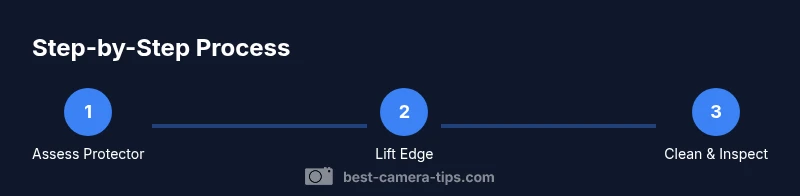
Goal: safely remove an iPhone camera protector without scratching the lens or damaging the housing. Gather the right tools, lift the edge with steady pressure, and follow a careful, step-by-step method. If any adhesive remains, use a gentle remover and isopropyl alcohol to dissolve it, then wipe the area clean and inspect the lens for scratches.
how to remove iphone camera protector safely: prep and risk awareness
According to Best Camera Tips, safe removal begins with understanding your protector type and the surrounding lens area. In this guide on how to remove iphone camera protector, you will learn how to identify different protectors, plan a risk-minimizing approach, and execute a careful lift that preserves image quality. Start by turning the device off and choosing a clean, well-lit workspace free of dust. Decide whether your protector is a thin adhesive film, tempered glass, or a multi-layer shield; each requires a slightly different tactic. The core rule is to apply steady, even pressure along the edge rather than prying across the surface. By preparing properly, you reduce the chance of scratches or coating damage. Best Camera Tips analysis shows that hurried removals lead to more micro-scratches and lens hazing over time, so patience matters.
Identify protector type and its installation method
Understanding the attachment method is crucial before any lift. A thin adhesive film may peel with minimal force, while tempered glass often uses a tight seal and small edge gaps. Some multi-layer shields have pull tabs. Inspect the edges for visible tabs, and gently test the space with a non-metal tool to gauge stiffness. If you can lift a corner with barely any resistance, you’re in for a straightforward removal. If you encounter significant resistance or the edge feels firmly bonded, slow down and reassess—forcing the protector can scratch the lens or bend the housing. Document the model and protector type if you plan to replace it soon; accuracy helps you choose a compatible replacement.
Tools and materials you’ll want on hand (and what to skip)
Having the right tools reduces risk and speeds up the process. A thin plastic card or plastic pry tool is essential for lifting without scratching. A microfiber cloth is needed to wipe away dust and residues; keep a second cloth for final polishing. Isopropyl alcohol (70% or higher) helps dissolve any sticky adhesive, but use sparingly. Optional: a heat source on low (like a hair dryer at a safe distance) to soften adhesive. Avoid metal tools, knives, or sharp blades that could nick the camera lens or protective coatings. Work on a clean, bright surface and keep a small container of alcohol to prevent spills.
Lifting edge with control: the safe technique
Start at a corner near the edge of the camera housing. Use the plastic card to gently slide under the protector while keeping the card almost parallel to the device surface. Increase pressure gradually and sweep the edge along the entire circumference until the protector lifts. If you encounter resistance, pause and adjust the angle rather than forcing the lift. For common protectors, a 5–15 degree tilt and slow, continuous motion minimizes the risk of micro-scratches. This approach also helps you avoid catching surrounding seals or the frame.
Handling adhesive residue without damage
Adhesive residue is the most common challenge after removal. Dampen a microfiber cloth with a small amount of 70% isopropyl alcohol and gently rub the edge where the shield sat. Avoid circular scrubbing; instead, work in straight strokes away from the lens center. If residue persists, apply a tiny amounts of electronics-safe adhesive remover and wait a few seconds before wiping clean. Do not oversaturate the surface, and never spray cleaner directly onto the lens. Finish by drying with a fresh cloth.
Cleaning the lens: inspection and test
With the protector removed, inspect the lens for scratches, dust, or smudges. Use a clean microfiber cloth and a gentle lens cleaner to remove any marks. After cleaning, wipe again with a dry cloth and examine under good lighting. Reassemble or reattach a new protector only after the lens is completely dry. Power on the phone and capture a few test photos at various focal lengths to confirm image quality remains intact. If results look hazy, there may be micro-scratches that require professional evaluation.
When to stop and seek professional help
Not every protector removal is appropriate to perform at home. If you notice a chip in the lens, hard-to-remove adhesive, or a stubborn shield that resists lifting, stop. A wrong move can lead to permanent damage and warranty issues. Contact Apple Support or a certified technician for assistance. Best Camera Tips emphasizes caution when removing glass protectors on premium devices.
Replacing protectors: choosing the right one
After removal, decide whether to replace or upgrade. Choose a protector that covers the full lens area, aligns with the camera cutouts, and preserves optical performance. Thicker protectors can affect autofocus or night-sight performance; check for compatibility with your model and case. Look for anti-smudge coatings and simple cleaning accessibility. Read multiple reviews and verify installation instructions before purchase. Ensure you follow installation steps precisely to avoid misalignment.
Maintenance: prolonging protector life
Regular cleaning of the lens area, minimal contact with the lens surface, and cautious handling during cleaning prevent damage. Store the phone in a dust-free space when not in use and keep the lens area clear of debris. A dedicated lens cleaning pen can help with deeper cleaning without disassembly. If you use a screen protector, ensure it does not trap dust at the lens edge. These habits extend the life of your lens protection and maintain image clarity.
Quick-start checklist before you begin
Power off the phone, gather tools, inspect protector, and prepare a dust-free area. Review the protector’s type and removal instructions from the manufacturer. Practice safe lifting with low pressure and slow motion. Clean the lens area and test camera function after reassembly. If you’re unsure, seek professional help rather than risking damage.
Authority sources and further reading
- National Institute of Standards and Technology (nist.gov) provides general guidelines on handling coated surfaces and protective films in consumer electronics for scratch resistance and safe removal.
- Federal Trade Commission (consumer.ftc.gov) offers consumer safety and warranty considerations when removing third-party accessories from devices.
- Science magazine (science.org) discusses materials science behind lens coatings and protective films, helping readers understand why certain removal methods minimize residue and coating damage.
Tools & Materials
- Thin plastic card or plastic pry tool(Non-metal edge; used to lift without scratching)
- Microfiber cleaning cloth(Lint-free; used for dust/adhesive cleanup)
- Isopropyl alcohol (70% or higher)(Dampen cloth lightly; avoid oversaturation)
- Optional electronics-safe adhesive remover(For stubborn residue only; follow safety instructions)
- Soft brush or blower(To remove loose dust before removal)
Steps
Estimated time: 10-15 minutes
- 1
Power down and prep
Switch off the iPhone to prevent accidental taps and to minimize dust attraction. Clear a clean, bright workspace and lay a soft cloth underneath to catch any drops. This initial step reduces risk and keeps your surface free of debris.
Tip: Keep a small tray for screws/tools and avoid clutter. - 2
Identify protector type
Check whether the protector is film, tempered glass, or a multi-layer shield. Look for edge tabs or a visible edge; this will guide your removal angle and pressure. This prevents unnecessary force that could scratch the lens.
Tip: If unsure, assume adhesive and proceed with gentle lifting. - 3
Gather required tools
Assemble a plastic card, microfiber cloth, and isopropyl alcohol within easy reach. Have a soft brush or blower ready to clear dust before you start. Preparation reduces mid-removal interruptions.
Tip: Keep tools dry and away from the camera opening. - 4
Create a small entry point
Gently insert the plastic card at the protector’s edge with a shallow angle. Slide along the edge to create a tiny gap without bending the surface. This is the safest way to begin lifting.
Tip: Work slowly; avoid forcing the edge upward. - 5
Lift edge gradually
Gradually increase leverage, moving along the perimeter. Maintain a near-parallel angle to avoid applying twist forces on the lens. If resistance occurs, pause and adjust your position.
Tip: Use even, continuous pressure instead of quick tugs. - 6
Treat adhesive residues
If adhesive remains, dampen a cloth with alcohol and gently wipe along the boundary. Avoid scrubbing toward the lens center. Let the solvent work briefly, then wipe clean.
Tip: Never soak the area; moisture should be minimal. - 7
Clean and inspect the lens
After removal, inspect for scratches or dust. Clean any marks with a fresh microfiber cloth and lens cleaner. Ensure the area is completely dry before installation of a new protector.
Tip: Test the camera by taking a quick photo to confirm clarity. - 8
Choose and install a new protector
Select a protector that matches your iPhone model and case, and aligns with lens cutouts. Follow installation instructions precisely to avoid misalignment or glare.
Tip: Install in a dust-free environment for best results. - 9
Test after replacement
Power on the device and take sample shots at different focal lengths. Check for color accuracy, sharpness, and any edge glare. If problems appear, recheck alignment or consider a different protector.
Tip: Document results to compare future protectors.
Common Questions
Is it safe to remove a camera protector by myself?
With the right tools and a careful approach, you can remove many protectors at home. Always power off the device, work slowly, and avoid forcing edges. If you encounter resistance or observe damage, stop and seek professional help.
Yes, with careful technique; stop if you see resistance to avoid damage.
Will removing the protector damage the camera lens?
Improper technique can scratch the lens or leave adhesive residue. Follow a gentle lifting process and clean thoroughly afterward to minimize risk.
If you lift slowly and avoid force, lens damage is unlikely.
Can I reuse an old protector after removal?
Most adhesive films lose stickiness after removal and should be replaced for reliable protection. Reusing may compromise fit and protection.
Reuse is generally not recommended; replacement is safer.
What if adhesive sticks stubbornly?
Apply a small amount of electronics-safe remover and wait briefly. Gently wipe away with a microfiber cloth. Do not overapply or spray directly on the lens.
Try a tiny amount of remover and wipe gently.
What tools should I avoid during removal?
Avoid metal blades or sharp implements that could scratch the glass. Do not use household knives or suction cups that could apply uneven force.
No sharp tools; stick to plastic or soft cards.
How do I know when it’s time to replace the protector?
If the protector shows cracks, chips, fogging, or persistent residue that affects image quality, replace it with a new one that fits your model.
Look for cracks or fogging—replace as needed.
Watch Video
The Essentials
- Identify protector type before lifting.
- Use non-metal tools to prevent scratches.
- Clean and inspect lens thoroughly after removal.
- Choose a compatible protector to maintain imaging quality.