How to Use a Digital Camera Step by Step
Learn how to use a digital camera step by step with practical, beginner-friendly instructions. From powering on to saving images, this guide covers modes, composition, exposure basics, and common pitfalls.


This guide teaches you how to use a digital camera step by step, starting with power-on and mode selection, then framing, focusing, exposure adjustments, and saving your images. You’ll gain essential control of core settings, composition, and troubleshooting to build confidence behind the viewfinder. The steps assume common gear like a charged battery and a memory card, and they scale from compact cameras to DSLRs and mirrorless systems.
Why learn to use a digital camera step by step
Learning to use a digital camera step by step helps you build a solid foundation for all types of photography. This approach reduces guesswork and speeds up improvement, whether you're shooting portraits, landscapes, or street scenes. According to Best Camera Tips, breaking the process into small, repeatable actions makes complex settings feel approachable. In this guide, you’ll move from basic power-on to saving your best results, with practical tips along the way. You’ll also develop a habit of reviewing your shots and adjusting techniques based on results rather than theory alone. This structure keeps learning manageable and enjoyable while you build confidence behind the viewfinder. By following these steps, you’ll reduce frustration and accelerate your progression as a photographer, whether you shoot with a budget compact or a high-end mirrorless system.
Core concepts you need before you shoot
Before you press the shutter, understand the core concepts that determine how your photos look. The exposure triangle—shutter speed, aperture, and ISO—controls brightness and motion blur. White balance affects color warmth, while metering modes decide how the camera measures light. Autofocus modes determine how your lens locks onto subjects, and file formats decide future editing options. Take time to learn these ideas at a comfortable pace; practice with a single scene and compare results after each attempt. This foundation helps you switch from auto to manual modes with more confidence and less trial-and-error frustration. As you grow, you’ll recognize which settings to adjust first in different lighting conditions, which speeds up decision-making during shoots.
Basic camera controls and modes
Most digital cameras share a similar set of controls: power, mode dial, shutter button, and a few quick-access menus. Start with a basic Auto or Scene mode to see how changes affect your image, then gradually introduce controlled changes to exposure, white balance, and focus. Best Camera Tips analysis shows that beginners benefit from practicing these core controls in simple scenes before tackling tricky lighting. As you gain consistency, experiment with semi-automatic modes like aperture priority and shutter priority to see their effect on depth of field and motion. Keep your camera’s manual handy as a reference; even practiced photographers return to it when learning new features.
A practical learning framework you can follow
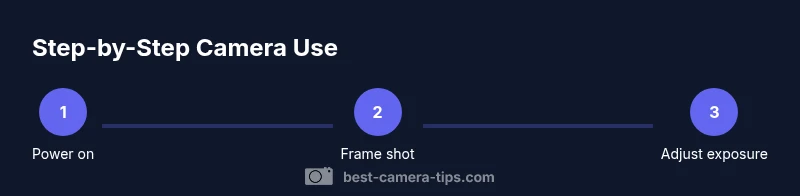
Use a repeatable framework to guide practice: plan a shot, set up the camera, frame the scene, adjust exposure, capture, review, and reflect. In this article, you will find a dedicated step-by-step section below with concrete actions. Focus on one change at a time (for example, only adjust exposure) and compare results to baseline shots. This approach reduces overwhelm and helps you see cause-and-effect clearly. Over time, you’ll build muscle memory for controls and begin anticipating how settings influence the image before you press the shutter.
Tools & Materials
- Camera body(Any current digital camera (compact, DSLR, or mirrorless) with at least basic controls.)
- Kit lens or standard zoom(A versatile focal length range (e.g., 18-55mm) is convenient for learning.)
- SD/CF memory card(Card with enough capacity for practice sessions.)
- Battery and charger(Fully charged to avoid mid-session power loss.)
- Lens cleaning cloth(Microfiber cloth for keeping optics clear.)
Steps
Estimated time: 20-40 minutes
- 1
Power on and select a shooting mode
Press the power button and wait for the LCD to wake. Choose a basic shooting mode such as Auto or Program to establish baseline behavior. This first step keeps things simple while you learn how other settings affect results.
Tip: If you’re unsure, start in Auto and observe how the camera responds to changing light. - 2
Frame your shot with composition in mind
Look through the viewfinder or LCD and position the subject using simple composition rules like the rule of thirds. Check the background for distractions and ensure there’s enough space for the subject to breathe within the frame.
Tip: Enable grid lines if your camera has them to help align important elements. - 3
Focus carefully
Half-press the shutter to lock focus on your main subject. If autofocus hunts in low light, switch to a center-point or single-pointAF area and reframe.
Tip: In difficult light, switch to manual focus for precise control. - 4
Set exposure deliberately
Adjust shutter speed, aperture, and ISO to achieve a balanced exposure. For moving subjects, prioritize a faster shutter; for depth of field, adjust aperture accordingly.
Tip: Use exposure compensation if the scene appears too bright or dark with Auto modes. - 5
Fine-tune white balance and color tone
Choose a white balance preset that matches the lighting (or rely on Auto WB in neutral conditions). Observe colors for skin tones and adjust if they look off.
Tip: If unsure, shoot a neutral gray card to calibrate later. - 6
Capture and review your shot
Press the shutter to take the photo, then zoom in on the LCD to check sharpness and detail. Review exposure and color, and compare against a baseline to learn what to adjust next time.
Tip: Take two quick versions with small changes to compare results side by side. - 7
Save, back up, and organize
Transfer files to a computer or cloud storage, back up regularly, and maintain a clear folder structure by date or event.
Tip: Delete only after confirming successful backups to avoid data loss. - 8
Care and maintenance
Turn off the camera when not in use, clean lenses gently, and store in a protective bag. Regularly inspect seals on weather-sealed bodies if applicable.
Tip: Use a blower to remove dust; never wipe the sensor with a dry cloth.
Common Questions
What is the first thing I should do when I get a new digital camera?
Charge the battery, insert a memory card, and read the quick start guide. Turn on the camera and take a few test shots to understand the basic controls.
Charge the battery, insert a memory card, and run a quick test shot to learn the basics.
Should I always shoot in Auto mode when learning?
Auto mode helps you see how the camera handles different scenes without worrying about settings. As you gain confidence, gradually try semi-automatic modes like aperture or shutter priority to learn cause-and-effect.
Auto mode is a great starting point; as you learn, try semi-automatic modes to understand the impact of settings.
How do I know if my photo is in focus?
Zoom in on the LCD or review a saved photo on a larger screen to verify sharpness. In some cameras, use focus peaking or magnified focus in live view for precise accuracy.
Zoom in to check focus; use magnification or focus peaking if your camera has it.
What is a histogram and why is it useful?
A histogram shows the distribution of brightness in your image. It helps you identify overexposure or underexposure and guide adjustments for a balanced photo.
A histogram shows brightness distribution and helps you avoid blown highlights or muddy shadows.
How can I transfer photos to a computer?
Connect the camera with a USB cable or use a card reader to copy files to your computer. Back up before deleting any originals.
Use a USB cable or card reader to copy files, then back them up before deleting anything from the camera.
How should I protect my camera outdoors?
Use a weather-sealed bag or rain cover, keep lenses capped when not in use, and store batteries in a cool, dry place. Be mindful of sand and dust in windy environments.
Protect your camera with a bag or cover and avoid exposure to dust and moisture.
Watch Video
The Essentials
- Start with Auto to learn controls quickly
- Master the exposure triangle before advanced features
- Practice framing and composition daily
- Review shots and note adjustments for improvement
- Keep gear clean and protected for longevity