How to Get Started with a Camera: A Beginner’s Guide
Learn how to choose your first camera, master essential settings, and build a practical starter workflow with step-by-step guidance for beginners.


In this guide you will learn how to get started with a camera by choosing a suitable starter model, understanding core controls, and establishing a simple shooting routine. You’ll need a camera, a basic memory card, and a free learning mindset. By following practical, step-by-step actions, you’ll begin capturing better photos quickly.
Laying the Foundation: What You Need to Know Before You Start
If you’re new to photography, the very first step is understanding what a camera does and what you actually need to begin. According to Best Camera Tips, a calm, structured start beats chasing gadgets. At a high level, a camera is a tool that captures light through a lens, stores it on a sensor, and gives you control over exposure, focus, and composition. For beginners, your goal is not to master every feature overnight but to learn a reliable workflow you can repeat. In this section you’ll learn the core concepts in plain language—sensor size, lenses, ISO, shutter speed, and aperture—so you can choose a setup that fits your budget and goals. You’ll also see how the camera, your lens, and light interact to produce an image, and why practice with the same basic setup matters more than chasing exotic gear. Expect to build confidence by practicing a few simple scenes—portraits, landscapes, and close-ups—and by keeping notes about what works and what doesn’t.
Choosing Your Starter Camera
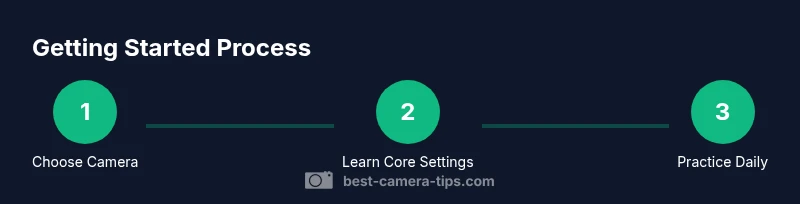
Your first camera choice should be guided by ease of use, not fear of missing out. For beginners, two main paths exist: compact mirrorless/DSLR with a kit lens or a small advanced compact. Mirrorless systems tend to be lighter, with modern autofocus and video features; DSLRs are often more affordable and rugged. If you’re unsure, start with a kit that includes a lens and a charger. In our experience, the best balance is a kit with a standard zoom lens and a dependable autofocus system, paired with decent auto modes. Based on Best Camera Tips analysis, beginners typically see the most consistent progress when they choose a single, approachable system and stick with it while learning core controls. Budget considerations should be realistic and tied to your goals—portrait, street, or travel photography. Also consider future-proofing: a camera with good autofocus for static subjects is great, but ensure it’s comfortable to hold and easy to learn on.
Core Camera Settings You’ll Use First
Before you dive into shooting, familiarize yourself with three levers that control almost every image: ISO, shutter speed, and aperture. ISO changes sensor sensitivity to light, shutter speed determines how long the sensor collects light, and aperture controls how much light enters the lens as well as depth of field. Start with auto modes if available, then experiment with exposure compensation to brighten or darken scenes. White balance keeps colors accurate in mixed lighting. Autofocus modes help with moving subjects, while manual focus gives you precise control when accuracy matters. Practically, pick a scene, switch to a semi-automatic mode (like Program or Aperture Priority), and observe how changing one setting affects brightness and sharpness. This hands-on exploration builds intuition without overwhelming you with numbers.
Your First Three-Shot Starter Workflow
A reliable starter workflow helps you move from theory to practice. Start with three repeatable shots: a simple portrait, a landscape, and a close-up. Frame using the rule of thirds, meter for exposure, and ensure the subject is sharp. Review the images on the LCD and note what settings produced the most pleasing results. This is not about perfection; it’s about building a dependable routine you can repeat in varying conditions. Keeping a small notebook or digital log of settings helps you track progress over weeks rather than hours.
Practice Plan: Building a Consistent Routine
Consistency beats intensity. Plan a weekly micro-schedule: 15–20 minutes of daily shooting, plus a longer 60-minute practice session on weekends. Each session should target a single theme (food, street scenes, nature) to reinforce a dedicated skill. After each session, rate your photos on composition, exposure, and focus, then choose one image to edit lightly. This habit creates measurable progress and makes learning feel manageable rather than overwhelming. Remember to adapt the pace to fit your life; the goal is steady improvement, not marathon-cramming.
Essential Gear and Gear Care for Beginners
You don’t need to own every accessory to start; focus on the basics: a camera body, a standard lens, and a memory card. A spare battery, a charger, and a microfiber cloth are practical additions. Keep your gear clean and dry, store it in a padded bag, and back up important files regularly. Basic maintenance—keeping the lens clean, checking for firmware updates, and inspecting straps and mounts—helps you avoid avoidable problems that interrupt your learning. Learning to care for gear is part of the craft and will save you time and frustration as your kit grows.
Next Steps: Keeping the Momentum Alive
As you become more comfortable, set progressive goals like “shoot five portraits this week” or “master night scenes with a tripod.” Build a small personal project, such as a weekly photo essay, and share progress with peers or online communities for feedback. Expand your knowledge gradually: learn about histogram basics, white balance in mixed light, and how different lenses influence perspective. The key is to keep your goals aligned with your interests, so practice remains enjoyable and not a grind. As you advance, you’ll naturally refine your preference for certain genres and gear.
Quick-Start Day-One Checklist
- Charge the battery and insert a freshly formatted memory card.
- Attach the kit lens and power on the camera to explore the menu.
- Take three test shots in different lighting environments and review the results.
- Note one thing to improve in your next session and plan a 15-minute practice window for tomorrow.
Tools & Materials
- Camera body(Any beginner-friendly model with manual controls)
- Kit lens(Standard zoom suitable for general photography)
- Memory card(Reliable Class 10 or higher, sufficient capacity)
- Extra battery(Optional for longer shoots or learning sessions)
- Charger(Keep spare power available during practice)
- Microfiber cleaning cloth(Gently wipe lenses and sensor-ward surfaces)
- Notepad or digital note app(Record settings and reflections after shoots)
Steps
Estimated time: 60-90 minutes
- 1
Charge and insert memory card
Power up the camera and ensure the battery fully charges. Insert a fresh memory card and format it if needed. This creates a reliable starting point for your first tests.
Tip: Always format new cards in-camera to avoid compatibility issues. - 2
Attach the kit lens and power on
Mount the standard lens securely and switch on the camera. Familiarize yourself with basic physical controls like the shutter button and mode dial.
Tip: Take a few practice presses of the shutter to feel where the button sits under your finger. - 3
Set to a basic semi-automatic mode
Choose a mode such as Program or Aperture Priority. This gives you hands-on control without overwhelming you with options while you learn.
Tip: Use exposure compensation if the scene looks too bright or dark. - 4
Frame with composition rules
Use the rule of thirds to place your subject and create balance. Check lighting directions and avoid harsh shadows.
Tip: Turn on a grid display if available to guide your composition. - 5
Capture three representative scenes
Take one portrait, one landscape, and one close-up to see how the camera handles different subjects.
Tip: Compare results to understand how lens focal length alters perspective. - 6
Review and log results
Review shots on the LCD, note what worked, and jot down settings you used. Transfer images to a computer for longer-term review if possible.
Tip: Look for sharpness, proper exposure, and whether color feels natural. - 7
Practice daily for 15-20 minutes
Build a habit by scheduling short sessions and gradually increasing complexity as confidence grows.
Tip: Consistency matters more than long, sporadic sessions. - 8
Plan the next session
Choose a theme for your next shoot (e.g., street photography) and set a small, measurable goal.
Tip: Set a goal you can realistically achieve in the time you have.
Common Questions
What should I buy first as a beginner?
Start with a camera body, a kit lens, and a memory card. A charger and a spare battery are helpful, but not strictly required to begin. Focus on learning the basics before expanding your gear.
Begin with the camera, a kit lens, and a memory card. A charger and a spare battery help with practice, but you can start without them and add later.
Is it better to learn with automatic mode at first?
Yes. Start in auto or semi-automatic modes to learn how changes affect the image. Gradually switch to manual settings as you gain confidence and understanding of exposure.
Yes, auto modes are fine to begin with. Then slowly move to manual settings as you learn.
What is the best lens for beginners?
A standard kit zoom lens is the most versatile for a beginner, offering a natural focal range suitable for landscapes, portraits, and everyday scenes.
A standard kit zoom is the best starting lens for most beginners.
How long does it take to feel comfortable with a camera?
Comfort comes with consistent practice. Many beginners notice steady improvement within a few weeks of regular sessions and simple projects.
It varies, but with regular practice you’ll feel more confident in weeks.
RAW vs JPEG for beginners?
If your camera supports RAW, shooting RAW gives more latitude in editing. JPEG is easier for sharing and requires less processing. Start with JPEG for quick results and try RAW as you grow.
RAW gives more editing flexibility, JPEG is quicker to share. Start with JPEG and try RAW later.
What’s a good next step after basic learning?
Pick a genre you enjoy (portraits, streets, landscapes) and build a small project. Pair practice with short tutorials on composition and lighting to deepen understanding.
Choose a genre you love and start a small project, supplementing with focused tutorials.
Watch Video
The Essentials
- Choose a beginner-friendly kit and start with a simple workflow
- Master three core settings to control exposure and focus
- Practice consistently with short, themed sessions
- Log results to track progress and guide improvement