How to Fit a Camera: Secure Mount Guide
Comprehensive guide to fitting a camera securely on a tripod or mount. Learn mounting options, balancing, safety tips, and common mistakes for aspiring photographers.


You will learn how to fit a camera securely to a tripod or mounting bracket, ensuring stability, alignment, and safe handling. This guide covers choosing the right mounting plate, attaching the camera, balancing the rig, and test-fitting for vibration-free shots. According to Best Camera Tips, a proper fit reduces shake and improves overall image quality.
Why proper camera fitting matters
A secure fit is the foundation of sharp images and safe handling. When you fit a camera correctly to a tripod, gimbal, or wall mount, you reduce shake, preserve lens alignment, and make operations more predictable. A poor fit can introduce vibrational noise, tilt, or accidental drops during shoots. These risks are especially relevant for long exposures, telephoto work, or high-angle shoots where gravity acts on the rig. Taking a few extra minutes to verify fit pays off in image quality, faster setup, and safer operation across genres from landscape photography to video production.
Core principles of mounting stability
The camera mounting system must support three axes: horizontal, vertical, and rotational. The better the alignment and balance, the less vibration you’ll see in your final shot. Start by understanding your gear's weight distribution: heavier lenses shift the center of gravity forward, requiring counterbalance on the tripod head. Use a quick-release plate that matches your tripod head to minimize play. Always verify that the mounting surface is clean and dry to maximize grip, and choose feet or studs that suit the environment (indoor studio vs. outdoor ground).
Selecting mounting options for your camera
Tripod heads vary widely, so choose one that matches your shooting style. Ball heads offer quick aiming, pan-tilt heads provide precise framing, and fluid heads excel for video. If you shoot with long glass, look for sufficient weight capacity and friction control to prevent drift. Check screw compatibility: most cameras use 1/4"-20 threads, with adapters available for 3/8". An Arca-Swiss compatible plate is a popular choice for fast swaps between rigs. For fixed installations, consider wall or ceiling mounts, but recognize they reduce flexibility.
Preparing the mounting surface
Before attaching, inspect the mounting surface for stability and cleanliness. Wipe away dust, oil, or moisture from the base of the camera and the plate, then confirm that the surface will remain steady under load. If you’re working on uneven ground, adjust the tripod legs to level the rig and use a small bubble level to confirm horizontal alignment. Outdoors, account for wind and weather; secure hardware with straps or tethering when necessary.
Safety checks to perform before mounting
Safety should come first. Ensure you’re not mounting over people or fragile equipment, and always test the connection by gently tugging on the camera after mounting. Verify that the quick-release latch is fully locked and that screws are not protruding. If you’re using multiple accessories, ensure their weight distribution does not exceed the head’s limits. Finally, consider adding a safety tether for expensive or tall setups to prevent accidental drops during transport.
Quick sanity checks after mounting
After you attach, do a quick check: see that the camera sits level, that the plate sits flush against the camera base, and that there is no wobble at the connection. Spin the head slowly through a full range of motion to feel for any looseness. If you notice drift, tighten the fasteners slightly, recheck balance, and test again at a low angle before moving to more dynamic angles.
Common mistakes and how to avoid them
Rushing the mount leads to misalignment and shake. Skipping a level check or using a loose plate can cause drift during shots. Over-tightening can strip screws, while under-tightening invites vibration. Avoid mounting on unstable surfaces or on legs that sink into soft ground. Finally, neglecting to check balance after adding heavier lenses or accessories increases the risk of tipping.
Maintenance and long-term care
Inspect your mounting gear regularly. Clean all contact surfaces, keep screws free of corrosion, and store plates and heads in a dry, padded bag. Check for wear on the quick-release mechanism and replace any damaged parts promptly. If you use external power or heavy rigs, periodically test mounts under load to ensure continued performance.
Alternatives for non-tripod setups
Not every shoot allows a tripod. For handheld or fixed installations, consider a camera clamp with a stable work surface, a ceiling mount for room-scale shots, or a wall-mounted shelf with a fixed plate. Ensure the alternative supports your camera weight and purpose, and re-check balance after any change. Some photographers use a stabilizing gimbal or a belt-based support for mobility, especially in dynamic environments.
Troubleshooting fit issues
If your fit feels loose, check the screw length, the plate’s compatibility, and the head’s clamping force. A misaligned plate can cause tiny shifts that ruin a shot. If the camera tilts unexpectedly, relevel the rig and confirm that the base surface remains stable during movement. For rain or dust, dry surfaces and consider protective housings to prevent slippage.
Authority sources
- OSHA safety guidelines: https://www.osha.gov/publications
- NIST standards on measurement and stability: https://www.nist.gov/topics/measurement-science
- Nature magazine on photography best practices: https://www.nature.com
Tools & Materials
- Tripod with a compatible mounting plate(Choose a sturdy tripod rated for your camera weight; ensure quick-release plate compatibility.)
- Quick-release plate(Matches your tripod head; non-slip surface for secure mounting.)
- 1/4"-20 mounting screw(Standard camera screw; check if your camera uses 3/8" and needs an adapter.)
- Allen wrench or screwdriver(Used to tighten plate screws; keep tools on hand.)
- Bubble level(Helpful for level alignment, especially on uneven terrain.)
- Anti-slip mat or gasket(Improves grip on slick surfaces.)
- Safety tether or strap(Adds security for high or mobile shoots.)
- Lens hood or shade(Consider weight distribution and balance.)
Steps
Estimated time: 20-30 minutes
- 1
Verify screw compatibility
Check the camera’s mounting thread (most use 1/4"-20). If you see a different size, use the appropriate adapter before attaching anything to the camera. This prevents cross-threading and damage.
Tip: Always inspect screws and threads for debris; clean before threading. - 2
Attach mounting plate to camera
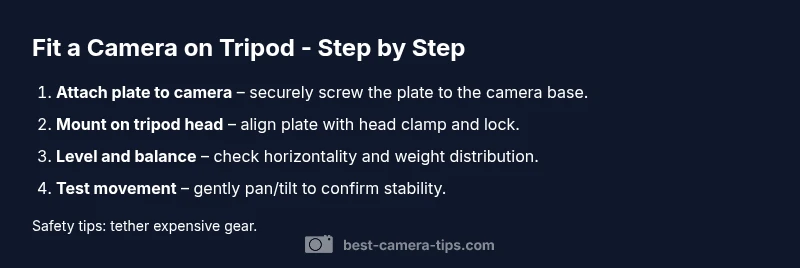
Secure the quick-release plate to the camera base with the provided screws. Do not over-tighten, but ensure it cannot rotate independently of the camera base.
Tip: Leave a snug fit that resists movement but allows easy release when needed. - 3
Mount the camera on the tripod head
Align the plate with the tripod head clamp and slide it into place. Lock the clamp so the plate cannot shift during movement.
Tip: Center the plate to avoid side-to-side tilt. - 4
Tighten the connections
Firmly tighten all connections after mounting. Check that the plate remains flush against the camera base and that the head lock is engaged.
Tip: Avoid overtightening to prevent stripping screws. - 5
Level and balance the rig
Use a bubble level to confirm horizontal alignment. Adjust leg height and head tension to balance the camera’s weight across axes.
Tip: Balanced rigs stay steadier during panning and tracking shots. - 6
Test fit with light movement
Gently move the rig through a full range of motion and simulate typical shots. Look for any wobble or drift and re-tighten as needed.
Tip: Always perform a quick field test before a real shoot.
Common Questions
What mounting plate should I use?
Choose a quick-release plate that matches your tripod head and supports your camera weight. ARCA-Swiss plates are popular for fast swaps, but always match to your head’s compatibility.
Use a plate that fits your tripod head and camera weight, like an ARCA-Swiss plate for quick swaps.
Can I fit a camera without a tripod?
Yes, you can use clamps, ceiling mounts, or wall mounts designed for cameras, but these setups reduce flexibility and often require additional safety considerations.
Yes, you can, but consider safety and stability when using clamps or wall mounts.
Why is level important?
A level camera ensures horizons stay straight and framing is accurate, especially in landscape and architectural work.
Leveling helps keep horizons straight and improves composition.
How do I know if the fit is secure?
Gently tug the camera and check for no wobble. The plate should sit flush with the base and resist twisting.
If it doesn’t feel solid, re-tighten and recheck alignment.
What if the screw is too long or short?
Use the correct length screw or an adapter if needed. Incorrect length can damage threads or fail to secure the camera.
Use the right screw length to protect the threads and secure the camera.
How often should I check fit?
Check the fit before every shoot and after changing lenses or accessories.
Check the fit before each shoot, especially after gear changes.
Watch Video
The Essentials
- Secure the mounting plate to the camera base properly.
- Balance the rig to minimize shake during shots.
- Level the camera before shooting for straight horizons.
- Test the setup with light movement before real shoots.
- The Best Camera Tips team recommends following these steps for safe, stable mounting.