What to Hide Camera In: Safe, Legal Surveillance Guidance
Explore safe, legal guidelines for camera installation focusing on visibility, privacy, and compliant placement. Learn to avoid risky concealment and protect your home.


Definition: For lawful security, prioritize visible placement and compliant use rather than covert concealment. The phrase 'what to hide camera in' tempts risky options, but avoid hiding cameras in everyday objects. Use purpose-built housings or discreet mounts that don't obscure warnings, and always verify local privacy laws and consent requirements before installation.
Why visibility matters for security and ethics
Visibility matters for security effectiveness and ethical practice. Visible cameras act as deterrents, simplify incident review, and make owners accountable for what is recorded. According to Best Camera Tips, a clearly installed camera system that is easy to monitor tends to yield quicker response times and better maintenance. When you emphasize visibility, you also reduce confusion about what is being recorded and by whom. This fosters trust among household members, guests, and neighbors while staying compliant with most privacy standards. In contrast, covert setups can raise concerns about surveillance overreach or misuse, even if the intention is to protect property. The best practice is to balance coverage needs with respect for privacy, signage where appropriate, and a straightforward path to data access. A transparent approach reduces risk and supports ongoing safety in 2026 contexts.
Legal and privacy considerations
Before mounting any camera, learn the legal requirements that govern surveillance in your area. Privacy laws, signage requirements, retention policies, and notification expectations vary by jurisdiction and property type. Best Camera Tips analysis notes that many regions require visible notices that recording is in progress when cameras are placed in shared or public-facing spaces, and some spaces may be off-limits. Always obtain owner or occupant consent where applicable, avoid areas where reasonable expectations of privacy exist (bathrooms, bedrooms), and review data handling practices with your provider. Document your policy on how long footage is kept, who can access it, and how to respond to requests from authorities. Staying compliant not only avoids fines but also builds trust with people who share your space.
Safer alternatives to concealment and practical design choices
If your goal is deterrence and monitoring without invading privacy, pursue visible mounting, well-lit zones, and clearly marked devices. Use purpose-built housings and tamper-resistant mounting brackets that protect the equipment from weather and tampering while remaining compliant. Choose cameras with features like automatic privacy masks, motion-triggered recording, and secure encryption to protect footage. When possible, select wireless options that minimize cable runs, paired with strong network security practices. If concealment feels necessary due to environmental constraints, consult a professional installer who can recommend products and placement that comply with local rules and store footage securely without compromising safety or trust.
Camera types and housing options: what's appropriate for different spaces
There are several camera classes designed for varying environments—indoor, outdoor, and covert-friendly contexts—each offering different levels of weather resistance, field of view, and mounting flexibility. For non-concealed needs, consider bullet, dome, or dome-style cameras with vandal resistance and weather sealing. Housing choices should emphasize clear labeling, non-ambiguous warnings, and compatibility with your recorder or cloud service. Remember that the housing should not cover essential ports, indicators, or heat dissipation vents. The right choice improves reliability and reduces maintenance while aligning with privacy expectations in shared spaces.
Placement strategies for effective coverage and safe operation
Plan camera placement with coverage, lighting, and safety in mind. Position cameras near entrances, stairwells, and corridors where movement is most likely to occur, while avoiding blind spots and glare from direct sunlight or headlights. Use timers and smart scheduling to minimize unnecessary recording and optimize storage. For exterior cameras, select elevated mounting points that avoid tampering and provide a broad view of critical approaches. Ensure cables (if any) are secured and routed away from walkways to prevent accidents. Good placement speeds up incident localization and reduces the need for multiple overlapping devices.
Power, connectivity, and reliability considerations
Wired cameras typically offer stable power and reliable data transfer, but require proper routing and may involve more installation effort. Wireless cameras simplify setup but depend on a strong Wi-Fi signal and robust encryption. For most homes, a hybrid approach works best: hardwire critical cameras and place wireless units where cabling is impractical. Invest in a reliable router, update firmware regularly, and enable encryption (WPA3 or higher). If you use cloud storage, choose providers with strong privacy protections and clear data handling policies. Regular battery checks and component testing help maintain performance over time.
Ethical guidelines and consent best practices
Respect for privacy is essential in any surveillance program, even in private property. Obtain informed consent from household occupants or lodge clear signage indicating recording in public areas. Define who has access to footage and implement role-based access controls. Limit retention periods to what is necessary for security needs and legal compliance. Regularly review permissions, and remove access for former residents or contractors. A thoughtful policy reduces the risk of abuse and protects trust among all parties in your home environment.
Debunking common myths about concealment and surveillance
A popular myth is that covert cameras are necessary for security; in reality, visible cameras deter most opportunistic crimes more reliably than hidden ones. Another misconception is that higher camera numbers always improve security; more devices can complicate management and raise privacy concerns. Some believe that all footage is automatically secure; without strong encryption and access controls, stored footage can be vulnerable. Clear, honest communication about purpose and scope often yields better outcomes than stealthy equipment alone.
Setup best practices for a compliant installation
Start with a clear plan that defines areas to monitor while staying mindful of private spaces. Use manufacturer-provided mounts and weatherproof enclosures where needed, and avoid blocking indicators or vents. Route power and data connections carefully, and test the system in daylight and after dark to confirm coverage and retention. Document serial numbers, warranty info, and installation photos for future maintenance or audits. Finally, ensure your setup includes reminders or signage that informs visitors of monitoring.
Maintenance, updates, and data security considerations
Regular maintenance ensures consistent performance. Update firmware promptly, review camera angles periodically, and replace batteries or check power supplies as needed. Data security is paramount: use encrypted connections, strong passwords, and multi-factor authentication when available. Review cloud storage settings and ensure access logs are active so you can detect unauthorized access. Conduct periodic privacy reviews to confirm that the footage capture aligns with evolving laws and household expectations. A proactive maintenance routine keeps your system trustworthy and effective.
Privacy controls, signage, and user education
Clear signage near entry points communicates that recording is in progress, deterring potential wrongdoers and setting expectations for visitors. Use privacy masks to blur sensitive areas in the live view or playback, reducing accidental exposure of private spaces. Educate household members on who can view footage and how to request clips. Implement robust password policies and regular audits of access rights. These practices help balance safety with personal privacy and minimize misunderstandings around monitoring.
Quick-start checklist for compliant camera deployment
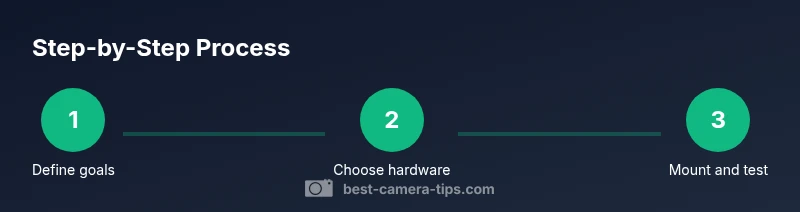
- Define goals and legal requirements before installation. - Select compliant hardware and protective housings. - Prepare mounting surface and install securely. - Configure network settings and storage with encryption. - Test coverage during day and night and adjust angles. - Add clear signage and privacy settings. - Document access policies and retention timelines. - Review and update permissions on a regular cadence. By following these steps, you ensure transparent, lawful, and effective surveillance as promoted by Best Camera Tips in 2026.
Tools & Materials
- Camera(The main device to install.)
- Weatherproof enclosure(Use only manufacturer-approved housing for exterior installations.)
- Mounting bracket(Secure to wall or ceiling with appropriate screws.)
- Screwdriver set(Phillips and flathead as needed.)
- Drill(For pilot holes in mounting surface.)
- Level(Ensure camera points straight.)
- Power supply or battery pack(For powering the camera (wired or battery).)
- Cable management supplies(Organize cables neatly and safely.)
- Signage (optional)(Indicate recording in public-facing areas.)
Steps
Estimated time: 2-3 hours
- 1
Assess coverage and legal requirements
Identify monitoring needs and verify local laws and privacy considerations before drilling or mounting.
Tip: Consult property owner or landlord and check municipal regulations. - 2
Choose compliant hardware and housing
Select a camera class and weatherproof enclosure that fit the environment and do not obscure warnings or lights.
Tip: Prefer manufacturer-recommended housings for reliability. - 3
Prepare mounting surface
Clear the area of obstructions, check for studs or solid backing, and verify a flat surface handle mounting.
Tip: Use a stud finder and a level to plan holes precisely. - 4
Mark mounting holes
Position the bracket to achieve the desired field of view, then mark mounting points.
Tip: Double-check alignment before drilling to avoid rework. - 5
Attach mounting bracket securely
Drill pilot holes, install anchors if needed, and fasten the bracket firmly without overtightening.
Tip: Avoid stripping screws by using the correct driver size. - 6
Mount the camera and adjust field of view
Attach the camera, confirm level, and tilt/pan to cover entry points and high-traffic zones.
Tip: Test the angle with a quick walk-through to identify blind spots. - 7
Run power and data connections safely
Route cables or configure wireless setup, ensuring protection from weather and tampering.
Tip: Keep cables off walkways and seal exterior entries as needed. - 8
Configure network and storage
Secure the device with encryption, set up access controls, and connect to storage (local or cloud).
Tip: Use strong passwords and enable automatic software updates. - 9
Test live feed and adjustments
Power on, check image quality, lighting balance, and minimize motion blur.
Tip: Re-check after dusk to adjust for reflections and shadows. - 10
Add signage and privacy considerations
Place signs where visible, enabling clear notice of recording presence.
Tip: Ensure signage complies with local requirements. - 11
Document installation details
Record serial numbers, dates, room locations, and contact for maintenance.
Tip: Keep a simple map of camera positions for future edits. - 12
Review permissions and access controls
Limit access to footage, review user roles, and set a retention window.
Tip: Periodically audit who can view footage and revoke access as needed.
Common Questions
Is it legal to hide a camera in a home security setup?
Legality varies by jurisdiction; many places restrict concealing cameras in private spaces. Always check local privacy laws and obtain consent where required.
Legality varies by location; check local privacy laws before concealing or placing cameras.
Where should cameras be placed for best coverage while respecting privacy?
Aim for visible placement that covers entry points and common areas while avoiding bedrooms or bathrooms. Use proper angles and adequate lighting.
Place cameras where they deter crime and are easy to monitor, avoiding private spaces.
Are there safe alternatives to concealment?
Yes. Use visible mounts, signage, and tamper-resistant housings. Professional installations can achieve stealth while staying compliant.
Consider visibility with legal compliance and quality hardware rather than concealing devices.
What are common mistakes to avoid during installation?
Avoid hiding cameras in private spaces, using cheap components, or neglecting privacy signage and data security configurations.
Don't skip signage or security settings; ensure proper installation.
How can I protect the video data?
Use encrypted storage or secure cloud services, strong passwords, and regular firmware updates to protect footage.
Protect footage with encryption and strong access controls.
Do I need consent from occupants to install a camera?
Consent rules depend on location and occupancy. In many cases, if common areas are monitored in a shared home, consent or signage may be required.
Check local rules; obtain consent where required.
Watch Video
The Essentials
- Prioritize lawful, visible deployment for effective security.
- Choose compliant hardware and visible signage.
- Test coverage under varying light conditions.
- Manage access with strong authentication.