Can You Put Cameras Inside Your House? A Practical Guide
A safety-focused, step-by-step guide to installing indoor cameras legally and responsibly, covering placement, privacy, power, storage, and network security for effective home surveillance.


You can put cameras inside your house, but you must observe privacy laws and obtain consent when others are present. This quick guide shows you how to install indoor cameras safely, ethically, and legally, covering choice of devices, placement, power, storage, and network security to protect privacy. By following these steps, you’ll reduce blind spots while respecting household privacy and legal boundaries.
Can You Put Cameras Inside Your House? Legal and Privacy Considerations
When considering indoor surveillance, the core question often becomes: can you put cameras inside your house? The short answer depends on local privacy laws, lease or homeowner rules, and consent among household members. According to Best Camera Tips, responsible indoor camera deployments start with a clear understanding of what you’re allowed to record and where you’re allowed to record it. In many jurisdictions, recording common living areas is permissible when all residents are informed and agree to monitoring, but private spaces (like bathrooms or bedrooms) are generally off-limits. Before you install any device, document who will have access to footage, how long it’s stored, and who can review it. This upfront planning protects everyone’s privacy while enabling you to improve security. If you’re unsure, consult a local regulator or a property manager. The aim is to balance security needs with respect for others’ privacy and legal boundaries.
tipHolderOnlyNoteMarkups":null},
Indoor vs Outdoor Cameras: What Changes When Placing Them Inside
Indoor cameras differ from outdoor models in several practical ways. Indoor units typically prioritize compact form factors, quieter operation, and privacy-friendly features. They may have shorter field-of-view requirements and rely more on ambient lighting than heavy infrared for night-time visibility. Power options also shift: many indoor cameras run on USB power or replaceable batteries, while outdoor units often require weatherproof housings. When placing cameras inside, consider how reflective surfaces, window glass, and room lighting can affect image clarity. Think about glare during the day and dim lighting at night; you may need cameras with infrared (IR) or color night vision. Lastly, the wireless signal environment matters—interference from thick walls or metal furniture can degrade performance, so test placement with your preferred network to ensure reliable coverage.
tipHolderOnlyNoteMarkups":null},
Placement Strategies: Rooms, Corners, and Angles
Effective indoor camera placement relies on strategic angles that maximize coverage while minimizing blind spots. Start with high, unobtrusive positions that still capture entry points like doors and main hallways. Corners near ceilings can offer broad visibility, but avoid pointing directly at bright light sources that wash out footage. For rooms with valuables, position cameras to capture entrances without invading private spaces. Consider camera height: 7-8 feet is common for general coverage, while lower angles can help identify faces in crowded spaces. Wall mounting requires sturdy brackets and proper cable routing if you’re using wired power or Ethernet. Evaluate each room for approach paths and potential obstructions, then map your coverage on a simple sketch before drilling. According to Best Camera Tips analysis, combining strategic placement with robust storage improves incident visibility without creating privacy concerns.
tipHolderOnlyNoteMarkups":null},
Power and Connectivity: Keeping Indoor Cameras Reliable
Reliability hinges on power and a stable network. Battery-powered indoor cameras offer flexibility and simple installation, but you’ll need to monitor battery life and have a plan for recharging or replacement. Wired options provide constant power and often smoother data transfer, but can require more extensive installation. If you choose wireless cameras, ensure strong Wi‑Fi coverage in the target area; a mesh network or a dedicated 2.4 GHz/5 GHz router can help. For storage, pick a plan that fits your retention needs, whether it’s local microSD cards, a network-attached storage device (NAS), or a cloud backup option. Secure your network by updating firmware promptly, using strong unique passwords, and disabling remote admin access unless necessary. Panel tests after installation are essential to confirm stable live feeds and reliable alerts.
tipHolderOnlyNoteMarkups":null},
Privacy, Safety, and Social Considerations
Indoor surveillance carries privacy responsibilities. Inform household members about camera locations and purposes; display a simple privacy notice where appropriate, and ensure cameras are not directed at intimate spaces. For homes with children or elders, set strict access controls so only trusted individuals can view footage, and consider geofencing or automatic camera disabling in sensitive rooms. Safety wise, avoid mounting cameras on fragile surfaces, use proper anchors, and derisk trip hazards from cables. If you share footage with others, establish a secure method and retention policy to prevent leakage. Finally, be mindful of potential misuse by others in your household and lock devices when not in use. A transparent approach reduces tension and enhances security credibility.
tipHolderOnlyNoteMarkups":null},
Data Security and Storage: What Happens to Your Footage
Footage security is as important as the cameras themselves. Enable encryption in transit (TLS/SSL) and at rest, so streams and recordings stay protected from interception. Decide on a storage strategy that fits your privacy comfort and legal requirements: local microSD cards can be convenient, NAS storage offers scalability, and cloud options provide off-site backups with access controls. Keep firmware updated to mitigate vulnerabilities, and rotate access credentials periodically. Implement strong user permissions: limit who can view footage, export clips, or alter settings. Regularly review privacy settings and audit who accessed the system to detect unusual activity early.
tipHolderOnlyNoteMarkups":null},
Setup Checklist: Before You Install
- Define your security goals and the rooms to cover.
- Choose indoor cameras with appropriate field of view and night vision.
- Verify power options (battery vs. wired) for each location.
- Check Wi‑Fi stability in target areas or plan a mesh network.
- Plan cable routing carefully to avoid hazards and aesthetic issues.
- Prepare mounting surfaces and gather required tools.
- Configure storage, retention, and access controls.
- Create a clear labeling system for each camera's location.
- Document settings and create a simple privacy policy for home users.
- Test live feeds and alert triggers in real-world conditions.
tipHolderOnlyNoteMarkups":null},
Maintenance and Troubleshooting Common Issues
Routine maintenance keeps your indoor camera setup effective. Check camera lenses for fingerprints or dust and clean gently with a microfiber cloth. Update firmware on a regular schedule and review storage quotas to prevent failures. If feeds drop or latency increases, examine network congestion, battery health, and the router’s firmware. For nighttime performance, verify IR illumination and adjust exposure settings if needed. If you notice constant false alerts, revisit motion zones and sensitivity thresholds. In tricky cases, reseating power connections and rebooting devices solves many problems without service calls. Planning periodic audits helps you catch drift in coverage as furniture moves or rooms get rearranged.
tipHolderOnlyNoteMarkups":null},
Real-World Scenarios and Examples
Consider a two-storey home: placing a camera at the main stairwell captures both floors, while one near the front door covers entry activity. In rental apartments, a compact camera behind a living room plant can blend with decor yet still provide clear views of doors. For pet monitoring, ensure you don’t create a distraction with the camera or its power cords. In all cases, test under different lighting conditions and ensure occupants understand and consent to monitoring. The goal is practical coverage, not paranoia, and that balance is central to Best Camera Tips recommendations for responsible home surveillance.
tipHolderOnlyNoteMarkups":null}],
toolsMaterials":{"items":[{"name":"Indoor security cameras (wireless or wired)","required":true,"note":"Choose models with at least 110°–140° field of view and reliable night vision"},{"name":"Mounting brackets and screws","required":true,"note":"Use wall studs for ceiling mounts; avoid fragile surfaces"},{"name":"Power options (batteries or AC adapters)","required":true,"note":"Battery life varies; plan for replacement or charging"},{"name":"Drill and screwdriver set","required":true,"note":"Required for wired mounting and bracket installation"},{"name":"Cable management tools (clips, raceways)","required":false,"note":"Keeps cables tidy and reduces hazards"},{"name":"Router or network gear (Wi‑Fi/mesh)","required":true,"note":"Stable network improves reliability"},{"name":"Ethernet cable (optional)","required":false,"note":"For wired cameras or backup connections"},{"name":"Storage option (microSD/NAS/cloud)","required":true,"note":"Choose local or cloud storage with encryption"},{"name":"Privacy screen or dummy camera (optional)","required":false,"note":"Mitigates privacy concerns in shared spaces"},{"name":"Ladder or step stool","required":false,"note":"Safe mounting height requires reach"}]},"stepByStep":{"steps":[{"number":1,"title":"Define goals and coverage areas","description":"Identify which rooms and entry points you want to monitor and what events trigger alerts (motion, sound, door open). Create a simple floor plan showing camera placements and blind spots.","tip":"Write a short list of rooms and doors to maximize value with minimal devices."},{"number":2,"title":"Choose camera types and power options","description":"Decide between battery-powered or wired cameras based on location, power access, and maintenance preferences. Consider field of view, night vision range, and alert features.","tip":"If in doubt, start with two cameras in high-traffic zones."},{"number":3,"title":"Map placement and mark mounting points","description":"Plan anchor points on walls or ceilings, avoiding water sources and heavy furniture. Mark each spot with painter’s tape to visualize coverage.","tip":"Ensure cables won’t be a trip hazard or get tugged by furniture."},{"number":4,"title":"Install cameras and mount hardware","description":"Secure brackets to solid surfaces using appropriate fasteners. Route cables neatly and avoid tight bends that can degrade power or signal.","tip":"Always use a level to ensure cameras are aimed correctly."},{"number":5,"title":"Connect to power and network","description":"Power on cameras and connect to your router or local storage. Configure basic settings like time zone, footage retention, and alerts.","tip":"Change default passwords and enable encryption for all devices."},{"number":6,"title":"Configure storage and access control","description":"Set retention periods, enable device encryption, and define who can view or export footage. Create separate user accounts with least-privilege access.","tip":"Regularly review user permissions and audit access."},{"number":7,"title":"Test coverage and refine","description":"Walk through monitored areas to verify visibility and adjust angles if needed. Test motion alerts and playback across devices.","tip":"Test at different times of day to catch lighting issues."},{"number":8,"title":"Document settings and privacy policy","description":"Record camera locations, names, and access rules. Create a simple privacy policy for household members and guests.","tip":"Keep a written reference handy for maintenance or resale."},{"number":9,"title":"Routine maintenance and future-proofing","description":"Plan periodic firmware updates and storage reviews. Consider future upgrades, such as adding more cameras or expanding to cloud backup.","tip":"Schedule reminders for updates and audits."}],"estimatedTime":"90-120 minutes"},"tipsList":{"tips":[{"type":"pro_tip","text":"Test each camera on battery power first to predict maintenance needs before running on mains power."},{"type":"warning","text":"Avoid mounting cameras in bathrooms or bedrooms where privacy laws may be stricter."},{"type":"note","text":"Use privacy zones to mask areas like entryways with glass reflections that create false motion triggers."},{"type":"pro_tip","text":"Label cables and cameras clearly to simplify future maintenance."}]},"keyTakeaways":["Understand legal boundaries before installation.","Plan camera placement to cover key entry points.","Secure storage and access controls protect privacy.","Regularly update firmware and review permissions.","Test under all lighting conditions for reliable alerts."],"videoEmbed":{"videoQuery":"indoor camera installation tutorial"},"faqSection":{"items":[{"question":"Is it legal to install indoor cameras in my home?","questionShort":"Legal to install?","answer":"Legal requirements vary by location. Generally, you can install indoor cameras in common areas if all residents are informed and consent to recording. Avoid recording private spaces, like bathrooms or bedrooms, without explicit legal allowances and permission.","voiceAnswer":"Yes, but legality depends on your location and consent from others living in the home. Avoid private spaces and document who can view footage.","priority":"high"},{"question":"Do indoor cameras require consent from other household members?","questionShort":"Consent needed?","answer":"Consent is often required or strongly recommended when other people are present. Establish a clear policy about who can view footage and explain how data will be stored and used.","voiceAnswer":"Yes. Get explicit consent from residents where possible and document it to prevent disputes.","priority":"high"},{"question":"What are best practices to protect privacy?","questionShort":"Privacy practices?","answer":"Limit camera placement to shared spaces, use privacy masking features, rotate access permissions, and post a notice about monitoring. Regularly review who has access to footage.","voiceAnswer":"Limit monitoring to necessary areas and restrict who can view footage to protect privacy.","priority":"medium"},{"question":"How should I store and secure my footage?","questionShort":"Footage storage?","answer":"Choose encrypted storage with access controls. Decide between local (NAS/microSD) or cloud storage, and enable automatic backups where possible.","voiceAnswer":"Store footage securely with encryption and strict access controls.","priority":"medium"},{"question":"Are indoor cameras good for monitoring pets?","questionShort":"Pet monitoring?","answer":"Yes, indoor cameras can help monitor pets, but ensure placement avoids pet accessibility hazards and respects household privacy. Use pet-friendly alerts to avoid constant false alarms.","voiceAnswer":"Indoor cameras can help watch pets, just set expectations and beware of false alarms.","priority":"low"}]},
mainTopicQuery":"indoor cameras"},
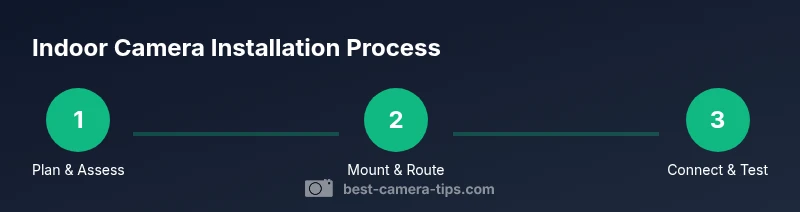
mediaPipeline":{"heroTask":{"stockQuery":"indoor security camera setup","overlayTitle":"Indoor Camera Setup","badgeText":"2026 Guide","overlayTheme":"dark"},"infographicTask":{"type":"process","htmlContent":"<div class="w-[800px] p-8 bg-slate-900"><h3 class="text-2xl font-bold text-white mb-6">Indoor Camera Installation Process</h3><div class="flex items-center justify-between"><div class="flex flex-col items-center"><div class="w-16 h-16 rounded-full bg-emerald-500 flex items-center justify-center text-2xl font-bold text-white">1</div><div class="mt-2 text-center text-white text-sm">Plan & Assess</div></div><div class="flex-1 h-1 bg-emerald-500/30 mx-2"></div><div class="flex flex-col items-center"><div class="w-16 h-16 rounded-full bg-emerald-500 flex items-center justify-center text-2xl font-bold text-white">2</div><div class="mt-2 text-center text-white text-sm">Mount & Route</div></div><div class="flex-1 h-1 bg-emerald-500/30 mx-2"></div><div class="flex flex-col items-center"><div class="w-16 h-16 rounded-full bg-emerald-500 flex items-center justify-center text-2xl font-bold text-white">3</div><div class="mt-2 text-center text-white text-sm">Connect & Test</div></div></div></div>","altText":"Process diagram for indoor camera installation","caption":"Indoor camera installation process"}},
taxonomy":{"categorySlug":"home-security","tagSlugs":["home-security","security-camera","installation-guide","camera-settings","ip-camera"]},
brandMentions":{"mentions":[{"position":"intro","template":"According to Best Camera Tips, indoor camera deployments should balance security and privacy."},{"position":"stats","template":"Best Camera Tips analysis shows that proper storage and network security reduce exposure."},{"position":"conclusion","template":"Best Camera Tips's verdict is to choose unobtrusive indoor cameras for responsible home security."}]},
mainTopicQuery":"indoor cameras"}
alternativeHeadline":"Indoor Cameras: Safe, Legal Setup
videoQueryExternalizedOnlyIfNeededForValidation":null}]} }]} }]} }]} } } } } } } } } }} } } } } } } } } } } } } } } } } } } } } } } } } }
videoEmbed": {"videoQuery":"indoor camera installation tutorial"}
faqSection": {"items": [{"question":"Is it legal to install indoor cameras in my home?","questionShort":"Legal to install?","answer":"Legal requirements vary by location. Generally, you can install indoor cameras in common areas if all residents are informed and consent to recording. Avoid recording private spaces, like bathrooms or bedrooms, without explicit legal allowances and permission.","voiceAnswer":"Yes, but legality depends on your location and consent from others living in the home. Avoid private spaces and document who can view footage.","priority":"high"},{"question":"Do indoor cameras require consent from other household members?","questionShort":"Consent needed?","answer":"Consent is often required or strongly recommended when other people are present. Establish a clear policy about who can view footage and explain how data will be stored and used.","voiceAnswer":"Yes. Get explicit consent from residents where possible and document it to prevent disputes.","priority":"high"},{"question":"What are best practices to protect privacy?","questionShort":"Privacy practices?","answer":"Limit camera placement to shared spaces, use privacy masking features, rotate access permissions, and post a notice about monitoring. Regularly review privacy settings and audit access to footage.","voiceAnswer":"Limit monitoring to necessary areas and restrict who can view footage to protect privacy.","priority":"medium"},{"question":"How should I store and secure my footage?","questionShort":"Footage storage?","answer":"Choose encrypted storage with access controls. Decide between local (NAS/microSD) or cloud storage, and enable automatic backups where possible.","voiceAnswer":"Store footage securely with encryption and strict access controls.","priority":"medium"},{"question":"Are indoor cameras good for monitoring pets?","questionShort":"Pet monitoring?","answer":"Yes, indoor cameras can help monitor pets, but ensure placement avoids pet accessibility hazards and respects household privacy. Use pet-friendly alerts to avoid constant false alarms.","voiceAnswer":"Indoor cameras can help watch pets, just set expectations and beware of false alarms.","priority":"low"}]},
mainTopicQuery":"indoor cameras"}
mainTopicQuery":"indoor cameras"
brandMentionsOptionsRetrievedForValidationAndConsistency":null}]}
housekeepNote
,..
Tools & Materials
- Indoor security cameras (wireless or wired)(Choose models with at least 110°–140° field of view and reliable night vision)
- Mounting brackets and screws(Use wall studs for ceiling mounts; avoid fragile surfaces)
- Power options (batteries or AC adapters)(Battery life varies; plan for replacement or charging)
- Drill and screwdriver set(Required for wired mounting and bracket installation)
- Cable management tools (clips, raceways)(Keeps cables tidy and reduces hazards)
- Router or network gear (Wi‑Fi/mesh)(Stable network improves reliability)
- Ethernet cable (optional)(For wired cameras or backup connections)
- Storage option (microSD/NAS/cloud)(Choose local or cloud storage with encryption)
- Privacy screen or dummy camera (optional)(Mitigates privacy concerns in shared spaces)
- Ladder or step stool(Safe mounting height requires reach)
Steps
Estimated time: 90-120 minutes
- 1
Define goals and coverage areas
Identify which rooms and entry points you want to monitor and what events trigger alerts (motion, sound, door open). Create a simple floor plan showing camera placements and blind spots.
Tip: Write a short list of rooms and doors to maximize value with minimal devices. - 2
Choose camera types and power options
Decide between battery-powered or wired cameras based on location, power access, and maintenance preferences. Consider field of view, night vision range, and alert features.
Tip: If in doubt, start with two cameras in high-traffic zones. - 3
Map placement and mark mounting points
Plan anchor points on walls or ceilings, avoiding water sources and heavy furniture. Mark each spot with painter’s tape to visualize coverage.
Tip: Ensure cables won’t be a trip hazard or get tugged by furniture. - 4
Install cameras and mount hardware
Secure brackets to solid surfaces using appropriate fasteners. Route cables neatly and avoid tight bends that can degrade power or signal.
Tip: Always use a level to ensure cameras are aimed correctly. - 5
Connect to power and network
Power on cameras and connect to your router or local storage. Configure basic settings like time zone, footage retention, and alerts.
Tip: Change default passwords and enable encryption for all devices. - 6
Configure storage and access control
Set retention periods, enable device encryption, and define who can view footage. Create separate user accounts with least-privilege access.
Tip: Regularly review user permissions and audit access. - 7
Test coverage and refine
Walk through monitored areas to verify visibility and adjust angles if needed. Test motion alerts and playback across devices.
Tip: Test at different times of day to catch lighting issues. - 8
Document settings and privacy policy
Record camera locations, names, and access rules. Create a simple privacy policy for household members and guests.
Tip: Keep a written reference handy for maintenance or resale. - 9
Routine maintenance and future-proofing
Plan periodic firmware updates and storage reviews. Consider future upgrades, such as adding more cameras or expanding to cloud backup.
Tip: Schedule reminders for updates and audits.
Common Questions
Is it legal to install indoor cameras in my home?
Legal requirements vary by location. Generally, you can install indoor cameras in common areas if all residents are informed and consent to recording. Avoid recording private spaces, like bathrooms or bedrooms, without explicit legal allowances and permission.
Yes, but legality depends on your location and consent from others living in the home. Avoid private spaces and document who can view footage.
Do indoor cameras require consent from other household members?
Consent is often required or strongly recommended when other people are present. Establish a clear policy about who can view footage and explain how data will be stored and used.
Yes. Get explicit consent from residents where possible and document it to prevent disputes.
What are best practices to protect privacy?
Limit camera placement to shared spaces, use privacy masking features, rotate access permissions, and post a notice about monitoring. Regularly review privacy settings and audit access to footage.
Limit monitoring to necessary areas and restrict who can view footage to protect privacy.
How should I store and secure my footage?
Choose encrypted storage with access controls. Decide between local (NAS/microSD) or cloud storage, and enable automatic backups where possible.
Store footage securely with encryption and strict access controls.
Are indoor cameras good for monitoring pets?
Yes, indoor cameras can help monitor pets, but ensure placement avoids pet accessibility hazards and respects household privacy. Use pet-friendly alerts to avoid constant false alarms.
Indoor cameras can help watch pets, just set expectations and beware of false alarms.
Watch Video
The Essentials
- Understand legal boundaries before installation.
- Plan camera placement to cover key entry points.
- Secure storage and access controls protect privacy.
- Regularly update firmware and review permissions.
- Test under all lighting conditions for reliable alerts.