How Often to Charge Your Ring Camera: A Practical Guide
Discover practical guidance on how often to charge Ring camera batteries, including factors that affect life, energy-saving settings, monitoring tips, and real-world charging schedules.


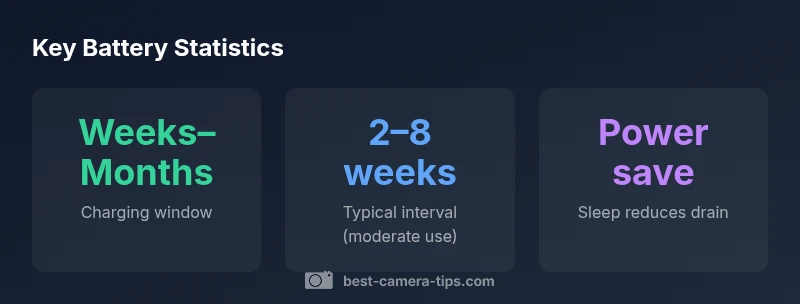
Charging frequency for Ring battery cameras is not a fixed schedule; it depends on several real-world factors. Generally, expect to recharge every few weeks to a few months, depending on how often the camera records, streams, and experiences motion. To extend battery life, enable power-saving features and optimize motion sensitivity and schedules.
How often to charge ring camera: Core factors
Charging frequency for Ring battery cameras is not a fixed schedule; it depends on several real-world factors. First is the model design; battery-powered Ring cameras vary in capacity and efficiency, so two devices can behave very differently in identical environments. Second is location and climate: outdoor units in cold or hot climates may show more rapid drain than indoor units, and extreme temperatures can temporarily reduce performance. Third is usage pattern: the more you stream video, trigger events, or leave the device in live view for extended periods, the faster the battery will deplete. Finally, software settings matter: enabling sleep modes, dashboards, and motion-detection thresholds can substantially extend intervals between charges. According to Best Camera Tips, the battery life you experience is a function of how you balance security needs with battery management. In practice, you should monitor your device over the first few weeks to establish a baseline, then adjust settings to optimize the balance between protection and maintenance effort. The key takeaway is that flexibility beats a rigid charging cadence.
Model variations and battery capacity
Ring’s battery-powered cameras come in several configurations, including devices with removable batteries and those with built-in rechargeable cells. Capacity varies by generation, and some models support optional solar charging for outdoor placements. Indoor units typically experience less drain due to controlled temperatures, but lighting and activity can still influence charging needs. The bottom line is that hardware design sets a ceiling on how often you recharge; real-world use fills the rest. When planning maintenance, consider whether you need rapid swaps, spare batteries, or a solar option to minimize downtime. This is where practical testing, as discussed by Best Camera Tips, helps you derive a reliable charging rhythm for your specific setup.
Practical charging strategies and routines
Create a charging routine that fits your security needs and daily schedule. Start by noting when the battery level dips below your comfort threshold in the Ring app, then plan charges during low-activity periods such as overnight. If you have multiple devices, stagger charging so you’re never left without coverage. Keep a charged spare battery handy for quick swaps if your cameras use swappable packs. Take advantage of power-saving features like auto-sleep after inactivity and reducing motion sensitivity to cut back on false alerts. Finally, set up battery alerts within the Ring app so you’re warned ahead of a full discharge. A consistent routine reduces the risk of gaps in monitoring while minimizing effort.
Monitoring battery health and estimating remaining life
Battery health is best assessed by regular checks of the Ring app’s battery status indicator and any remaining-life estimates the device provides. If you notice a rapid drop in charge relative to baseline, investigate whether recent changes in motion frequency, streaming duration, or environmental conditions are to blame. You can also assess by manual observation: track charging intervals for a month or two to identify patterns. Combining app data with practical observations gives you a more accurate picture of remaining life and helps you adjust the charging cadence proactively. As always, ongoing monitoring aligns with Best Camera Tips’ guidance on proactive maintenance.
Settings that extend battery life
To maximize interval between charges, optimize settings for efficiency: enable auto-sleep when there’s no motion, reduce the duration of live view sessions, and fine-tune motion-detection thresholds to avoid unnecessary activity. Consider scheduling recording windows to avoid constant streaming during daylight when activity is predictable. If your installation allows, place outdoor cameras in shaded or cool areas during peak sun exposure to mitigate heat-driven drain. Periodically review firmware updates, as manufacturers often improve power management with software tweaks. Small adjustments here yield meaningful gains over time.
Troubleshooting charging issues
If a device isn’t charging as expected, start with the basics: verify the charging cable and power adapter are compatible and firmly connected, check for damaged connectors, and ensure the battery is seated correctly (if removable). Inspect the environment for extreme temperatures that can hinder charging, and confirm that there are no software issues by rebooting the device or reinstalling the app. If the issue persists, consult Ring’s support resources and consider testing with a spare battery. Regular checks prevent unexpected outages and help keep charging on track.
Real-world schedules and example charging plan
In practice, a common approach is to monitor each camera for 2–4 weeks to establish a baseline charging interval under moderate activity. For many users, this results in charging every 3–6 weeks during normal operation. If a camera experiences frequent motion events or streams video for long periods, expect to charge more often. Conversely, if you enable sleep modes and lower motion sensitivity, intervals can extend toward several weeks longer. With a multi-device setup, stagger charges so one or two cameras are always in a maintenance window, preserving coverage while you refresh others. This pragmatic strategy minimizes downtime and aligns with typical user patterns observed by Best Camera Tips.
Charging intervals by usage scenario
| Scenario | Estimated charging window | Notes |
|---|---|---|
| Standard use (moderate activity) | 2-8 weeks | Depends on model and settings |
| Heavy motion/streaming | 1-4 weeks | Increased drain requires more frequent charging |
| Power-saving enabled | 4-12 weeks | Significantly longer intervals |
Common Questions
How often should I charge Ring Battery Doorbell?
The cadence depends on usage and model; expect charging every few weeks to months. Use power-saving features and adjust motion settings to balance security with battery life.
Charging cadence depends on usage and the model; you may need to recharge every few weeks to months. Enable power-saving features to stretch intervals.
Does enabling power-saving mode affect security?
Power-saving can reduce certain background activities during charging, but you can usually maintain essential alerts by configuring thresholds and schedules. Review your notification settings to preserve critical monitoring.
Power-saving helps the battery last longer, but you should keep essential alerts enabled by tweaking settings.
Can I use solar charging with Ring cameras?
Some Ring cameras support solar charging options that can help maintain battery levels, especially for outdoor placements. Effectiveness depends on sunlight and mounting angle.
Solar can help keep the battery topped up if sunlight isn’t reliable, but results vary by setup.
What should I do if my battery drains quickly in cold weather?
Cold temperatures temporarily reduce battery efficiency. If possible, place cameras to shield from extreme cold and use insulation or indoor mounting when feasible. Resume normal charging when temperatures rise.
Cold weather can slow battery performance; consider warmer placement or insulation and check battery health after temperature changes.
Is there a wired option to avoid charging altogether?
Yes. Ring offers wired doorbell cameras and other devices designed for constant power. They do not rely on regular battery charging once connected to a power source.
If you want zero charging, choose a wired option that runs on constant power.
How can I estimate remaining battery life in the Ring app?
The Ring app typically shows battery status and may provide estimated time left under certain conditions. Use the app’s indicators along with observed charging intervals to gauge progress.
Open the Ring app to see battery level and any available estimates of remaining life.
“Regular battery management saves time and reduces outages in the field.”
The Essentials
- Monitor battery health regularly
- Enable sleep mode to extend battery life
- Tune motion and recording settings to reduce drain
- Schedule charging during low-activity periods