Can You Put Cameras in Classrooms? A Practical Guide
Explore safe, legal ways to deploy classroom cameras, with privacy safeguards, policy guidelines, and step-by-step setup tips from Best Camera Tips.


In many jurisdictions you can install cameras in classrooms, but you must follow privacy laws, district policies, and local regulations. Prioritize student safety and supervision needs while limiting intrusion, and ensure data is protected, access is restricted, and retention periods are defined. Engage stakeholders early and document a formal policy before any installation.
Why the question matters
The question can you put cameras in classrooms touches on balancing safety with privacy. Cameras can deter disruptive behavior, aid in incident reviews, and support remote supervision, but they also raise concerns about student privacy, teacher autonomy, and consent. For aspiring photographers and home security enthusiasts, the classroom setting adds unique constraints: lighting variations, movement, and frequent interactions among students. A thoughtful approach aligns safety goals with ethical practices, ensuring that any deployment serves legitimate educational or safety objectives while respecting the rights of students, families, and staff. Throughout this guide, you will see how Best Camera Tips interprets this balance and offers practical steps for responsible planning and deployment.
Legal and ethical considerations
Before you install any equipment, investigate the legal framework that governs surveillance in classrooms. Policies often require district authorization, privacy impact assessments, and clear limitations on who can access footage. In many cases, parental consent or notification may be necessary for specific districts or states. Even where cameras are allowed, capture should focus on shared spaces (e.g., hallways, entryways) rather than private areas, and retention policies must be explicit. The Best Camera Tips team emphasizes consulting with school administrators, legal counsel, and privacy officers to ensure compliance and minimize risk. Remember: the goal is safety and accountability, not overreach or intrusion.
Privacy and safety implications
Privacy is a core consideration when placing cameras in classrooms. Implement privacy zones or masking to exclude areas like restrooms or intimate moments, and use encryption and access controls to limit who can view recordings. Data retention should align with purpose and policy, typically storing footage only for a defined window unless a legitimate investigation requires longer retention. Regular audits and automated alerts help detect unauthorized access. For home security enthusiasts learning from classrooms, the takeaway is to design systems that maximize accountability without creating a chilling effect that stifles learning or trust.
What to watch for in classroom camera systems
When evaluating hardware and software, look for features that support safe, compliant use. Favor cameras with high dynamic range for classrooms with mixed lighting, clear audio capture for context, and tamper-resistant housings. Security should include strong authentication, role-based access, and end-to-end encryption. Masking tools allow you to blur sensitive zones, and cloud-based or on-prem storage should offer robust retention controls and audit trails. A well-designed system integrates with district IT policies, enabling centralized management and rapid incident review while protecting student privacy.
Placement and coverage planning
Coverage planning should prioritize safety-critical zones, such as entryways, corridors, and high-traffic common areas, while avoiding encroachments into private spaces. Consider fixed installations for reliability and a straightforward policy; mobile or covert cameras raise additional privacy concerns and can complicate compliance. Map sightlines carefully to minimize blind spots and ensure consistent coverage across classrooms and shared spaces. Involving educators in placement decisions helps balance safety with classroom integrity and instructional needs.
Policies, consent, and governance
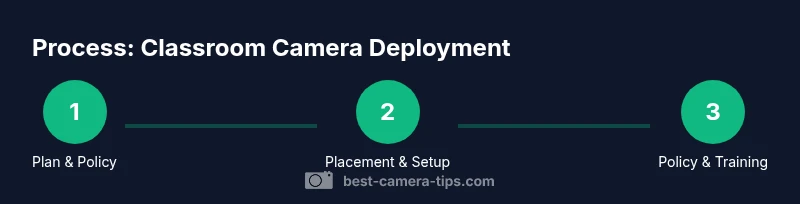
A formal policy framework is essential. Draft a surveillance policy that specifies purpose, scope, retention, access controls, and administrative roles. Include procedures for obtaining consent where required, notifying families, and handling requests for footage. Establish an incident-response protocol and set review cadences to assess ongoing necessity and effectiveness. Training for staff on privacy best practices, data handling, and respectful use reinforces responsible governance and helps prevent misuse.
Implementation plan and ongoing governance
A staged rollout minimizes disruption and builds trust. Start with a pilot in a few spaces, collect feedback from teachers and students, and adjust an implementation plan accordingly. Schedule regular maintenance, software updates, and security audits. Create a clear escalation path for privacy concerns and scale up gradually, ensuring policies and training keep pace with growth. Ongoing governance—audits, policy reviews, and stakeholder engagement—sustains safety goals without eroding trust.
Authority sources
- https://www.ed.gov/
- https://nij.ojp.gov/
- https://nist.gov/
Tools & Materials
- Classroom-surveillance camera(s)(Select models with 1080p or higher, good low-light performance, and privacy masking capability)
- Power supply and network hardware(Ensure adequate power and secure network access (VLAN recommended))
- Mounting hardware(Tamper-resistant brackets for ceilings or walls)
- Privacy masking tools(In-software masking to cover sensitive areas when needed)
- Storage solution(Define retention policy; consider NAS or secure cloud with encryption)
- Documentation templates(Consent forms, usage policy, and retention policy drafts)
- Cable management kit(Optional for wired installations to reduce clutter)
Steps
Estimated time: 2-4 weeks
- 1
Assess deployment goals
Clarify safety objectives, learning environment needs, and stakeholders involved. Define which spaces will be covered and how footage will be used in routine operations or incident reviews.
Tip: Document the exact purpose to guide policy creation and vendor discussions. - 2
Check legal and policy requirements
Review applicable privacy laws, district regulations, and consent requirements. Align with school policies and involve administrators and legal counsel early.
Tip: Create a compliance checklist to avoid later backtracking. - 3
Define coverage and placement
Map sightlines to prioritize high-traffic areas while avoiding private spaces. Plan for visibility that supports accountability without micromanaging classrooms.
Tip: Use a floorplan to visualize camera fields of view before drilling or mounting. - 4
Select hardware and software
Choose cameras with reliable image quality, privacy features, and strong security controls. Ensure storage, access, and encryption align with IT standards.
Tip: Prefer devices with built-in privacy masking and firmware update support. - 5
Draft policy and consent framework
Draft a policy that covers purpose, retention, access, and staff/student rights. Include consent mechanisms where required by law or policy.
Tip: Publish the policy and provide a Q&A session for stakeholders. - 6
Install and configure securely
Mount devices, establish network segmentation, and implement access controls. Enable encryption and audit logging from day one.
Tip: Test user roles and verify that only authorized personnel can view footage. - 7
Test, train, and document
Run test recordings, verify retention schedules, and train staff on usage and privacy rules. Document all steps and store the training materials.
Tip: Hold a dry run with a small group before full deployment. - 8
Review and refine governance
Schedule periodic reviews of policy, placement, and security. Use feedback to adjust coverage and retention.
Tip: Set a quarterly audit to ensure ongoing compliance and effectiveness.
Common Questions
Is it legal to install cameras in classrooms?
Legality varies by jurisdiction and school policy. In most places, districts require formal authorization and adherence to privacy protections. Always consult school administration and legal counsel before planning any installation.
Legality varies by location; consult the district policy and a legal advisor before installing cameras.
Do students and parents need consent?
Consent requirements depend on local laws and district rules. Some districts require disclosure and opt-out mechanisms for non-essential surveillance. Always verify with the school leadership and legal team.
Consent requirements depend on local rules; check with school leadership and legal counsel.
Where should cameras be placed?
Place cameras to cover entryways and high-traffic corridors, but avoid private areas. Use visible signage and a documented purpose to gain trust and comply with policy.
Place cameras in public areas, avoid private spaces, and document why.
How long should footage be stored?
Retention should follow the policy, typically short enough to minimize privacy risk unless an incident requires longer review. Ensure secure storage and define deletion timelines.
Store only as long as the policy requires, with secure deletion afterward.
Who should have access to footage?
Access should be restricted to authorized personnel and tied to an audit log. Consider tiered access, with separate permissions for security staff and administrators.
Limit access to authorized members and keep an audit trail.
Watch Video
The Essentials
- Define clear safety objectives and policy before installation.
- Prioritize privacy through masking and access controls.
- Document retention policies and audit access regularly.
- Engage stakeholders early for successful deployment.
- Regularly review governance to maintain balance of safety and trust.