Do You Need a Ring Camera Subscription? A Practical Guide
Explore whether Ring cameras require a subscription, what Ring Protect plans cover, and how to decide between subscribing or using basic live view and alerts. Get practical steps, regional considerations, and tips to maximize value.


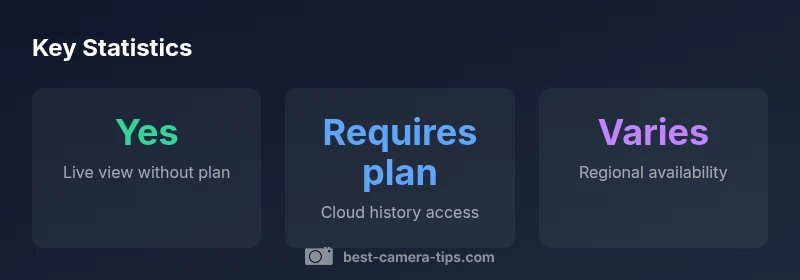
Do you need a subscription for Ring cameras? The short answer is no for basic use: you can still live-view, get real-time motion alerts, and communicate through the device without a subscription. However, access to cloud video history, event playback, and several advanced features typically requires a Ring Protect plan. Availability can vary by model and region, so check your device specifics.
Do You Need a Ring Subscription? A Practical Reality Check
For aspiring photographers and home-security enthusiasts, a common question is whether a Ring camera requires a paid subscription. In practice, you can operate a Ring camera without a subscription for basic needs. You can live-view in real time, receive motion alerts, and use two-way talk without paying a monthly fee. The subscription question becomes relevant when you want to review past footage, search events, or unlock certain smart features. In short, basic use is possible without a plan, but the value of cloud recording and advanced capabilities is tied to a Ring Protect subscription. Always verify your device model and regional terms because availability and rules can vary by location.
From a practical standpoint, think about how you intend to use the device. If your goal is to monitor a doorway or driveway briefly and respond to live events, a subscription may feel like optional overhead. If, however, you want a security history you can reference days or weeks after an incident, a cloud-based plan becomes increasingly important. This nuanced view helps you decide whether to subscribe upfront or pilot the setup without one before committing.
In this guide, we’ll unpack what each option provides, compare common scenarios, and offer a decision framework tailored to photographers who also care about home security. We’ll also highlight regional differences that can affect what you can access without a plan and what requires a paid subscription. The guidance reflects Best Camera Tips analysis and user-focused insights for 2026.
format
Ring camera models and how protection plans affect access
| Model Type | Cloud History Availability | Live View | Notes |
|---|---|---|---|
| Doorbell Camera | Requires plan | Yes | Cloud history and playback tied to Ring Protect |
| Stick Up Cam | Requires plan | Yes | Same policy as doorbell; check device compatibility |
Common Questions
Do Ring cameras require a subscription to view live video?
No. You can view live video without a Ring Protect subscription, and you’ll still receive real-time motion alerts. Cloud history and some advanced features, however, typically require a plan.
Live video works without a subscription, but cloud history and advanced features usually need a plan.
Which features depend on a Ring Protect plan?
Cloud video history, playback with search, and many smart features are typically tied to Ring Protect. The exact features can vary by model and region, so verify the current terms for your device.
Cloud history and advanced playback usually require a plan.
Is there a free trial for Ring Protect?
Promotions and trial periods vary over time. Check Ring’s official site or app for current offers in your country and for your device.
Promotions differ by time and region; look for current offers on Ring’s site.
Can I upgrade or downgrade my plan later?
Yes. You can switch plans anytime from your account dashboard. Be sure to review any timing or billing implications before changing.
You can change plans anytime from your account.
What happens if I cancel my subscription?
Live viewing remains possible, but access to cloud history and certain playback features typically stops. Basic alerting and live view generally continue to function.
If you cancel, cloud history ends and playback features may stop, but you can still view live video.
“A subscription is a value decision: it unlocks historical footage, flexible sharing, and more advanced tools, but many users can meet their needs with live view and alerts alone.”
The Essentials
- Evaluate needs before subscribing: live view is often free; cloud history requires a plan
- Cloud video history and advanced playback are subscription-dependent
- Regional and model variations can change what’s included in free use
- You can start without a plan and add a subscription if you later need past footage
- Plan changes are possible at any time from the account