How to Make Camera Inverted: A Practical Guide
Learn how to make camera inverted with in-camera flips, inverted mounting, or post-processing. This practical guide covers methods, gear, safety, and best practices for stunning inverted shots.


This guide shows how to make camera inverted by either flipping the image in-camera or using an inverted mounting, followed by optional post-processing. You’ll learn the key methods, required gear, and safety notes to achieve clean, stable inverted footage or photos for beginners.
What inversion means in photography
In photography and videography, inverted refers to turning the image upside down or mirroring it, which changes how you compose, focus, and post-process your shots. For many learners, understanding why you would invert helps you choose the right method. This guide explains how to make camera inverted, covering in-camera flips, hardware rigs, and post-processing options. The specific approach you pick depends on your goal: whether you want a temporary visual inversion for composition study, or a final inverted image or video ready for sharing. According to Best Camera Tips, inverted techniques unlock creative possibilities in macro, abstract, and stylized photography, especially when working with mirrored subjects or unusual perspectives. Begin by clarifying your goal, then choose the path that minimizes gear while maximizing control over focus and exposure. The term inverted can also refer to color inversion or negative-like effects; the same workflow concepts apply with adjustments during post-processing. Throughout this guide you’ll see clear steps, safety reminders, and examples to help you decide which method to use for how to make camera inverted.
In-camera image inversion: methods and limitations
If your camera offers a built-in image flip, you can enable it in the menu and immediately see the effect in the electronic viewfinder or LCD. This is the most straightforward path and preserves original exposure data, autofocus behavior, and white balance; however, some models only flip the preview, not the captured file, which means you’ll still need to rotate in post for final output. If your camera does not support in-camera flips, you can create an inverted look by shooting with the subject oriented for the rotated frame and then flipping the image in software after capture. In either case, test with a static subject to verify that focus and exposure remain reliable. Remember that a flip does not change the intrinsic properties of the scene: shutter speed, aperture, ISO, and color temperature still govern exposure. Best Camera Tips analysis, 2026, indicates that many beginners underestimate how flips can affect metering and autofocus; run a few quick tests to confirm behavior across lighting conditions.
Physical inverted mounting: rigs, safety, and setup
If you want a fully inverted capture, you can mount the camera upside-down on a tripod or a dedicated inverted rig. Start with a stable tripod and a head that can tilt beyond 180 degrees without slipping. Secure the camera tightly using a quick-release plate and a sturdy strap or tether so nothing can fall during inversion. When the camera is upside-down, horizon alignment becomes critical: use a built-in level or an external bubble level to correct tilt. If you’re using a clamp or specialized inverted accessory, confirm that the clamp’s load rating exceeds your camera weight and that all mounting screws are tight. Because gravity acts differently when inverted, you may need to adjust the lens hood or filters so nothing obstructs the field of view. Practice with simple subjects and a static scene before moving to more complex frames. The goal is to keep the camera secure while you compose and focus, avoiding sudden jerks that could shift framing.
Post-processing inversion: when to flip and how
Many photographers flip the image in post to control composition while maintaining accurate exposure data. This path is flexible and allows non-destructive edits; you’ll flip the image orientation, then re-crop or rotate to align the horizon as desired. For video, you may need to apply a horizontal or vertical flip in your editing timeline; ensure you adjust stabilization and motion tracking if used. When you compare in-camera flips versus post-processing inversion, consider whether you need real-time feedback during shooting or if you can refine the final frame later. If you shoot RAW, you preserve more latitude for color and exposure corrections after inversion. Consistency matters: keep a note of exactly which frames or shots used inversion to avoid confusion during editing and archiving. By understanding both in-camera and post-processing paths, you can choose the most efficient workflow for your project.
Safety, testing, and common pitfalls
Inverted setups can introduce new risks: weight shifts, cable tension, and potential camera contact with surfaces. Always secure the rig and test on a stable surface before committing to a shot. Use straps or tethers, especially if you’re working at height or near water, to prevent accidental drops. If you plan long sessions, take breaks to check screw torque and tripod leg integrity; vibrations can loosen clamps over time. A common pitfall is over-relying on electronic image stabilization, which may produce odd artifacts when the frame is inverted. Perform quick test captures at varying shutter speeds to ensure no rolling shutter or motion blur sneaks in. Finally, keep backup gear and a clear workspace: tipped equipment can cause injuries or damage. Best Camera Tips stresses conservative testing and incremental progress to build confident inverted shots safely.
Real-world scenarios and decision guide
Inverted camera techniques shine in macro photography, architectural illusions, and artistic portraits where a flipped perspective reveals hidden textures or patterns. For macro work, inversion can place the subject closer to the lens center, creating dramatic depth of field; for architectural shots, inverted framing can exaggerate symmetry. Use a simple decision guide: if your subject benefit from a mirrored or upside-down composition and you can maintain focus reliably, inversion is worthwhile. If you need precise horizon lines or motion, consider post-processing instead. Keep a simple checklist: goal, gear, safety, test shots, and review. By documenting your process, you’ll be able to reproduce inverted looks across sessions. The Best Camera Tips team recommends starting with an easy subject to lock your method, then gradually applying it to more challenging scenes.
Tools & Materials
- Tripod with stable, adjustable head(Prefer a head that can tilt beyond 180 degrees without slipping; ensure quick-release plates are secure)
- Camera with flip-friendly menu or firmware(Check for image flip or rotation option in camera settings; if absent, plan to flip in post)
- Remote shutter or intervalometer (optional)(Useful for steady shots when inverted; helps avoid camera shake)
- Post-processing software capable of flipping orientation(Examples include any editor that can rotate/flip and non-destructively edit RAW files)
- Inverted-mount accessory or clamp (optional)(Provides a stable inverted rig if your tripod head cannot tilt sufficiently)
- Bubble level or smartphone inclinometer(Helps maintain horizon accuracy when inverted)
- Camera strap or tether(Prevents accidental drops during handling and inversion)
Steps
Estimated time: 60-120 minutes
- 1
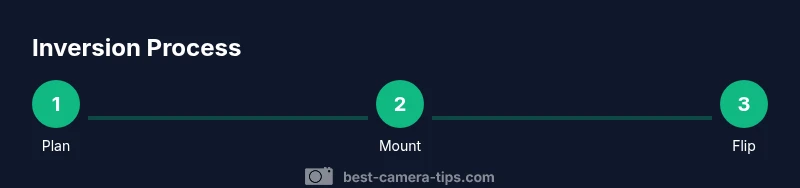
Define inversion goal
Decide whether you’ll invert in-camera, on a rig, or in post-processing. Clarify your subject, desired horizon, and whether you need real-time feedback during shooting.
Tip: Write a one-sentence goal before you begin to keep your workflow focused. - 2
Check camera settings
Power up, access image rotation options if available, and note how metering behaves when flipped. If no flip exists, plan to flip during post.
Tip: Test exposure and white balance with a neutral target while toggling the flip option. - 3
Choose inversion path
Select in-camera flip, inverted rig, or post-processing based on your subject, lighting, and required turnaround time.
Tip: Prefer in-camera flips for quick-turn shoots; use post-processing for flexibility. - 4
Mount and secure gear
Attach the camera to the chosen support and tighten all clamps. Verify weight balance and ensure nothing can slip during inversion.
Tip: Double-check that quick-release plates are locked before inverting. - 5
Calibrate horizon and focus
Use a level to align the horizon and set initial focus; lock focus if your subject is static to avoid drift.
Tip: Capture a test frame to confirm framing after inversion before committing to a shoot. - 6
Capture test frames
Take a small batch to assess how inversion affects framing, exposure, and sharpness; adjust as needed.
Tip: Enable a safe shutter speed to reduce motion blur during inversion tests. - 7
Apply inversion in post (if needed)
Import RAWs, flip orientation, crop to fix horizon, and apply any color tweaks to maintain consistency with non-inverted frames.
Tip: Keep non-destructive edits so you can revert to the original orientation if required. - 8
Review and archive workflow
Compare inverted results across sessions, label inverted files, and back up your project files for future use.
Tip: Create a simple metadata note documenting method, gear, and settings.
Common Questions
Why would I invert a camera image in photography?
Inverting can reveal textures, patterns, or perspectives not visible in standard orientation. It’s popular in macro, abstract, and stylized projects to create a unique visual effect.
Inverting a camera image can reveal textures and patterns, giving macro and abstract shots a unique look.
Can I invert using only in-camera settings?
Some cameras offer built-in image flip for photos or previews. If the feature exists and preserves file orientation, it’s the simplest path; otherwise you may need post-processing.
Some cameras have a flip option; if not, you’ll flip during post-processing.
Will inversion affect autofocus or exposure?
Yes, flipping can alter metering behavior and autofocus performance on some bodies. Always test across lighting conditions before committing to a shoot.
Flipping can change auto focus and exposure, so test it first.
Is it safer to invert with a rig or flip in post?
Rigid, well-secured rigs provide real-time inversion, but post-processing is safer for beginners and offers flexibility without extra risk.
Rigs give real-time results, but flipping in post is safer for beginners.
Can I flip video orientation without reducing quality?
Flipping video orientation is generally lossless in most editors if done correctly; ensure you re-stabilize if you used any motion features.
Video flips are usually lossless if done properly in your editor.
What basic equipment do I need for an inverted setup?
A stable tripod with a capable head, a camera with flip options or post-processing, and a secure method to invert or rotate the image are the essentials.
You’ll need a stable tripod, a flip-capable camera or post-processing, and a secure mounting method.
Watch Video
The Essentials
- Define your inversion method before shooting
- Stability and secure mounting beat speed
- Use post-processing for flexible corrections
- Calibrate horizon carefully when inverted
- Prioritize safety and documentation during practice