Is a Doorbell Camera Easy to Install? A Practical Guide
Discover how to install a doorbell camera with confidence. Compare wired vs battery power, mounting tips, Wi‑Fi considerations, and quick-start steps. Learn safety do’s and common pitfalls to avoid while upgrading your home security in 2026.


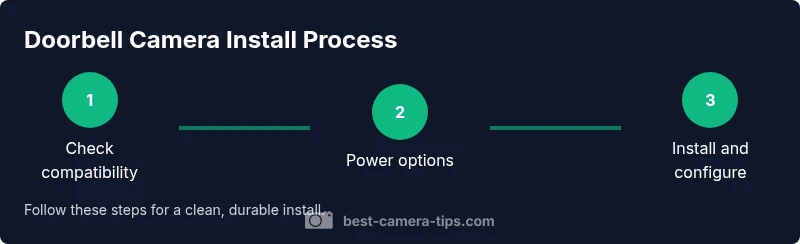
In short, yes—many doorbell cameras are easy to install, especially wireless models. Choose between wired or battery power, ensure solid Wi‑Fi, and mount at an accessible height with a clear doorway view. Follow the steps below to complete a safe, DIY-friendly install.
Why a Doorbell Camera Is Worth Installing
Many homeowners ask, is a doorbell camera easy to install? For most modern, consumer-grade options the answer is yes, especially if you opt for a wireless model. A doorbell camera adds real-time alerts, mobile video, two-way audio, and a deterrent effect for porch pirates. It also helps you verify deliveries, communicate with visitors, and review footage from anywhere. The key to a smooth installation is choosing a model that matches your home’s wiring or preferred battery life, and selecting a mounting spot that captures your doorway with a wide field of view.
According to Best Camera Tips, a well-chosen doorbell camera should integrate with your existing Wi‑Fi network, be accessible via a companion app, and support firmware updates. When these elements align, the installation becomes a straightforward weekend project, not a specialty retrofit. In 2026, most reputable brands offer DIY kits with clear mounting hardware and step-by-step instructions, reducing the guesswork for beginners and enthusiasts alike.
Power Options: Wired vs Battery
Powering your doorbell camera is the most important decision for a smooth install. Wired doorbells share a transformer with your house chime, delivering continuous power but often requiring more signal planning and safety precautions. Battery-powered models remove most wiring work and are ideal for renters or homes with difficult wiring. The trade-off is battery life and occasional battery replacement, which varies by usage, temperature, and camera features. If you choose wired power, you’ll often need to locate the existing chime wiring, verify transformer voltage, and possibly install a doorbell transformer or junction box. For battery options, plan for seasonal temperature effects that affect battery performance and schedule routine recharges.
A practical approach recommended by Best Camera Tips is to evaluate your doorbell location, power accessibility, and desired feature set before purchasing. If you expect frequent 24/7 live viewing, a wired setup may be worth the extra effort, while a battery model can be installed quickly with minimal tools.
Mounting Considerations: Height, View, and Lighting
Mounting location matters as much as the camera itself. Aim for a height that keeps the camera roughly at eye level for most adults (about 48 inches), while avoiding obstructions like awnings or overhangs that could obscure the lens. Position the camera to capture visitors’ faces and packages, and consider the lighting at different times of day. Avoid strong backlighting from sunset or porch light glare that can wash out details. If your doorway faces a busy street or a bright reflection, you may need to adjust the field of view or add shading to improve image clarity. If mounting on brick or stucco, you’ll need masonry anchors and a long enough screw to secure the bracket firmly.
Remember that the camera should still function if you have a screen door or storm door in front of it. A well-placed camera minimizes blind spots and maximizes the chance of identifying visitors or package thief attempts.
Chime Compatibility and Networking
Most doorbell cameras are designed to work with standard 16V AC door chimes or modern power adapters, but compatibility varies by model. Before installation, check the product’s compatibility with your existing chime, and whether a chime kit or transformer adjustment is required. Networking is equally important: ensure your home Wi‑Fi reaches the door location with a reliable signal (ideally 2.4 GHz), and consider a mesh extender if bandwidth is weak. Ensure your router’s firmware is up to date and that the camera’s firmware can update automatically.
Best Camera Tips recommends testing the device’s connection during the initial setup so you can adjust placement or network settings before finalizing the install.
Wiring Safety and Transformer Basics
If you go wired, you’ll encounter low-voltage wiring and a transformer. Safety first: power off at the main breaker before touching any wires, verify that no current is present with a tester, and never work on live circuits. For brick or masonry walls, use a masonry bit and anchors, then seal penetrations to prevent water ingress. If your transformer is aging or mismatched to the camera, you may need a replacement transformer with the correct voltage and amperage. A professional may be warranted for complex wiring, but many homeowners with basic DIY skills can complete the task with caution and the right tools.
When in doubt, consult the manufacturer’s wiring diagram and local electrical codes. Keeping to code helps prevent damage to the doorbell system and ensures safety for your household.
Common Pitfalls and How to Avoid Them
Common pitfalls include mounting in suboptimal light, choosing models with poor field of view, and underestimating the importance of a stable Wi‑Fi connection. Avoid placing the camera behind glass or near metal surfaces that interfere with signal. Don’t ignore the need for a secure mounting location; a loose bracket can drift and degrade footage. If you see frequent video buffering, test your network speed and consider upgrading your router or adding a mesh system. Finally, always attach the camera’s rain shield or weatherproof cover if your unit isn’t rated for outdoor use.
Pro tip: sketch a quick floor plan indicating the door’s vantage points and test line of sight with the camera before drilling or securing screws. This planning reduces rework and ensures you capture essential details.
Quick-start Setup Checklist
If you want to jump straight into setup, here is a practical checklist to guide you through the process. Gather tools first, then validate power and network readiness. Finally, perform a test run and adjust settings for privacy and notifications.
- Confirm model compatibility with your door chime and power source
- Gather essential tools (screwdriver, level, drill, etc.)
- Verify a strong Wi‑Fi signal at the camera location
- Mount the bracket securely with appropriate anchors
- Connect to the camera’s app and complete the firmware update
- Test live view, two-way audio, motion alerts, and recording settings
- Finalize privacy settings and notification preferences
Tools & Materials
- Doorbell camera kit (with mounting bracket)(Includes screws, brackets, and weather seal)
- Screwdriver set (Phillips #2 and flat-head)(For mounting and device screws)
- Level(Keeps the camera straight)
- Drill with 3/16-inch bit(Needed for masonry or hard surfaces)
- Masonry anchors and screws(For brick or concrete walls)
- Electrical tester(Safety check when wiring)
- Chime transformer (if wired)(Ensure compatibility with camera)
- Anchor screws for wall type(Wood, masonry, or drywall anchors as needed)
- Smartphone with camera app(For setup and firmware updates)
Steps
Estimated time: 60-120 minutes
- 1
Assess compatibility and model choice
Review your door’s chime type, power availability, and Wi‑Fi strength. Compare wired vs battery-powered options, and verify the doorbell camera’s compatibility with your home network and existing smart home ecosystem. This planning reduces surprises during installation.
Tip: Read the manufacturer’s compatibility list and match it to your chime and wiring before purchase. - 2
Power down and prep mounting surface
If wiring, shut off power at the breaker. Clean the mounting surface and remove any existing hardware. Use a level to mark the bracket position so the camera will sit straight once mounted.
Tip: Double-check that there are no hidden wires behind the mounting area before drilling. - 3
Install mounting bracket and determine drill needs
Drill pilot holes if needed for masonry or wood. Attach the mounting bracket securely with anchors appropriate for your wall type. Ensure the bracket sits flush against the surface to avoid wobble.
Tip: For brick/concrete, use a hammer drill and masonry anchors for a solid mount. - 4
Attach wiring or install battery
If wired, connect the transformer and doorbell wires per the manufacturer’s diagram. If battery-powered, insert fresh batteries and verify correct orientation.
Tip: Keep the battery compartment dry and avoid pinching wires during routing. - 5
Mount the camera and secure cables
Attach the doorbell camera to the mounting bracket. If wiring, route wires through weatherproof grommets and seal any openings to prevent water ingress.
Tip: Tighten screws evenly to avoid misalignment and ensure a watertight seal. - 6
Connect to app and update firmware
Power on the unit, open the companion app, and follow on-screen prompts to connect to Wi‑Fi. Update the firmware to the latest version and adjust basic settings (location, notifications, privacy).
Tip: Enable automatic firmware updates for ongoing security and feature improvements. - 7
Test view, audio, and notifications
Test live view, two-way audio, motion alerts, and cloud or local recording settings. Confirm doorbell chime sounds or notifications are delivered to your phone as expected.
Tip: Test at different times of day to ensure lighting and angle work well.
Common Questions
Do I need to hire a professional to install a doorbell camera?
Most DIY-friendly doorbell cameras can be installed without a professional, especially wireless models. If you’re dealing with complex wiring or uncertain electrical codes, consult a licensed electrician or installer.
Most people can install them themselves, especially battery models; if your wiring is complicated, consider a pro.
Will my existing doorbell chime work with a new doorbell camera?
Many cameras are designed to integrate with standard chimes or use a separate chime kit. Check the product’s compatibility list and transformer requirements before buying.
Check compatibility with your current chime; some models need a kit or transformer adjustment.
Are wired cameras harder to install than wireless?
Wired installations can be more involved due to wiring runs and transformer considerations. Wireless cameras are generally quicker and simpler, but may depend on battery life and install location.
Wired can be more work; wireless is typically easier but watch battery life.
How can I improve Wi‑Fi signal for the doorbell camera?
If the signal is weak, relocate your router, install a mesh network, or use a Wi‑Fi extender to ensure a stable connection for smooth streaming and notifications.
Move the camera closer to the router or add a mesh extender for better signal.
What safety steps should I take during installation?
Turn off power for wired setups, wear safety goggles when drilling, and follow manufacturer instructions. Keep liquids away from electronics and avoid wet surfaces when working outside.
Power off, wear protection, and follow the manual for safe installation.
How long does setup typically take from start to finish?
Most DIY installs take 30–120 minutes depending on power type and mounting surface. Allow extra time for app setup and firmware updates.
Usually under two hours, but it can vary with power and wall type.
Watch Video
The Essentials
- Mount the camera at appropriate height for clear facial views
- Choose wired vs battery based on power access and expected use
- Ensure strong Wi‑Fi coverage at the installation site
- Test thoroughly and adjust settings for privacy and alerts