How to Remove Blink Camera from Mount
Learn a safe, step-by-step method to remove your Blink camera from its mount. This guide covers powering down, unplugging, unscrewing, storing hardware, and tips for future reinstallation.


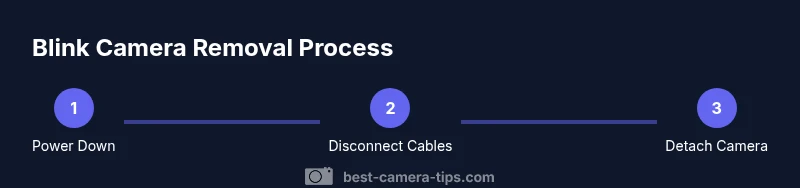
To remove a Blink camera from its mount, power down the unit, disconnect any cables, and carefully detach the camera from the mounting plate. Unscrew the mounting screws, keep them in a labeled container, and store the plate for future reinstallation. Follow the steps below for a safe, reversible removal.
Safety and Preparation
Before you touch the Blink camera, take a moment to ensure your safety and the device's integrity. Start by powering down the unit from the Blink app or the physical power switch if available. Unplug any external cables or adapters to avoid electrical shocks or data loss. If the unit is outdoors, verify weather conditions and choose a dry, stable workspace. Use a step ladder only on level ground and keep the area clear of clutter. Have your tools arranged in a small tray and label screws as you remove them, so reinstallation is quick and accurate. Consider taking photos of the current setup from multiple angles to reproduce the mounting orientation later. If the camera is integrated with a home automation hub, pause any automations that might trigger while you’re removing hardware. Finally, wear safety glasses if you’re working at height or using tools, and never rush through the process.
Tools & Materials
- Phillips head screwdriver (size #1 or #2)(Essential for most mounting screws)
- Flat-head tool or coin(Helpful for slotted screws if applicable)
- Labeling supplies (small containers, tape)(Organize screws by location for easy reinstallation)
- Pliers or needle-nose pliers(Assist with stubborn mounts or cables)
- Flashlight or headlamp(Improve visibility in tight spots)
- Notepad and pen(Document layout or sketch placement)
Steps
Estimated time: 15-25 minutes
- 1
Power down and unplug
Power off the Blink camera and unplug any connected cables. This prevents electrical shock and avoids data loss during removal.
Tip: Always begin with power to ensure safety. - 2
Locate mounting screws
From the camera side, locate the screws that attach the camera to the mounting plate or wall bracket.
Tip: Use good lighting; a magnetized screwdriver helps. - 3
Detach the camera from the mounting plate
Gently lift or slide the camera away from the plate, keeping the plate aligned with wall anchors.
Tip: Support the camera during detachment to prevent drops. - 4
Remove the mounting plate screws
Unscrew the plate from the wall or ceiling using the appropriate screwdriver.
Tip: Do not strip the screws; apply steady, even pressure. - 5
Inspect wall anchors and cables
Check anchors for looseness; if replacing, consider upgrading anchors. If cables exist, disconnect them carefully.
Tip: Take a photo of cable routing for reinstallation. - 6
Clean and store hardware
Wipe down the camera and plate; place screws and washers in labeled containers for easy access later.
Tip: Keep all hardware together to simplify reinstallation. - 7
Plan for reinstallation
Decide on a future mounting plan and gather necessary hardware before reattachment.
Tip: If you’ll reuse the same mount, photograph the setup.
Common Questions
What should I do before removing Blink camera from a mounted position?
Power down the device, unplug cables, and inspect the mount for loose screws or damaged anchors before you begin.
Power down, unplug, and inspect the mount before you start removing the camera.
Can I remove the camera without removing the entire mount?
In many cases you can detach the camera from its mounting plate without fully removing the plate, depending on the model.
Yes, you can usually detach the camera from the plate without taking off the whole mount.
What tools do I need for removal?
Most removals require a small screwdriver (Phillips #1 or #2) and possibly a flat tool for stubborn screws.
Usually a small screwdriver; in some cases a coin or flat tool helps.
Will removing the Blink camera void the warranty?
Warranty implications vary by model; consult the warranty terms and avoid damage during removal to protect coverage.
Warranty terms vary; removing the camera may affect coverage if damage occurs.
How do I reattach the Blink camera after removal?
Line up the camera with the mounting plate, reinsert screws, and test operation before finalizing.
Line up, re-screw, and test before finalizing.
What if the camera is hard-wired to power?
Power off the circuit at the breaker or disconnect the power source safely. If unsure, hire a professional.
If it's wired, switch off the power at the circuit and call a pro if unsure.
Watch Video
The Essentials
- Power down before touching the camera
- Organize hardware for easy reinstallation
- Inspect for wall damage and anchors
- Document cable routing and mounting layout
- Store screws in labeled containers