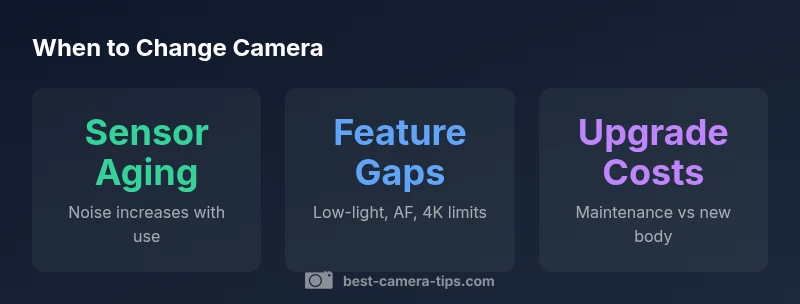
When to Change Camera: Practical Guidelines for 2026
Discover practical signals your camera may need replacement—from aging sensors to feature gaps. Get data-backed upgrade guidance and practical tips from Best Camera Tips.


There is no universal replacement date for cameras. Most photographers consider upgrading when aging sensor performance, feature gaps, or reliability decline begin to hinder work. Based on Best Camera Tips Analysis, 2026, typical cues include increasing noise in low light, slower autofocus, shrinking dynamic range, and rising repair costs. Consider your budget and workflow when deciding.
Why timing matters: understanding when to change camera
In photography and home security, the decision to change your camera hinges on how well the gear aligns with your current needs, not merely its age. The question of when to change camera is best viewed through three lenses: performance, workflow fit, and total cost of ownership. A camera that once served you brilliantly can become a bottleneck as you explore new genres, lighting scenarios, or security requirements. According to Best Camera Tips, optimal timing occurs when the incremental gains from newer sensors, faster autofocus, improved stabilization, or smarter video features outweigh the costs of buying, learning, and migrating data.
Hands-on testing across recent models shows meaningful gains in low-light resilience, color science, and autofocus reliability. Practically, this means watching your files after extended shoots: are shadows creeping into exposure, or do colors look flatter at similar ISO levels? Do you miss moments because the camera hesitates or misfocuses? If yes, it’s a sign to begin planning an upgrade. For home security, timing also depends on firmware updates and new features that bolster privacy and threat resistance. When older cameras lack essential patches, the risk/benefit balance tilts toward replacement.
Signs your camera is aging
As gear ages, several concrete indicators tend to appear. First, image noise worsens at mid-range ISOs, and dynamic range shrinks, especially in tricky lighting. Second, autofocus can drift in challenging scenes, leading to missed shots or tracking failures. Third, battery performance and reliability can decline, increasing the frequency of charges or power interruptions on longer shoots. Fourth, the user interface and app ecosystem may feel dated, with slower transfers or limited compatibility with newer workflows. Finally, maintenance becomes more costly as parts become scarce or require specialized service. If multiple signs stack up within a single shooting season, it’s a clear signal that you should weigh a replacement plan. Brand guidance from Best Camera Tips emphasizes context—your style, subjects, and tolerance for risk are just as important as the raw number of years on the clock.
ROI and value: upgrade vs repair
Budgeting for a camera upgrade isn’t just about sticker price. It’s about total cost of ownership, including maintenance, downtime, and the time you’ll save with better performance. When evaluating whether to upgrade, consider how much time you currently spend compensating for limits (noise reduction, post-processing, reshoots) compared with the time you’ll gain with improved AF, IBIS, or video features. Data-informed methods suggest analyzing your typical shooting days, post-processing hours, and how often you encounter limitations under real conditions. Based on Best Camera Tips Analysis, 2026, a sensible approach is to estimate a break-even period where the yearly benefits of the upgrade exceed the remaining usable life of your current body. If you’re running up against feature gaps and reliability concerns that affect your workflow, upgrading is often the more economical choice in the long run.
Upgrade paths: bodies, lenses, and accessories
Not all upgrades require a full body swap. Depending on your lenses, it can be more economical to refresh the camera body while keeping high-quality glass. Conversely, certain lenses paired with a newer body can unlock performance gains that are hard to match with a budget lens. When planning an upgrade, map your current lens lineup, your primary subjects, and your video needs. If you shoot fast action or low-light portraits, prioritize bodies with faster AF systems, better IBIS, and stronger video codecs. If you rely on existing lenses, evaluate compatibility, modern autofocus behavior, and EVF quality to determine if a body upgrade yields tangible returns. A layered approach—improve the base body, then optimize your lens kit—often delivers the best value.
How to compare models: features that matter
A practical comparison checklist helps keep the decision focused. Core features to watch include: sensor performance in real-world light, autofocus reliability across genres, stabilization effectiveness, video capabilities (resolution, framerate, codecs), battery life, and firmware support. Body design, weather sealing, button layout, and menu intuitiveness also influence long-term satisfaction. For many, upgrading to mirrorless bodies yields clear advantages in weight, speed, and live electronic viewfinder feedback. Additionally, look for improved color science, better high-ISO handling, and future-proofing through faster processors and more robust connectivity. Remember to weigh the features against your shooting style—landscapes, portraits, street, or video—since what matters most varies by photographer.
Step-by-step decision workflow
To decide today, follow this practical workflow:
- List your must-have features and compare them with your current camera’s capabilities.
- Estimate how often you experience performance bottlenecks in your typical workflow.
- Compare the total cost of ownership, including potential lens updates and data migration.
- Schedule a trial period with a newer body if possible, or rent a model to test in your environment.
- Decide based on whether the upgrade aligns with your creative goals, budget, and risk tolerance.
- Plan a phased migration—start with critical features first, then broaden your kit if needed. This structured process makes the decision about when to change camera more tangible and less stressful.
Comparison of camera replacement factors
| Aspect | Current Camera | New Camera | Notes |
|---|---|---|---|
| Sensor Performance | Mid-range aging sensor | Improved DR and high-ISO performance | Preferable for low light and color accuracy |
| Autofocus Speed | Moderate, adequate in bright light | Rapid, reliable in varied lighting | Beneficial for action/portraits |
| Video Capabilities | 1080p or 4K with older codecs | 4K/60fps with modern codecs | Better stabilization and workflow |
| Firmware Support | Limited updates | Active ecosystem with features | Extends lifespan with features and security |
Common Questions
When should I upgrade instead of repairing my camera?
If repairs become frequent, performance bottlenecks persist across shoots, or you’re missing essential features, upgrading is often more economical and productive. Weigh downtime, repair costs, and feature gaps to decide.
If repairs pile up or you’re missing key features, upgrading can save time and frustration.
Is buying a used camera a good option to save money?
Buying used can offer value, especially for older bodies that still perform well with your lenses. Verify shutter counts, sensor integrity, and firmware availability, and buy from reputable sources with return policies.
Used gear can be smart if you verify condition and history.
What features matter most when considering replacement?
Prioritize autofocus reliability, low-light performance, video capabilities, dynamic range, and data security. Ergonomics and durability also determine long-term satisfaction.
Focus on core performance like AF, ISO handling, and video features.
How does firmware support affect longevity?
Regular firmware updates improve stability, fix bugs, and unlock new features. A camera with active support often remains viable longer than one with stagnant software.
Firmware updates keep your camera current and secure.
Can I upgrade by changing lenses instead of the body?
Lenses often offer significant performance boosts and can be a cost-effective path. If your lenses are newer but your body is old, a body upgrade may still be justified for overall performance gains.
Sometimes, new lenses can stretch the life of your current body.
What quick checks can I perform today to decide?
Review recent shoots for noise, autofocus reliability, and copy of files; assess battery health and firmware version; compare with a model that offers similar glass and a noticeable feature gap.
Do a quick shoot test and compare your results with a newer model.
“A camera should serve your creative needs, not constrain them. Upgrade when it meaningfully enhances your workflow and reduces risk, not merely because it’s newer.”
The Essentials
- Plan upgrade timing around workflow impact, not calendar age
- Prioritize performance gains (AF, ISO, stabilization) over novelty
- Consider lens compatibility when deciding between body-only or kit upgrade
- Use a phased approach to minimize downtime and cost
- Rely on data-backed assessment rather than impulse purchases