When to Upgrade Your Camera: A Practical Guide for 2026
Discover practical criteria to decide when to upgrade your camera, including image quality, autofocus, low-light performance, and video capabilities. Learn budgeting, path options, and a step-by-step process tailored for beginners and enthusiasts in 2026.


To know when to upgrade your camera, assess image quality gaps, autofocus performance, low-light ability, and video features against your current gear. Consider your shooting frequency, lens needs, and budget. If your camera exhibits persistent limitations in those areas, upgrading is a sensible move. Now for beginners and enthusiasts alike.
Why upgrading matters in 2026
Technology in cameras has progressed quickly, and the gap between older bodies and newer models can affect everyday shooting as your skills grow. Upgrading is not a necessity for everyone, but it becomes valuable when your current camera no longer meets your expectations for image quality, autofocus reliability, or video features in your preferred genres. If you shoot frequently in challenging light, or you’re expanding into video work, a newer body can unlock improvements that save time in post-processing and help you achieve results closer to your creative vision. This guide discusses practical signals to watch for and how to weigh them against your budget and goals, with a clear framework to decide when to upgrade your camera.
As you navigate this decision, remember that gear is only a tool. The best upgrade aligns with your shooting style, not just the latest trend. The Best Camera Tips team notes that most photographers see meaningful returns when the upgrade directly addresses pain points in real-world work, rather than chasing spec sheets alone.
Assessing your current gear honestly
Start by tracking where your camera holds you back. Note occasions when autofocus hunts, high-ISO noise becomes unacceptable, or video stabilization lags. Examine your lens lineup; sometimes upgrading a lens yields bigger upgrades in perceived quality than a new body alone. Create a simple inventory: camera body age, sensor format, essential features (AF speed, subject tracking, 4K/6K video, in-body stabilization), battery life, and actual usage per genre (portraits, landscapes, sports, street).
Keep samples from your last 6–12 months: sharpness at your typical focal lengths, color rendering, and performance in tricky lighting. If you consistently crop heavily or rely on high-ISO performance to achieve acceptable results, a more capable sensor and better noise handling may justify an upgrade. The goal is to map your current workflow to the hardware requirements that would genuinely reduce effort and improve outcomes.
Upgrade criteria by photography goals
Different genres demand different capabilities. Portraits benefit from skin tone fidelity and AF reliability for eye-tracking; landscapes require dynamic range and color science; sports demand fast AF and high burst rates; travel and street photography prize compactness and battery efficiency; and video work prioritizes focus performance, stabilization, and color science. Define your top 2–3 goals and translate them into concrete feature needs: faster autofocus, better high-ISO performance, extended dynamic range, superior color processing, or improved 4K/6K video. If your current camera struggles in two or more of these areas, an upgrade that addresses those pain points is justified. Budget should align with these priorities; a targeted upgrade often yields greater practical gains than a broad feature lottery.
Think beyond megapixels: sensor performance, autofocus algorithms, lens ecosystem, and firmware longevity matter more for real-world results. The team at Best Camera Tips emphasizes evaluating how a new body will integrate with your existing lenses and accessories to avoid bottlenecks that negate the upgrade.
Budget-friendly upgrade paths
Upgrading doesn’t have to mean buying a brand-new body. Consider several paths: (1) a new body within your budget that addresses your top need (e.g., better AF or higher ISO performance); (2) a high-quality used or refurbished model with a reliable trade-in; (3) renting gear to test before committing; or (4) a partial upgrade, such as a new body paired with one essential lens, while keeping older glass. A common approach is to split the budget between body and glass so you don’t outgrow your investment in a single purchase.
For many shooters, a mid-range new body plus one or two used lenses can dramatically lift capability without breaking the bank. If you’re evaluating used gear, include a careful check of shutter count, sensor cleanliness, firmware compatibility, and warranty availability. The aim is to maximize perceived gain per dollar while minimizing hidden costs like maintenance or future lens purchases. Best Camera Tips’ analysis suggests tailoring your plan to your primary shooting style and anticipated growth over the next 1–2 years, rather than chasing the newest model for its own sake.
How to test and compare cameras before buying
Testing methods are critical before making a purchase. In-store trials let you compare ergonomics, button layout, and menu responsiveness. Bring your typical lenses and a few sample scenes to assess autofocus in real-world conditions. If you can’t visit a store, use rental services to test gear for a week; practice with your usual subjects and lighting. Key comparison criteria include image quality at common settings, autofocus reliability on your primary subjects, battery life under typical use, and how well the camera works with your existing workflow (RAW processing, tethering, and post-production). For video, test rolling autofocus, exposure changes, color fidelity, and stabilization in your common environments. The aim is to confirm that the upgrade reduces friction in your process and yields tangible improvements in your work. Remember to test at your current focal lengths before buying a lens compatible with newer mounts, if applicable.
Planning a sustainable upgrade path with lenses
Lenses often determine the perceived value of a body upgrade. A camera body with a strong lens lineup can significantly boost image quality, autofocus performance, and subject isolation. Before purchasing a new camera, map your current glass against your target genres and determine whether you need faster primes, a sharper standard zoom, or a longer telephoto. If your existing lenses don’t complement a newer body’s capabilities, consider adding or swapping glass first. A practical rule is to upgrade the body when your primary lens limitations (e.g., sharpness at wide apertures, micro-contrast, or corner sharpness) reveal the camera’s sensor limits more than the lens’s characteristics. This approach preserves investment value, maintains compatibility, and minimizes redundant gear.
Finally, plan for resale or trade-in of your old gear to offset costs. Best Camera Tips recommends maintaining your gear in good condition and keeping records of service and maintenance to maximize resale value.
Common myths about gear upgrades
Myth 1: A newer body automatically means better results. Reality: results depend on how well you leverage the gear within your workflow and how well you master technique. Myth 2: You must upgrade everything at once. Reality: strategic upgrades focusing on your top pain points yield the best ROI. Myth 3: More megapixels equal better images. Reality: pixel quality matters more than pixel count; noise performance and dynamic range often matter more in real-world shots. Myth 4: Leasing or renting is only for pros. Reality: renting is a smart low-risk way to test capabilities before committing to a purchase, helping you avoid buyer’s remorse. By debunking these myths, you’ll make smarter choices aligned with your actual needs and growth trajectory.
Tools & Materials
- Current camera body (make/model)(Baseline for comparison; include age, sensor format, and any recent service history)
- Most-used lenses(Assess compatibility and what focal lengths you rely on)
- Budget range for upgrade(Include taxes and potential trade-in value)
- Upgrade criteria checklist(Define must-have features (AF speed, ISO performance, video, etc.))
- Budget tracking tool(Spreadsheet or budgeting app to model total cost)
- Used gear verification guide(Shutter count, sensor condition, warranty status)
- Rental option (optional)(Test gear before buying when possible)
Steps
Estimated time: 4-6 weeks
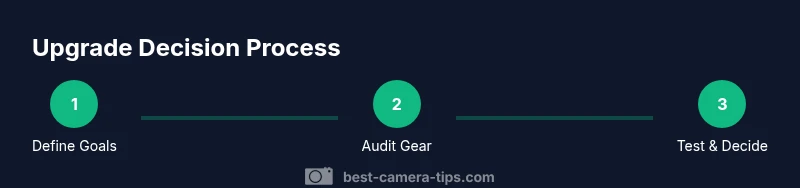
- 1
Define your goals
List the genres you shoot most (portraits, landscapes, sports, video) and the specific problems you want to solve with an upgrade. Translate those goals into concrete features (faster AF, better high-ISO performance, more video controls).
Tip: Be specific about real-world tasks you want to improve; goals should guide your search. - 2
Audit your current gear
Review your camera body’s age and condition, your primary lenses, and typical shooting situations. Identify bottlenecks (e.g., AF accuracy in action shots or noise in low light) that an upgrade could address.
Tip: Use sample shots to illustrate recurring issues; this creates objective criteria for comparison. - 3
Set a realistic budget
Determine a total budget, including taxes, accessories, and potential trade-ins. Decide how much you’re willing to invest upfront versus financing options, and reserve some for future lens purchases if needed.
Tip: Divide the budget into body, glass, and accessories to avoid buying a powerful body without compatible lenses. - 4
Research upgrade paths
Explore current models or reputable used options that meet your top two criteria. Compare sensor performance, autofocus, video specs, and reliability. Check warranty and service options.
Tip: Prioritize a path that minimizes future upgrade cycles and maximizes compatibility with your glass. - 5
Compare key specs
Create a side-by-side comparison of your shortlisted cameras focusing on image quality, ISO performance, AF accuracy, rolling shutter, and video features relevant to you.
Tip: Don’t rely on spec sheets alone—test if possible or view sample galleries that match your subjects. - 6
Test drive or rent before buying
If possible, rent or borrow the model for a week or two to evaluate ergonomics, workflow, and performance with your lenses and lighting.
Tip: Use your own typical shooting scenarios during the test to get meaningful feedback. - 7
Make a purchase plan
Decide whether to buy new, used, or on loan, and set a contingency for unexpected costs. Prepare a resale/exit plan for your old gear to maximize value.
Tip: Document your decision criteria and dates to stay accountable and avoid impulse buys.
Common Questions
Is upgrading a better option than upgrading lenses?
Often upgrading lenses yields more noticeable gains than a body upgrade, especially if your current lenses are limiting sharpness or speed. However, if the sensor or autofocus are the bottlenecks, a body upgrade can unlock substantial improvements. Consider a combined approach if budget allows.
In many cases, better lenses deliver bigger results than a new body, but if the camera sensor or autofocus are holding you back, a body upgrade may be worth it.
What budget range should I consider for an upgrade?
Set a total budget that includes the body, any needed lenses, batteries, and memory. A practical approach is to allocate portions for body and glass, while keeping a buffer for accessories and future-wave upgrades.
Set a total budget that covers body, lenses, and accessories, plus a small buffer for future upgrades.
Should I buy new, used, or rent?
Buying used can save money if the gear is in good condition and verified. Renting before buying helps you test real-world performance. Each option has trade-offs in warranty, reliability, and cost.
Used gear can save money if verified. Renting helps you test before buying, but may cost more over time.
How can I tell if my upgrade will pay off?
Estimate time saved in shooting, fewer post-process corrections, and improved results on your main subjects. If the upgrade directly improves your most frequent tasks, it’s more likely to pay off.
If the upgrade improves your main tasks and saves time, it’s more likely to pay off.
Do I need to upgrade right away or wait for a sale?
If your current gear consistently underperforms in critical shots, upgrading sooner makes sense. If you can live with the current limits for a few months, waiting for a sale or newer model might be prudent.
If you’re consistently unhappy with results, upgrade now; otherwise, waiting for a sale can be wise.
Watch Video
The Essentials
- Define upgrade criteria before shopping.
- Prioritize your top pain points over feature bloat.
- Consider used or rental options to test before buying.
- Plan lenses and accessories to maximize ROI.