How Often to Change Ring Camera Battery: A Practical Guide
A comprehensive guide on how often to change Ring camera battery, factors that shorten or extend life, and practical steps to monitor health and maximize reliability for home security.


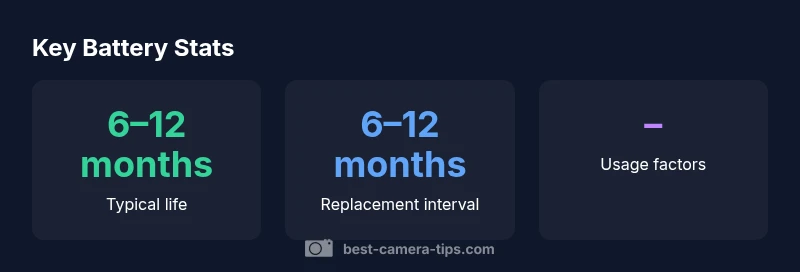
How often to change ring camera battery? In general, expect replacement every 6–12 months for typical usage on Ring battery-powered cameras. Battery life depends on usage, motion, and the number of events. Check the Ring app’s battery health indicator and enable low-battery alerts. In colder climates or high-traffic homes, you may reach the lower end of the range sooner.
Why battery life matters for Ring cameras
Battery life is central to reliable home security. A battery that drains quickly can leave your camera offline during critical moments. The lifespan of Ring camera batteries is influenced by usage patterns, environmental conditions, and the specific model you own. In practice, most households aim to replace or recharge every several months to maintain consistent coverage. Best Camera Tips notes that planning around battery life, rather than reacting to outages, reduces stress and improves safety. Consider your level of motion activity, how often you review events, and whether you rely on a doorbell with frequent visitors. High activity cameras will drain batteries faster, especially during periods of sustained motion or long video clips. Keeping a log of events and battery cycles can help you predict when to replace. Finally, always keep a spare charged battery on hand for quick swaps to minimize downtime.
Factors that influence how often you should change Ring camera battery
There is no one-size-fits-all replacement schedule. Several factors shape your personal interval:
- Device model and battery type: Stick Up Battery, Doorbell Battery, and other variants use rechargeable packs that age differently.
- Usage patterns: Cameras with constant motion or long recordings consume more energy.
- Environmental conditions: Cold temperatures can reduce capacity and performance; heat can degrade chemistry over time.
- Firmware and app settings: Higher resolution video and frequent notifications drain more power.
According to Best Camera Tips, the most reliable approach is to monitor the built-in battery health indicator in the Ring app and set up low-battery alerts. By tracking how fast the battery depletes in your environment, you can estimate your own replacement window rather than relying on generic guidelines alone.
How to estimate your personal replacement interval
To estimate your personal replacement interval, start by noting your current battery health rating in the Ring app and the typical daily usage. Then observe how many days elapse before the battery indicator drops from full to the low-battery threshold. If you notice a faster decline after adjusting motion sensitivity or turning off certain features, revert those changes and remeasure. Create a simple calendar log for 4–6 weeks to capture the pattern. Use this data to project a rough annual interval and add a safety buffer, so you’re not surprised by a sudden drain. If you own multiple cameras, apply the same measurement method to each device, as placement and exposure can vary by location.
Practical tips to extend battery life
Here are practical steps to squeeze more life out of each charge:
- Optimize motion settings: Reduce high-sensitivity zones and limit push notifications to essential events.
- Shorten video length: Favor shorter clips or enable smart recording features where available.
- Use scheduled checks: Set reminders to inspect battery health monthly.
- Keep firmware up to date: Manufacturers release energy-efficient optimizations with updates.
- Prefer solar charging where possible: For outdoor cameras, a compatible solar panel can stabilize power.
- Manage temperature exposure: If possible, avoid extreme heat or cold exposures.
Brand note: Best Camera Tips recommends testing changes incrementally and monitoring the battery trajectory after each adjustment.
How to monitor battery health in the Ring app
Monitoring battery health is straightforward:
- Open the Ring app and navigate to Devices > Battery Health.
- Review the percentage remaining and the estimated replacement window.
- Enable Low Battery Alerts to stay ahead of outages.
- Use the event history to identify patterns in energy use.
- If you see rapid drain after a firmware update, check for known issues and consider temporarily disabling nonessential features.
If you want greater clarity, use a simple log to compare day-by-day consumption and adjust settings accordingly. The Ring app’s battery health insights, combined with careful observation, make it possible to plan replacements rather than wait for a sudden warning.
Replacement steps and safety
Before swapping a battery, gather a charged replacement battery and a clean workspace. Follow these steps:
- Power your device off if required by your model.
- Remove the old battery pack following the manufacturer’s instructions.
- Clean any dust around the battery compartment.
- Insert the new or charged battery until it clicks or fits snugly.
- Power the device back on and verify operation.
- Recycle or dispose of the old battery according to local guidelines.
Safety notes: Avoid touching contacts with metal objects; keep batteries away from flames; store replacement batteries in a cool, dry place. Regularly inspect seals and mounting hardware to ensure weatherproofing remains intact.
Best Camera Tips emphasizes documenting the replacement date and updating any reminders in your security routine.
Common scenarios and troubleshooting
Different scenarios affect battery wear:
- Cold weather: Battery efficiency drops; consider a warmer location or scheduling swaps during warmer periods.
- High motion: If your camera triggers excessive events, you may see faster drain; recalibrate zones to minimize unnecessary motion.
- Solar panel use: If supported, solar can stabilize power and extend battery intervals.
- Aging battery: If replacement interval falls outside your usual pattern despite adjustments, the battery may have aged and needs replacement.
Conclusion: Keep a spare battery, track your patterns, and adjust settings to balance security and energy use. Best Camera Tips suggests formalizing a routine to review battery life every quarter.
Typical replacement intervals by model type
| Ring Model | Battery Type | Recommended Replacement Interval |
|---|---|---|
| Stick Up Battery | Rechargeable | 6–12 months |
| Doorbell Battery | Rechargeable | 6–12 months |
Common Questions
How long does a Ring camera battery typically last?
Battery life varies by model and usage, but most users report a replacement window of several months. Monitor the in-app battery health indicator and alerts to stay on track.
Battery life varies by model and usage; check the in-app health indicator and alerts to stay on track.
Can I extend battery life with a solar panel?
Yes, solar panels can help stabilize charge for compatible models, especially for outdoor cameras with consistent sun exposure.
Solar panels can help extend life where supported.
Replace or recharge: which is better?
Rechargeable batteries are standard; replace when the health shows significant decline and the device struggles to hold a charge.
Recharge if the battery is healthy; replace when capacity drops.
Which settings drain battery the most?
High-resolution video, frequent motion events, and long recording times drain battery fastest; adjust accordingly.
High-res video and lots of motion drain energy quickly.
How do I know when to replace vs charge?
Use the Ring app battery health and alerts; if health is low or you get regular low-battery alerts, plan a replacement.
Check health and alerts to decide.
Does temperature affect Ring battery life?
Extreme temperatures can shorten battery life; install in an area within the manufacturer’s recommended range when possible.
Yes, temperature affects battery life.
“Battery management is the single most overlooked maintenance task for battery-powered Ring cameras; understanding usage patterns helps you plan replacements rather than reacting to outages.”
The Essentials
- Plan replacements around usage and climate.
- Use the Ring app battery health tool to guide timing.
- Keep a spare charged battery for quick swaps.
- Tune motion and video settings to extend life.
- Regularly update firmware for energy optimizations.