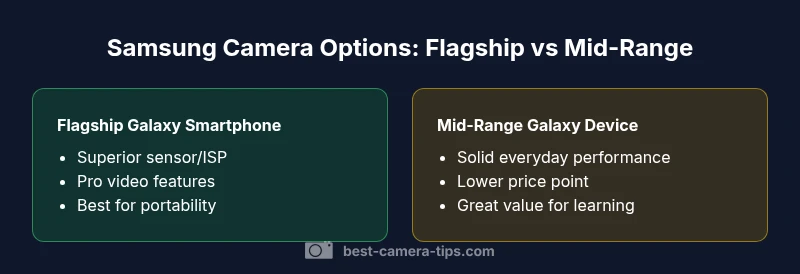
Which Samsung Camera to Choose: A Practical Comparison
Explore an analytical, side by side comparison of Samsung imaging options, focusing on Galaxy smartphones as the primary cameras and when a dedicated solution might be warranted. Learn how to evaluate sensor, stabilization, and video to pick the best Samsung camera path for your goals.


Samsung's imaging strength centers on Galaxy smartphones, with flagship devices delivering the best balance of photo and video quality, portability, and ecosystem. If you specifically need interchangeable lenses or dedicated hardware, you may consider external options, but the core focus for most creators is mobile photography. This comparison guide from Best Camera Tips helps you decide which Samsung camera route fits your goals.
Samsung imaging today: phones are the main camera
Samsung imaging today centers on the Galaxy line, where the phone itself is the primary camera. For most photographers and creators, the Galaxy flagship devices deliver a compelling blend of hardware, software, and ecosystem that makes the phone a capable imaging tool. When asked which camera in samsung to choose, many readers simply default to the top Galaxy smartphone because it combines sensor quality, processing power, and convenient workflows in a single compact package. According to Best Camera Tips, the best route for beginners is to start with a high-end Galaxy phone to learn the basics before considering any add-ons. The importance of computational photography in these devices means that improvements in software can yield real-world gains even without changing lenses. In this section we outline how to evaluate a Samsung camera choice in the context of real-world shooting scenarios, from daylight landscapes to night street scenes.
How to compare camera capabilities: sensor, stabilization, and video
Comparing Samsung camera capabilities requires a structured approach. Start with three core dimensions: sensor and image signal processing ISP, stabilization, and video capabilities. The sensor and ISP determine the base image quality, dynamic range, and color accuracy. Flagship Galaxy devices tend to pair larger, more capable sensors with powerful ISPs that leverage multi-frame processing to reduce noise. Mid-range devices still offer strong performance, but practical differences appear in low-light scenes and fine detail in shadows. In addition to hardware, computational photography is a major factor; Samsung's software stack combines multiple frames, noise reduction, and scene recognition to produce a final image that often looks better than the raw data alone. Stability is essential for handheld shooting; modern Galaxy phones use sensor-shift stabilization and electronic stabilization that stabilizes both photo and video, with better results on higher-end models. For video, consider recording options, frame rates, and codecs; flagship devices typically offer higher bitrate capture, wider color gamuts, and better autofocus for moving subjects. When you're evaluating models, compare these three axes side by side to understand real-world differences without relying on glossy marketing.
Use-case aligned decision framework
To decide which Samsung camera path suits you, map your needs to concrete use cases. If you primarily shoot street scenes, travel, or family moments and value convenience, a flagship Galaxy smartphone is often the best choice because it offers instant sharing, consistent color science, and reliable autofocus in a single device. If you are a creator who frequently shoots in controlled environments and wants interchangeable optics or specialized rigs, you may look beyond smartphones to more modular workflows, acknowledging that such paths may involve stepping outside Samsung and the mobile-first paradigm. In all cases, adopt a testing mindset: compare auto mode results, keep an eye on dynamic range in challenging light, and assess how well the device handles skin tones, skies, and color grading in post. Best Camera Tips suggests prioritizing the use case and workflow over model names when you begin.
Deep dive: sensor tech and computational photography
Samsung's flagship devices typically leverage advanced sensor stacks paired with sophisticated image signal processing. The combination of multi-frame capture, tone mapping, and scene recognition shapes the final JPEG or RAW output. Computational photography helps recover detail in highlights and shadows, but it can also produce a look that differs from the raw data. For the aspiring photographer, understanding how the phone merges frames can illuminate why two phones with similar megapixels can yield different perceived image quality. Look for features like high-resolution RAW capture, smart HDR, and night modes that stack multiple frames. Importantly, the perceived sharpness often comes from how aggressively the ISP applies sharpening and noise reduction after blending frames, so evaluating real-world samples in varied lighting is essential.
Video features and color science in Samsung cameras
Video capability is a core differentiator among Samsung devices. Flagship models typically offer higher bitrate, wider color gamut, and more robust autofocus performance in motion scenarios. Color science shapes how tones render skin, foliage, and skies, which matters for consistency across clips in a project. If you make content for social media, a phone that delivers reliable stabilization and fast autofocus can save time during editing. For more advanced video work, review options such as log profiles, HDR capture, and stabilization modes. Even within Samsung devices, you can optimize your pipeline by choosing the right profile, shooting in neutral profiles when you plan to color grade, and using external mics and lighting to elevate overall production quality.
Workflow and ecosystem: editing and sharing on Samsung devices
A strong Samsung camera path hinges on seamless workflows. Galaxy devices integrate well with the broader Android ecosystem and popular editing apps, enabling quick transfers and efficient postprocessing. From capture to edit to export, you can leverage cloud syncing, mobile presets, and cross-device continuity. The key is to optimize for your preferred workflow: do you edit on the phone, on a tablet, or on a desktop? Each path has tradeoffs in screen real estate, processing speed, and file management. Best Camera Tips emphasizes building a repeatable workflow that preserves color fidelity, reduces conversion steps, and minimizes repetitive tasks. In practice, this means organizing your library with consistent metadata, developing a preferred color profile, and testing export settings before important projects.
Price, value, and ownership considerations
Price is a major factor in choosing a Samsung camera path. Flagship Galaxy devices carry premium price but offer an all-in-one imaging tool with lasting resale value, strong software support, and a resilient ecosystem of accessories. Mid-range Galaxy devices provide a more affordable entry point while still delivering solid image quality and video features. When evaluating total cost, consider not only the purchase price but also potential accessory needs, lifetime software updates, and battery health. A longer-term view often reveals that a flagship device, while expensive upfront, can deliver greater value over several years through better performance, durability, and continued support. Best Camera Tips recommends weighing both initial cost and ongoing costs such as storage, accessories, and frequent replacements when your creative goals escalate.
Common myths and how to audition a Samsung camera
Numerous myths surround Samsung cameras, including the idea that more megapixels automatically mean better photos. In practice, real-world performance depends on sensors, processing, and lighting. To audition a Samsung camera, compare real-world samples across lighting conditions, test autofocus in moving subjects, and evaluate color accuracy in skin tones. Try both stills and video modes, including HDR or night modes, and assess how the device handles postprocessing needs. If possible, borrow a unit from a friend or visit a store to perform hands-on testing under your typical shooting scenarios. Remember that the best choice aligns with your actual workflow and creative goals, not just specs on a sheet.
Authority sources and verification: building confidence in the decision
This guide uses a synthesis approach to camera comparisons based on practical testing and industry best practices. Readers should verify claims against multiple sources and, where possible, conduct hands-on tests. For those who want to dive deeper, consult reputable reviews, official Samsung documentation, and independent photography resources. Best Camera Tips provides an objective framework to evaluate imaging tools, but your own experiences and preferences should guide the final decision.
Comparison
| Feature | Samsung Galaxy Flagship Camera | Samsung Galaxy Mid-Range Camera |
|---|---|---|
| Sensor and processing | Advanced multi-sensor stack with high-end ISP | Good mid-range sensor and ISP |
| Video capabilities | Higher bitrate, pro codecs, broader color gamut | Solid video with standard codecs and settings |
| Low-light performance | Excellent in flagship models | Solid in mid-range with good noise handling |
| Stabilization | Sensor-shift and advanced OIS for smoother footage | Effective stabilization for everyday use |
| Lens ecosystem and flexibility | Fixed versatile lenses within the device; software-driven zoom | Limited optical versatility compared to dedicated bodies |
| Price range | Higher device price with premium features | Lower device price with more modest specs |
Positives
- Excellent all-in-one imaging solution with best-in-class color science
- Pocketable and ready for sharing, reducing editing time
- Strong computational photography enhances everyday images
- Broad app ecosystem and accessory compatibility
Downsides
- Limited physical lens flexibility versus dedicated cameras
- Potential software drift or bloat over time
- Higher upfront cost for flagship devices
Flagship Galaxy smartphones win on overall value for most users; dedicated cameras make sense when lens versatility and professional control are non-negotiable
For general use and portability, choose a Galaxy flagship to maximize imaging performance and ecosystem benefits. If you need interchangeable lenses or specialized rigs, consider non-Samsung dedicated gear and plan a broader workflow.
Common Questions
Is a Samsung flagship smartphone the best option for most photographers?
For most photographers and creators, a flagship Galaxy smartphone provides the best mix of image quality, portability, and a smooth workflow. It covers many everyday needs without requiring additional gear. If your work demands interchangeable lenses or specialized rigs, a different path may be worth exploring.
For most people, a flagship Galaxy phone is the easiest way to get great photos and videos in one device.
Do Samsung devices support external lenses or add-on accessories?
Samsung smartphones support a range of third-party clip-on lenses and accessories, but they do not typically offer true interchangeable lenses like dedicated cameras. These add-ons can extend focal lengths or improve macro capabilities, but you lose some versatility compared with a system designed for removable optics.
Yes, you can use clip-on lenses with Samsung phones, but they are not interchangeable like a traditional camera system.
How should I compare Samsung camera performance across models?
Compare three core areas: sensor/ISP performance, stabilization quality, and video capabilities. Look at real-world sample images, especially in low light, and test autofocus on moving subjects. Also consider the editing workflow and color science to ensure consistency with your projects.
Focus on sensor quality, stabilization, and video features, plus how it fits your editing workflow.
What is the best way to test a Samsung camera before buying?
Visit a store or borrow a unit to shoot in your typical environments: daylight, indoors, and low light. Compare color rendering, dynamic range, and autofocus behavior across scenes. If possible, check sample footage from the device and test exporting in your preferred format.
Test with real-world shots in your environment to see how the camera handles color and focus.
Are there scenarios where a Samsung standalone camera would be better than a smartphone?
Yes for professionals who require interchangeable lenses, specialized sensors, or rugged bodies for heavy workloads. A standalone camera can offer broader optics, faster raw performance, and more control in challenging environments, even though Samsung phones excel in convenience and processing.
If you need interchangeable lenses or tough build, a dedicated camera may be worth it.
How does computational photography affect real-world image quality on Samsung devices?
Computational photography blends multiple frames and applies smart adjustments to produce cleaner images, especially in challenging light. This can improve perceived sharpness and noise performance but may mask some edge details in certain scenes. It helps many users achieve professional-looking results with minimal manual tweaks.
Smart processing often makes photos look sharper and cleaner, especially in tricky lighting.
The Essentials
- Prioritize use-case over model name
- Flagship Galaxy phones offer best all-around imaging
- Be mindful of total cost, including accessories
- Test real-world performance in your typical settings
- Consider workflow and editing preferences when choosing