What camera do streamers use: A practical guide for 2026
Learn what camera do streamers use and how to pick the right setup for your channel. From webcams to mirrorless rigs, this guide covers budgets, workflow, and practical tips for aspiring photographers and home security enthusiasts.


What camera do streamers use? The answer is layered: streamers mix dedicated cameras (mirrorless or DSLR) for the best image with clean HDMI outputs and external capture cards, plus high-quality webcams for budget setups. Beginners start with a solid webcam and upgrade to a mirrorless system as the channel grows.
Camera foundations for streaming
According to Best Camera Tips, streamers face a simple question: what camera do streamers use? The short answer is a layered one: most creators mix a dedicated camera (mirrorless or DSLR) for the best image and occasional high-quality webcams for budget setups. The core idea is to separate capture quality from the streaming workflow. Clean HDMI output is essential for those who want to route their feed through a dedicated capture card or a video switcher, while a webcam can be enough for starter streams or social-media clips. In practice, beginners often start with a solid webcam to learn framing, lighting, and audio sync, then graduate to a mirrorless system with interchangeable lenses as their channel grows. Key factors to evaluate include the camera’s color science, autofocus performance, low-light handling, and how easily you can produce a clean HDMI feed. For many streamers, the decision comes down to space, budget, and whether they want a compact setup or a future-proof rig that can deliver cinematic-looking footage in 1080p or 4K. If you’re exploring what camera do streamers use, this guide will walk you through practical options and trade-offs that scale with your ambitions.
Mirrorless vs webcam: choosing the right tool for your channel
The next layer in the answer revolves around tool selection. Webcams are typically Plug-and-Play: USB-C or USB-A devices that deliver decent 1080p video with minimal setup. They shine when you have limited space, need quick streaming, or want a portable rig for on-the-go content. Mirrorless cameras, by contrast, offer superior image quality, broader dynamic range, better low-light performance, and more control over color and depth of field. However, they require an HDMI output (clean feed) and a capture device, plus potential investment in lenses. For many streamers, the sweet spot is a mid-range mirrorless body paired with a budget prime lens and a reliable capture card. As you compare options, consider autofocus performance during motion, skin tones under your lighting, and the compatibility of your camera with your streaming software. Remember: the goal is consistency across your streams, not a single perfect shot. The best answer to what camera do streamers use is that creators tailor their kit to the content they produce, whether it’s gaming, talk shows, or creative streams.
Budget tiers and practical setups for different channels
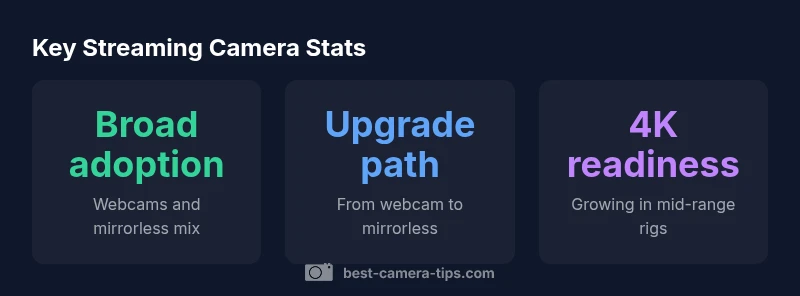
If you’re starting from scratch, a high-quality webcam plus a simple capture card can deliver respectable 1080p streams without breaking the bank. This approach reduces expenses, cable clutter, and learning curves. For those who want sharper detail and better color, consider an entry-level mirrorless body and a modest lens. This setup often yields more forgiving skin tones, improved skin detail, and crisper text rendering on screen. For even more polish, a mid- to high-end mirrorless system enables 4K output, smoother motion, and wider color grading latitude. A typical upgrade path looks like this: begin with reliable lighting, a solid microphone, and a webcam, then migrate to a mirrorless camera using a clean HDMI feed, and finally add a second camera angle or a lighting rig for cinematic depth. Throughout this process, prioritize reliable power solutions (battery or power supply), stable mounting, and an unobtrusive cable setup to avoid pulling focus. In short, your streaming camera choice should align with goals, not just trends.
Image quality and the technical levers that matter
Video quality is not a single dial; it’s the product of several interacting factors. Resolution and frame rate matter, but lighting and color calibration often determine perceived quality more than megapixels. When evaluating cameras for streaming, look at how the camera handles skin tones, highlights, shadows, and motion. A camera with strong dynamic range and accurate color can produce pleasing outputs even under imperfect lighting. autofocus performance matters when you or your guests move around; if your camera keeps refocusing or hunting, you’ll disrupt the stream. Clean HDMI output is a prerequisite for capture-card setups, ensuring there’s no on-screen UI, red text, or battery indicators in your feed. White balance presets or manual control help maintain consistency as you shoot under different lights. Another practical tip is to test your camera with your streaming software before committing to a purchase; this helps you verify latency, color, and exposure in real-world conditions. In short, prioritize color fidelity, skin-tone accuracy, and reliable exposure control when choosing a camera for streaming.
Setup workflow: from camera to stream
A robust streaming setup integrates camera, capture card, PC or laptop, and software. Start with your camera’s output: set it to 1080p at 60 fps or 4K at 30 fps depending on your bandwidth and hardware. Use a capture card rated for your target resolution to prevent bottlenecks. In your software, enable a clean feed with proper chroma keys if you game or use overlays; test camera controls in your scene to avoid abrupt exposure changes during stream. Audio remains critical; be sure your mic sits close to your mouth, but keep background noise in check with a good room treatment. Framing and composition matter as much as gear. Aim for a clean eye line and minimal background distractions. If you’re streaming with a partner or guests, establish a camera switch or picture-in-picture workflow so your scenes stay fluid. The central lesson: better inputs require stable outputs; a smooth, consistent workflow makes your camera work feel effortless to the viewer.
Common mistakes and how to fix them
Many creators error by overemphasizing camera specs while neglecting lighting and sound. A bright, flattering light can make a cheap webcam look surprisingly good, while a poorly lit high-end camera will still look rough. Another pitfall is neglecting power management; poor power solutions cause sudden shutdowns mid-stream. Cable management, too, matters; loose cables distract viewers and can cause accidental disconnects. Settings like auto exposure can cause fluctuating brightness; switch to manual mode and lock exposure to prevent unexpected jumps. Finally, avoid underestimating room acoustics; microphones pick up room echo, so invest in a basic acoustic treatment. When you commit to a camera upgrade, pair it with stable lighting and a decent mic to maximize impact. The goal is to create a coherent, repeatable look across sessions, not a one-off peak.
Future-proofing your streaming camera
Technology evolves, but the core principles remain the same: reliability, consistency, and a workflow that scales. If you invest in a camera system now, choose models with broad ecosystem support, abundant spare parts, and compatibility with multiple capture cards and livestream software. Consider future-proofing by selecting lenses that remain viable as you upgrade bodies, and plan for additional angle cameras and lighting improvements over time. The best practices include testing new gear with a rehearsal stream, adjusting your lighting to accommodate higher resolutions, and documenting your camera settings for quick replication. Finally, maintain a budget for ongoing improvements; streaming setups mature as your channel grows, so your plan should include regular reassessment of whether your camera matches your current goals.
Comparison of streaming camera types
| Camera Type | Typical Output | Notes |
|---|---|---|
| Webcam | 1080p60 or 720p60 | Plug-and-play, budget-friendly, compact |
| Entry-level mirrorless | 1080p60 or 4K30 | Clean HDMI output; needs capture card |
| Pro-grade (DSLR/mirrorless) | 4K30-60 | Excellent color, larger dynamic range; heavier setup |
Common Questions
What camera do streamers use?
Streamers use a mix of camera types, typically beginning with webcams and upgrading to mirrorless or DSLR systems for better image quality and flexibility. The choice depends on space, budget, and the level of control they want over color and lighting.
Streamers choose between webcams and mirrorless or DSLR cameras, based on space, budget, and the level of control they want over image quality.
Do I need a capture card for streaming from a camera?
Yes. A capture card provides a clean HDMI feed from a camera to your streaming PC, preserving image quality and avoiding on-screen UI. It also reduces latency and gives you more control over color and overlays.
Yes, a capture card is usually required for camera-based streams to deliver clean video to your computer.
Are webcams good enough for streaming beginners?
For beginners, a good webcam is often enough to start and learn the basics of framing, lighting, and audio sync. As skills grow, upgrading to a mirrorless or DSLR can provide a noticeable boost in image quality.
Yes, webcams are a solid starting point for beginners and learning the basics.
How important is lighting compared to camera quality?
Lighting quality often determines perceived video quality more than the camera itself. A well-lit scene with even illumination can dramatically improve image quality even with a modest camera.
Lighting often matters more than the camera itself for overall video quality.
Should I upgrade audio before video?
In most cases, yes. Clear audio makes streams more engaging and forgiving if the video quality isn’t top-tier. Upgrade your mic and room treatment before chasing a camera upgrade.
Audio often comes first; a good mic makes your streams clearer regardless of the camera.
“Video quality comes from balancing light, lens, and workflow as much as hardware; prioritize consistency across streams.”
The Essentials
- Start with a solid webcam to learn basics
- Upgrade to mirrorless for better image quality
- Invest in lighting before camera upgrades
- Use a capture card for clean HDMI feeds
- Test your setup under real streaming conditions