How to Put a Camera in Night Mode: A Practical Guide
Learn how to enable night mode on cameras and smartphones, adjust exposure and stabilization, and test results for clearer low-light photos. A beginner-friendly, practical guide.


Night mode enables brighter, clearer low-light photos by optimizing exposure, noise reduction, and processing. You’ll locate the night mode or low-light option, enable it, and fine-tune related settings like exposure and ISO. This guide covers common menu paths for both cameras and smartphones, plus practical testing to ensure clean, convincing night shots.
What night mode is and when to use it
Night mode is a specialized shooting setting designed to improve images captured in dim environments. It leverages sensor sensitivity, longer processing, and in-camera noise reduction to brighten shadows and preserve detail without relying on a flash. If you search for how to put camera in night mode, you’ll see that the core idea is to maximize ambient light while keeping highlight clipping in check. In practice, it shines for scenes like dim street scenes, indoor interiors, or candlelit portraits, especially when subjects are relatively still. The Best Camera Tips team emphasizes that understanding light balance is the first step toward reliable results across devices.
Key indicators that night mode is active include a visible badge or icon in the viewfinder and a noticeable shift in brightness. Night mode works best with still scenes; fast motion can cause motion blur if the shutter is extended to collect more light. The goal is to capture more information in the shadows while controlling noise, not to rely on a bright flash or heavy post-processing later.
Device differences: phone vs dedicated camera bodies
Smartphones often implement night mode automatically or with a dedicated button in the camera app. They pair multi-frame blending with on-chip stabilization to reduce blur. Dedicated cameras (DSLRs and mirrorless) offer manual controls, including ISO, shutter, and focus, plus longer exposure, which can produce cleaner results when used thoughtfully. For beginners, starting with a phone’s night mode is a low-risk way to learn how light behaves in your environment, while more advanced photographers can experiment with manual settings on a mirrorless or DSLR.
Across devices, you’ll typically find (a) a dedicated night mode option, (b) an exposure slider or manual mode, and (c) a focus and metering system designed to capture in low light. Mastery comes from understanding how each control affects brightness, contrast, and noise—principles that apply whether you shoot with a phone or a pro-grade body.
Step-by-step: smartphone night mode workflow
To begin with night mode on a typical smartphone, open the camera app and look for a Night or Low-Light option. Activate it, then adjust any available exposure or brightness slider to taste. If your phone supports RAW capture in night mode, enable it to preserve more post-processing flexibility. Use a stable surface or tripod when possible, and consider a timer or remote shutter to minimize shake. After capture, review the image at 100% to check shadows, highlights, and noise.
Important: keeping the subject relatively still and avoiding excessive movement will yield better results in night mode. The goal is to balance ambient light with noise reduction, not to push sensitivity to extremes. The more you practice, the more intuitive these choices become, especially as you compare shots from different lighting conditions.
Step-by-step: DSLR/mirrorless night photography workflow
On a DSLR or mirrorless body, switch to Manual or Aperture Priority, then enable a Night or Low-Light scene if available. Adjust exposure compensation conservatively so you don’t blow highlights while still brightening shadows. Use a sturdy tripod and a remote shutter or timer to reduce camera shake. Shoot in RAW when possible to preserve color and detail for later processing. Review histograms and adjust ISO and shutter to improve exposure without introducing noise.
If your camera lacks a dedicated night mode, build a night-friendly workflow by combining longer shutter times with careful ISO control and stabilized shooting. The approach is the same: maximize ambient light capture while limiting grain and blur. Practicing with different focal lengths and angles helps reveal what works best for your subject and environment.
Lighting, stabilization, and composition fundamentals
Night photography is as much about light as it is about camera settings. Whenever possible, introduce any available light sources (lamps, window light, or subtle continuous lighting) to create depth. Stabilization is essential—declare a tripod or solid surface and avoid hand-held long exposures. Composition benefits from deliberate framing, leading lines, and silhouettes that emphasize contrast. If you can, shoot with a wider aperture or a longer focal length to capture more atmospheric detail without sacrificing sharpness.
In addition to device settings, consider the scene’s mood. Night mode tends to favor well-defined edges, darker tones, and balanced color temperature. A warm indoor scene will respond differently than a cool street scene. Practice with common subjects (portraits, architecture, street scenes) to learn how to adapt your technique.
Testing, reviewing, and tweaking results
Testing is essential to know whether night mode is working for your needs. Take multiple shots at varying exposure settings and compare the differences. Use a consistent display to view results (same screen brightness, zoom level, and histogram view). Look for noise in shadows, color shifts in highlights, and any motion blur. If results aren’t satisfactory, adjust exposure compensation, ISO guidelines (minimize where possible), or shutter speed, and retake the shot.
For evidence-based refinement, keep a small log of what worked and what didn’t for different scenes. This habit helps you build a reliable mental model of how your gear behaves in various lighting conditions. Over time, you’ll reduce the need for trial-and-error as you anticipate how night mode will perform in common environments.
Advanced techniques and practical tips
Beyond basic night mode, you can stack images to reduce noise in post-processing, use designated night-lighting to improve contrast, or leverage shorter exposures with frame averaging. Try capturing multiple frames and blending them to create a cleaner final image. If you shoot long exposures, consider using a remote trigger and turning off image stabilization to avoid micro-movements. Practicing with different subjects—portraits, cityscapes, or interiors—helps you understand how to exploit night mode’s strengths.
Finally, remember to review your device’s specific documentation for any model-specific tips. Best Camera Tips emphasizes that each device has quirks, and a few minutes of hands-on experimentation can yield substantial improvements over time.
AUTHORITY SOURCES
-
The techniques discussed draw on general photography principles and published guidance from recognized sources. For reference and further reading, see the following authoritative sources:
-
https://www.nist.gov
-
https://www.nature.com
-
https://www.sciencemag.org
Conclusion and Next Steps
Night mode is a powerful tool for capturing atmospherically rich images in low light. The Best Camera Tips team recommends starting with your device’s built-in options and gradually moving toward manual control as you gain confidence. Practice consistently, compare shots, and adjust based on scene goals. With deliberate technique and steady gear, even challenging night scenes can yield impressive results.
Tools & Materials
- Camera with night mode or low-light capability(Ensure the device supports night mode or manual exposure control.)
- Charged battery(Night shooting can drain power quickly; have a spare handy.)
- Tripod or stable surface(Essential for long exposures to avoid blur.)
- Remote shutter or timer(Minimizes camera shake during release.)
- Microfiber cloth(Keep the lens clean for sharp night images.)
- External light source (optional)(Small, controlled light can help texture without overpowering the scene.)
Steps
Estimated time: 15-20 minutes
- 1
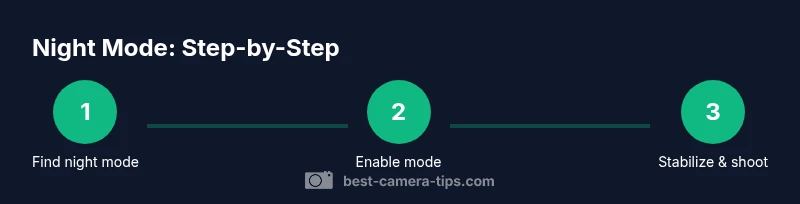
Find the night mode setting
Open the camera app or menu and locate Night, Low-Light, or Night Vision options. This step is device-specific, so if you don’t see it, check the manual or help section. The goal is to identify the feature that optimizes brightness and noise reduction in dim light.
Tip: If you can’t find it, search the settings for keywords like 'low light' or 'night' and review the help section. - 2
Enable night mode
Activate the night mode option. Confirm the indicator shows the mode is active, and ensure any on-screen prompts indicate the feature is engaged. Some devices automatically blend multiple frames for better detail.
Tip: Turn on RAW capture if available to maximize post-processing flexibility. - 3
Stabilize the camera
Mount the camera on a tripod or place it on a solid surface to minimize shake during longer exposure. If you must handhold, use the shortest shutter possible and brace your elbows.
Tip: A remote shutter or timer helps eliminate small shakes during release. - 4
Adjust exposure and ISO
Use manual mode if available to control exposure; otherwise use exposure compensation. Avoid pushing ISO too high; instead seek a balance where brightness is sufficient with minimal grain.
Tip: Enable a histogram display if your camera offers it to judge brightness distribution. - 5
Set focus and metering
Choose a reliable focus method (AF-S or single-point) and select a metering mode that suits the scene (evaluative/average). Lock focus if your subject remains still and adjust exposure as needed.
Tip: Lock exposure on a representative area to stabilize brightness across the frame. - 6
Test shots and review
Take a few test shots, review at 100% zoom, and compare to your baseline. Tweak exposure, ISO, or shutter pace, and retake until you’re satisfied with the balance of brightness and noise.
Tip: Shoot in RAW if possible to maximize post-processing latitude.
Common Questions
What is night mode on cameras?
Night mode uses longer exposure, sensor adjustments, and noise reduction to brighten scenes captured in low light. It reduces reliance on flash and often blends multiple frames for detail.
Night mode enhances brightness and reduces noise in dark scenes by smart exposure and processing.
Can every camera use night mode?
Most modern cameras and smartphones include some form of night mode or low-light shooting options. If your device lacks a dedicated mode, you can simulate it with manual exposure, longer shutter speeds, and image stabilization.
Most new devices have a night-friendly option, or you can approximate it with manual settings and a tripod.
Does night mode use flash?
Night mode typically relies on ambient light and sensor processing rather than flash. Flash is generally avoided to preserve mood and natural color balance unless you intentionally want fill light.
Usually no flash; it uses the scene's existing light and processing to brighten shadows.
How can I improve results in very dark scenes?
Stabilize your camera, keep ISO under control, and use longer shutter speeds with careful framing. If possible, add a small light source to create contrast without overpowering the scene.
Stabilize, optimize exposure, and consider a tiny, controlled light for texture.
Why are my photos noisy in night mode?
Noise often comes from high ISO in low light. Reduce ISO if possible, use stabilization, and shoot in RAW to manage noise during processing.
Noise happens when the ISO is high; try stabilizing and shooting at a lower ISO if you can.
Watch Video
The Essentials
- Enable night mode to improve low-light photos
- Stabilization is essential for sharp night shots
- Balance exposure and ISO to control noise
- Test shots and review help refine settings
- RAW capture offers more post-processing flexibility