What SD Card Is Needed for Dashboard Camera: A Practical Guide
Learn how to choose the right SD card for your dashboard camera, covering capacity, speed classes, endurance, formatting, and maintenance to ensure reliable loop recording.


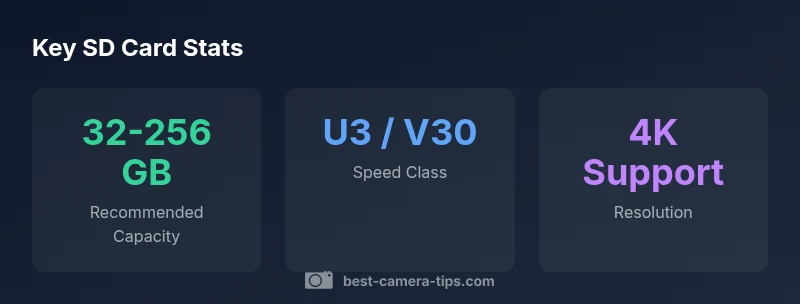
The recommended SD card for most dashboard cameras is a high-endurance microSD card with at least Class U3 or V30 performance, and a capacity of 32-256 GB depending on resolution and loop duration. For 1080p, 32-64 GB is often enough; for 4K or longer loops, 128-256 GB is safer.
Why SD Card Choice Matters for Dashboard Cameras
Reliable dash cam footage hinges on the storage card. If the card fails during an important event, you risk losing critical evidence. The question many readers ask is what sd card is needed for dashboard camera, and the answer depends on resolution, loop length, and environmental conditions. In this guide from Best Camera Tips, we break down the practical requirements for capacity, speed, and endurance so you can pick confidently. In short, you want a card that can sustain high write loads, resist wear over time, and remain readable when you need it most. We'll cover specific speed classes, recommended capacities by resolution, formatting nuances, and maintenance practices that minimize the risk of corruption or data loss. By the end, you'll know how to size, format, and care for a dash cam card so your recordings stay intact across months of daily use.
Dash Cam Video Requirements: Resolution, Frame Rate, and Looping
Dash cams encode video at different resolutions and frame rates, which directly affect how much data is written to the card each hour. Higher resolution and frame rate demand faster write speeds and larger capacity, while aggressive looping reduces the need for huge storage but increases overwrite risk if the loop length is too short. For example, 1080p at 30fps creates far less data than 4K at 30fps; your card needs to support sustained writes at the chosen quality. In practice, most drivers do well with 32-64 GB cards for basic 1080p daily driving, but 128-256 GB becomes prudent when using 4K or if you want longer archival periods. Also, consider whether your dash cam supports continuous loop recording and how many minutes it reuses before overwriting. Always refer to the device manual for recommended formats and maximum file sizes, and remember that reliable operation also depends on a card's endurance and wear characteristics.
Key Card Specifications: Speed Class, Endurance, and Capacity
Understanding card specifications helps prevent surprise failures. The standard minimum is Class 10 with U3 or V30 for consistent writes, especially at higher bitrates. Endurance matters because dash cams write to the card constantly, sometimes for many hours a day; look for cards marketed as high endurance or designed for video surveillance. Capacity dictates how long you can capture before overwriting, so choose based on your recording habits and camera resolution. Most devices pair well with 32-256 GB cards; 4K or longer loop lengths justify the upper end. Finally, confirm compatibility with exFAT, which supports larger file sizes, and avoid older FAT32 options unless your cam specifically requires it.
Capacity Planning: How Much Space Do You Need?
Estimating capacity starts with your intended video quality and loop length. A practical approach is to estimate hours of footage you wish to retain and multiply by a rough hourly data rate for your resolution. For typical 1080p recordings, many users find 32-64 GB sufficient for daily driving with moderate loop times; for cameras that output 4K or higher bitrates, 128-256 GB becomes prudent. Remember that actual storage depends on the compression method, scene complexity, and whether HDR is enabled. When planning, assume conservative bitrate values to avoid hitting a full card unexpectedly. In systems with multiple cameras, total space requirements increase quickly, so consider larger cards or dual-slot configurations where supported.
Practical Setup Tips: Choosing, Formatting, and Maintaining Cards
Choosing a card from reputable brands helps avoid counterfeit products, which are a common cause of data loss in dash cams. Once selected, format the card in-camera using the exFAT file system and the device’s native formatting option. Avoid formatting via a computer unless the camera’s format function fails, and always back up important clips before formatting. Regularly inspect the card for signs of wear, such as slow write speeds or corrupted files, and replace cards that show any signs of degradation. Maintain a clean, dry environment and avoid exposing cards to temperature extremes. If you rely on critical evidence, consider keeping a secondary card on hand and rotate cards as part of your routine.
Troubleshooting Common SD Card Issues in Dash Cams
If footage becomes corrupted, the card may be failing, or the file system may be damaged. Begin by removing the card and reformatting it in-camera to the recommended file system. If problems persist, test the card on a computer to verify readable sectors and perform a full erase before reusing. Counterfeit or poorly vetted cards often underperform, so purchase from trusted retailers and verify packaging and serial numbers. In some cases, switching brands or upgrading to a higher endurance model resolves recurring write errors. Finally, keep firmware updated for your dash cam, as manufacturers sometimes optimize card compatibility with new releases.
Real-World Scenarios and Best Practices
For daily commuters who want reliable evidence without worrying about space, a 128 GB high-endurance card offers a balanced solution for 1080p or 2-channel setups with reasonable loop durations. Enthusiasts who run 4K dash cams or extended recording sessions should plan for 256 GB or larger, and consider a dual-slot dash cam if you need long-term retention without overwriting important footage. Always verify compatibility with your specific model, maintain a regular backup routine, and document your card’s purchase date and capacity to simplify future upgrades. By following these guidelines, you can minimize data loss and maximize the value of your dashboard camera recordings.
SD card guidelines by dash cam resolution
| Camera Type | Recommended Capacity | Speed Class | Notes |
|---|---|---|---|
| 1080p/30fps | 32-64 GB | U3 | Budget setup; shorter loops |
| 1080p/60fps | 64-128 GB | U3/V30 | Longer recording; more margin |
| 4K/30fps | 128-256 GB | V30+ | Highest quality; large cards needed |
Common Questions
Is exFAT required for dash cam SD cards?
Most dash cams support exFAT; FAT32 is limited by file size. Check your model’s manual, but exFAT is the standard for modern devices.
Most dash cams use exFAT, which supports large video files; FAT32 is often too limiting.
Can I use a standard consumer microSD card in my dash cam?
Yes, but choose a high-endurance card with U3 or V30, and avoid counterfeit brands. Verify compatibility with your dash cam model.
Yes, but pick a high-endurance card and buy from trusted brands to avoid fakes.
How often should you format the dash cam SD card?
Format in-camera after backing up important clips and verifying data. Avoid frequent formatting unless the camera requires it or you suspect corruption.
Format in the dash cam only after backing up clips and confirming no important data is lost.
Do dash cams wear out SD cards?
All cards wear with write cycles. Choose high-endurance cards and replace them if you notice write errors or corruption.
Cards can wear out with constant writes; upgrade to high-endurance cards and watch for corruption.
What size card is best for 4K dash cams?
For 4K, plan on 128-256 GB or larger, depending on loop length and bitrate. Consider bigger cards if you want long retention.
For 4K, 128-256 GB is common; bigger cards give you more room for longer loops.
Should I use a dual-slot dash cam or external storage?
Dual-slot models help with longer retention and easier rotation. External storage can boost capacity but isn’t required for all setups.
Dual slots can help with longer loops; external storage is optional and model-dependent.
“Choosing the right SD card isn't just about capacity; speed and endurance determine whether your dash cam records smoothly and preserves important footage.”
The Essentials
- Choose high-endurance, U3/V30 cards for reliability
- Plan capacity based on resolution and loop length
- Format cards in-camera to exFAT for compatibility
- Avoid counterfeit cards with trusted brands
- Regularly test and replace aging cards