How to Secure CCTV Cameras: A Practical Security Guide for Homes
Learn how to securely deploy CCTV cameras with best practices for hardware, network security, access control, and ongoing maintenance. A comprehensive, practical guide from Best Camera Tips.


By the end of this guide you will be able to secure a CCTV camera installation with strong hardware choices, encrypted network connections, and disciplined access control. You'll need a tamper-resistant camera, a private network segment, up-to-date firmware, and careful configuration. According to Best Camera Tips, starting with hardware and network discipline is key.
What a secure CCTV camera means in practice
Secure a secure cctv camera setup means more than simply aiming at a doorway. It is a layered approach that blends sturdy hardware, encrypted data streams, and disciplined administration to reduce tampering and eavesdropping. A secure system uses tamper-resistant housings, firmware that receives timely updates, and encrypted channels for video transmission. Access control should be strict, and remote exposure minimized by design. For home users, reliability and privacy are paramount. In practice this means validating credentials, testing alert paths, and documenting configurations. It also means planning for failures: check power supply health, ensure weatherproof sealing, and implement simple failover where possible. The aim is to preserve data integrity and availability even if an attacker tries to disrupt the system. According to Best Camera Tips, security is a continuous process, not a single purchase.
Planning a secure deployment
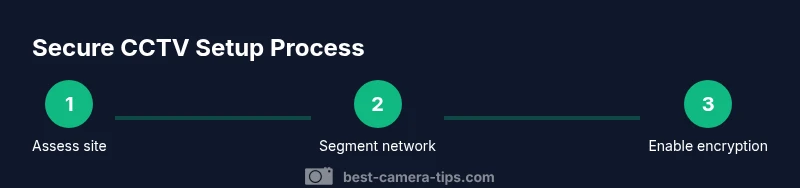
A secure deployment begins with a clear plan that balances coverage, privacy, and resilience. Map out every camera’s field of view and determine which areas require higher security versus privacy-friendly placement. Decide on network segmentation to isolate CCTV traffic from your main home network and plan for future expansion. Choose a path that minimizes exposure to the public internet by default, preferring VPN-backed access for remote connections. Documenting device names, IP addresses, and mounting locations helps with ongoing management and incident response. A thoughtful plan reduces misconfigurations that create openings for exploitation and lays the groundwork for consistent maintenance over time.
Choosing hardware with security in mind
Security starts at the hardware layer. Look for tamper-resistant housings, robust mounting, and weather-rated enclosures suitable for your climate. Prefer cameras and NVRs with signed firmware and automatic security updates. When choosing IP cameras, favor devices with encrypted streaming (TLS/DTLS) and secure boot features. If possible, select equipment that supports PoE to minimize separate power cables, reducing potential tamper points. Also consider onboard storage encryption and efficient compression to protect data at rest without sacrificing performance. The goal is to reduce attack surfaces while maintaining reliable surveillance coverage.
Network security for CCTV systems
A secure CCTV network keeps video traffic isolated from general home networks. Create a dedicated VLAN for CCTV devices and use a separate router or firewall rules to restrict traffic. Disable all unnecessary services on cameras and NVRs, and change default ports to non-standard values. Enforce strong, unique passwords and enable two-factor authentication for admin access where supported. Regularly review access logs and monitor for unusual login attempts. For remote access, prefer a VPN solution or secure cloud-based access instead of exposing cameras directly to the internet. These steps dramatically lower the risk profile of your surveillance setup.
Physical security and mounting
Physical security is often the weakest link. Install cameras in tamper-resistant housings and mount them out of easy reach. Use vandal-resistant screws and locking brackets, and secure cable paths with proper conduits. Position cameras to avoid easy manipulation while still capturing essential evidence. Weatherproof enclosures rated for your climate extend life and reduce maintenance cycles. Consider protective cages or enclosures for high-risk outdoor locations. Regularly inspect mounts for loosening screws and signs of tampering, and replace damaged hardware promptly.
Data protection and encryption
Protect video data both in transit and at rest. Enable TLS/DTLS for streams and use encrypted storage if you keep footage locally. When possible, apply end-to-end encryption between cameras, NVRs, and remote access clients. If cloud storage is used, verify provider encryption standards and access controls, and review retention policies. Implement robust password policies and rotate keys as part of a routine security audit. Data protection is not only about encryption; it also includes rate-limiting access and ensuring audit trails exist for all administrative actions.
Access control and user management
Limit who can view or modify CCTV settings. Create separate administrator accounts with the principle of least privilege, and enable two-factor authentication wherever possible. Maintain a clear access log and routinely review user permissions. Remove former employees or contractors promptly and revoke their credentials. Use role-based access to ensure users only see footage and controls they need. Regularly test the login workflow under different user roles to catch misconfigurations.
Regular maintenance and firmware updates
Schedule periodic maintenance to verify that cameras, firmware, and network devices are up to date. Subscribe to security advisories from device vendors and apply patches promptly when recommended. Test camera health, power supply stability, and recording integrity during each maintenance cycle. Keep backup configurations and recovery procedures documented. A disciplined maintenance routine minimizes surprise outages and reduces long-term security drift.
Integrating CCTV with broader home-security systems
Link CCTV with other security layers like alarms and door sensors to support coordinated responses. Use secure integration points and verify data flows between systems. Ensure that shared credentials are rotated and access is restricted to necessary services. When integrating, prioritize privacy and minimize data fusion unless it provides a justified security benefit. Integration should enhance overall resilience without creating new exposure vectors.
Common missteps and how to avoid them
Avoid common mistakes such as exposing cameras or NVRs directly to the internet, using default credentials, or neglecting firmware updates. Don’t rely on a single point of failure for storage or access; implement redundant power and backup recording. Skip the habit of reusing passwords across devices. Finally, never neglect documentation; without it, security measures become inconsistent and hard to audit.
Tools & Materials
- Tamper-resistant CCTV camera with vandal-resistant housing(Choose IP66+ or IK10-rated housing for outdoor use)
- Locking mounting hardware and brackets(Anti-tamper screws recommended)
- Power over Ethernet (PoE) switch or injector(Minimize separate power cables; reduces tamper points)
- Weatherproof conduit and cable management(Shield cables from weather and tampering)
- Secure network router or switch with VLAN support(Segment CCTV traffic on a private VLAN)
- Two-factor authentication-capable admin accounts(Enable 2FA for all administrators)
Steps
Estimated time: 2-3 hours
- 1
Assess site security and coverage
Evaluate entry points, blind spots, and privacy boundaries. Determine which areas require higher protection while respecting residential privacy. Document observed camera positions and environmental constraints.
Tip: Take photos or sketches to reference during installation. - 2
Plan network segmentation
Create a dedicated CCTV VLAN and plan firewall rules to limit access from the main home network. Decide whether to use a local NVR or cloud-based recording with encryption. Prepare a backup plan for power and connectivity.
Tip: Label devices clearly to simplify future audits. - 3
Choose secure hardware
Select cameras with encrypted streams, secure boot, and signed firmware. Ensure the enclosure is appropriate for weather and vandal resistance. Verify support for PoE and secure remote access.
Tip: Prefer devices with automatic security updates enabled. - 4
Mount and route cables securely
Install cameras in tamper-resistant housings and mount them in stable positions. Run cables through protected conduits and avoid exposing them to potential tampering. Seal entry points to prevent weather ingress and pests.
Tip: Use cable trays or conduits to keep paths neat and inspectable. - 5
Configure security settings
Disable default credentials, set strong unique passwords, enable TLS for streaming, and activate access controls. Configure login alerts and restrict IP addresses that can access the system.
Tip: Document the exact admin accounts and their privileges. - 6
Enable remote access securely
Use a VPN or a trusted cloud service with end-to-end encryption. Avoid port forwarding to cameras; if needed, obscure ports and use strong authentication. Test remote access from multiple devices.
Tip: Never leave remote access exposed without MFA. - 7
Test recording and playback
Verify that footage is reliably recorded, timestamped, and searchable. Check storage capacity, retention settings, and redundancy. Validate that alerts trigger as expected.
Tip: Simulate an incident to confirm the end-to-end alert flow. - 8
Document and review
Create a security runbook with device names, IPs, firmware versions, and credential policies. Schedule periodic reviews and firmware checks. Update the runbook after any change.
Tip: Keep a revision history for all configurations.
Common Questions
What defines a 'secure CCTV camera'?
A secure CCTV camera uses tamper-resistant hardware, encrypted video streaming, authenticated access, and timely firmware updates. It minimizes exposure to network threats through layered protections.
A secure CCTV camera uses sturdy hardware, encryption, and strong access controls.
How can I protect the CCTV network from hackers?
Segment the CCTV network, disable unused services, enforce strong credentials, enable 2FA, and monitor access logs. Keep firmware current and review permissions regularly.
Segment the network, update firmware, and use strong credentials.
Do I need cloud storage for CCTV footage?
Cloud storage is optional. Weigh privacy, cost, and retention against local storage options like a NAS or encrypted NVR. Consider hybrid approaches only if security and compliance requirements justify it.
Cloud is optional; consider local storage with encryption.
How often should I update firmware?
Check for advisories monthly or when notified by the vendor. Apply updates promptly to close known vulnerabilities. Enable automatic updates if available and compatible with your setup.
Update firmware when advisories are issued.
Is two-factor authentication possible for CCTV admin?
Many modern systems support 2FA for admin accounts. Enable it wherever possible to add a strong second factor to access control.
Yes, enable 2FA for admin.
What is the best way to secure remote access?
Prefer a VPN or a trusted cloud service with end-to-end encryption. Avoid exposing camera ports directly to the internet; if needed, use secure tunneling and strict access controls.
Use VPN; avoid direct port exposure.
Watch Video
The Essentials
- Adopt a layered security approach from hardware to software.
- Isolate CCTV traffic with VLANs and strong access controls.
- Keep firmware updated and credentials unique and MFA-protected.
- Plan, document, and test regularly to sustain security over time.
- Remote access should rely on VPN or trusted secure services.