Protect Surveillance from Interference: Legal, Practical Guide
A comprehensive, ethical guide for aspiring photographers and home-security enthusiasts on legally protecting surveillance systems from interference, with practical design tips, detection strategies, and incident response workflows. Learn to strengthen resilience while staying compliant.


This article defines safe, legal ways to protect surveillance systems from interference and avoid unauthorized attempts to disrupt cameras. It focuses on resilience, detection, and compliant responses rather than any technique to block a jammer. Expect practical steps for risk assessment, governance, and robust system design.
What Is Camera Interference and Why It Matters
Interference with surveillance cameras refers to attempts to disrupt, degrade, or block camera performance. This can arise from intentional jamming, environmental factors, or hardware faults. For security teams and homeowners, understanding interference matters because it directly affects incident detection, evidence quality, and overall safety. Rather than chasing unverified hacks, a proactive approach emphasizes resilience, monitoring, and compliant response. By focusing on robust design and clear procedures, you can maintain reliable coverage even in noisy environments. Regular audits and ongoing training help staff distinguish between benign disruptions (like weather or electromagnetic noise) and harmful interference that warrants escalation.
- Common consequences include reduced image clarity, delayed alerts, and weakened chain-of-custody for footage.
- A well-prepared system maintains operation through disturbances and preserves evidentiary value.
Takeaway: Interference is a real risk, but legal, defensive strategies are your best defense.
Legal and Ethical Boundaries
Laws around surveillance and interference vary by jurisdiction, but it is widely illegal to disrupt lawfully deployed cameras or to use equipment designed to defeat them. For property owners or operators, the ethical path is to use compliant protections, proper signage, and documented incident handling. If interference is suspected, report to the proper authorities and consult with legal counsel. Responsible security practice includes privacy considerations, data retention policies, and transparent user agreements for overnight surveillance coverage. Always prioritize safety, legality, and the rights of others when designing and operating camera systems.
- Do not attempt to disable or bypass devices unlawfully.
- Seek guidance from local authorities and qualified security professionals when dealing with suspected interference.
Takeaway: Legal compliance and ethical conduct are non-negotiable foundations of good security practice.
tip_content_type_for_stepByStep_missing_placeholder
tip_strict_use_for_validation_placeholder
Tools & Materials
- Drill and screwdriver kit(For mounting and securing housings or brackets in weatherproof locations)
- Weatherproof camera housing(Use tamper-evident seals where appropriate)
- Grounding kit and surge protection(Protect equipment from electrical disturbances)
- UPS or backup power supply(Maintain camera operation during power interruptions)
- Network security software or monitoring service(Detect anomalies in camera streams and access logs)
- Tamper alarms and sensors(Alert on physical tampering or detachment)
Steps
Estimated time: 60-120 minutes
- 1
Assess current setup
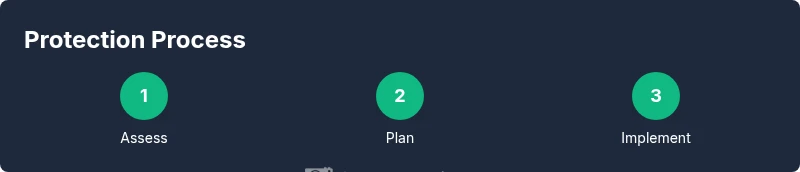
Catalog each camera, its mounting, power source, network path, and recording settings. Check logs for recent anomalies and identify cameras with gaps in coverage or weak mounting. This establishes a baseline for resilience and helps prioritize upgrades.
Tip: Document make, model, and firmware version to inform future upgrades. - 2
Document risks and incident workflow
Create a risk register identifying potential interference scenarios, likely threats, and escalation paths. Define who to contact and what evidence to collect if interference is suspected. Establish a clear incident response workflow.
Tip: Assign a single owner for incident escalation to avoid delays. - 3
Plan protective upgrades
Based on the assessment, design enhancements such as tamper-proof housings, redundant power, and network segmentation. Prioritize changes that maintain uptime and data integrity while complying with privacy regulations.
Tip: Choose modular components to simplify future maintenance. - 4
Implement protections
Install protective enclosures, add grounding, enable surge protection, and set up alerting for tamper events. Ensure documentation is updated and that all changes meet local regulations.
Tip: Test each protection device after installation to confirm proper operation. - 5
Increase detection capabilities
Enable monitoring for anomalies in video streams, frame rates, and metadata. Use alerts to flag irregularities for rapid review without exposing sensitive footage unnecessarily.
Tip: Calibrate thresholds to minimize false positives. - 6
Run a tabletop drill
Simulate an interference event and walk through the incident workflow with your team. Refine timing, roles, and evidence handling to improve responsiveness.
Tip: Capture and securely store training data for audits. - 7
Review and iterate
Conduct quarterly reviews of system performance, check for new vulnerabilities, and update protections as needed. Maintain a living record of changes and outcomes.
Tip: Schedule reminders for firmware and policy updates.
Common Questions
Is interfering with surveillance cameras illegal?
Yes. In most jurisdictions, obstructing or tampering with surveillance equipment is illegal. This includes attempts to jam signals or disable cameras. Always consult local laws and use compliant security practices.
Yes, it's generally illegal to tamper with cameras. Check local laws and use compliant protective methods.
What should I do if I suspect interference?
Document the incident, preserve footage, notify your security team or authorities, and conduct a formal investigation. Do not attempt to disable devices yourself.
If you suspect interference, document it and contact the proper authorities rather than taking matters into your own hands.
Can interference be detected automatically?
Modern systems can monitor for anomalies in streams, frame rates, and metadata, and trigger alerts. Regular audits help distinguish false positives from genuine interference.
Many systems can automatically flag irregular activity; regular audits keep detection accurate.
Are there cameras designed to resist interference?
Some cameras and enclosures include tamper resistance, hardened housings, and redundant power. These features improve uptime but do not guarantee immunity.
There are rugged cameras with tamper resistance and redundancy; they improve reliability but aren’t foolproof.
What about privacy when strengthening defenses?
Strengthening defenses should not infringe on privacy. Use clear retention policies, minimize data exposure, and ensure signage communicates monitoring where required by law.
Ensure your protections respect privacy and follow local rules.
Where can I report interference?
Report to local law enforcement or the regulatory body responsible for communications/security in your area. Provide evidence such as logs and timestamps.
Contact authorities and provide logs and evidence if you suspect interference.
Watch Video
The Essentials
- Identify vulnerabilities and document risks
- Prioritize compliant protections over workaround hacks
- Implement physical and network safeguards
- Establish incident response and drills
- Regularly review and update security measures