Why Your Camera Is Overexposed: Quick Troubleshooting
Learn practical steps to diagnose and fix overexposure in photos. This Best Camera Tips guide covers exposure basics, histogram checks, lighting adjustments, and safe prevention tips for beginners.


Overexposure usually happens when the sensor receives too much light or the exposure settings are off. Quick fixes: lower ISO, stop down the aperture (use a higher f-number), or shorten the shutter speed. If you’re in auto, switch to manual or use exposure compensation to dial in proper brightness, then re-test with a quick shot.
Understanding Overexposure and Why It Happens
Overexposure happens when the camera receives more light than it can reproduce detail for. In practical terms, bright subjects, reflected surfaces, and fast-moving scenes can push highlights beyond the sensor’s ability to render detail. According to Best Camera Tips, the root causes are often simple: bright ambient light, incorrect exposure settings, and decision pathways that keep the camera leaning toward brightness. For beginners, the difference between a well-balanced photo and a blown-out image can feel subtle until you look at the histogram. The histogram is a graphical representation of brightness: left side indicates shadows, right side highlights; a clipped highlight appears as a spike at the far right. The goal is to keep the data visible across the frame rather than letting the right edge spike. Each scene has a sweet spot that depends on subject, depth, and mood.
Quick checks you can do before heavy troubleshooting
- Verify lighting: If possible, reduce harsh light with a diffuser or shoot in shade to avoid blown-out highlights.
- Check ISO: A high ISO amplifies brightness and noise; keep it as low as your shutter speed allows.
- Metering mode matters: Evaluative/Matrix works for most scenes; spot metering can overemphasize a bright area.
- Look at the exposure compensation: If a dial or menu shows a positive value, brightness is biased upward.
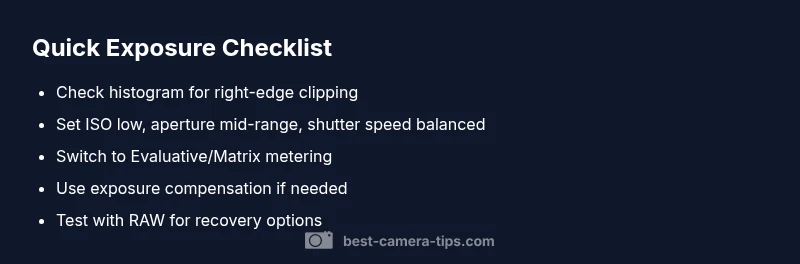
- Use the histogram as a guide: If the right side is clipped, you’re likely overexposed and need to rebalance.
Reading the histogram: what to look for when there is clipping
The histogram shows brightness distribution across the image. A well-balanced exposure typically fills the midtones while handling shadows and highlights without hard spikes on either edge. Clipping on the right means highlights are lost and detail cannot be recovered in post-processing. If you see significant right-side clipping, your goal is to push exposure toward the left (without losing essential detail in the shadows) or reduce light entering the lens. When working in RAW, you can recover some highlights, but recovery is not unlimited. Mastery comes from balancing the three primary controls: ISO, shutter speed, and aperture, while using exposure compensation only when you intend to brighten or darken scenes.
Common causes and practical fixes you can apply in minutes
- Too-bright ambient light with auto exposure: easy fix — switch to Manual mode and dial in exposure with a live histogram.
- Large, reflective surfaces (snow, sand, glass): use a smaller aperture and/or faster shutter; consider metering mode changes.
- Exposure compensation left on +: reset to 0 and recompose your shot.
- Wide-open aperture in bright light: close the aperture (increase f-number) to reduce light intake.
- Using an ND filter or neutral filters when needed: use them to dramatically reduce light for long exposures in daylight.
Manual mode vs auto: choosing the right approach for different scenes
Manual mode gives you full control and predictable outcomes, which is essential for preventing overexposure in challenging lighting. Auto modes (including aperture-priority or shutter-priority) are convenient but can produce oversimplified results if the scene is high-contrast. When you are in auto, enable exposure compensation sparingly and only after confirming the histogram. If you must shoot in auto, set a negative exposure compensation to combat bright scenes, then adjust as needed. Learning the relationship between ISO, aperture, and shutter speed in manual mode helps you pre-empt overexposure rather than react to it after the shot.
Shooting scenarios and tailored tips to prevent overexposure
- Outdoor landscapes in midday sun: use a narrow aperture (higher f-number), low ISO, and a moderate shutter speed; use a polarizer if needed to cut reflections.
- Snow scenes: slightly decrease exposure to preserve highlight detail; avoid crushing whites by dialing back exposure compensation.
- Portraits in bright light: consider two options — diffuse the light or move to open shade; set ISO low, bring down aperture, and watch the histogram for clipping.
- Night city scenes with streetlights: manual mode helps; balance brightness by testing a few frames and adjusting exposure compensation as you go.
How to verify results and prevent future issues
After applying fixes, review the histogram and check a representative set of shots for highlight detail. In post, shoot RAW when possible to maximize recovery latitude, and avoid aggressive highlight recovery that can introduce artifacts. Practice across different scenes to build intuition for the right exposure balance. Regularly reset exposure settings between different shoots to prevent drift, and maintain a habit of checking the histogram on every shot.
Steps
Estimated time: 30-45 minutes
- 1
Check baseline exposure settings
Inspect ISO, aperture, and shutter speed in your current mode. Ensure ISO is as low as possible for the scene, the aperture isn’t too wide for daylight, and shutter speed is fast enough to avoid motion blur. Use Live View and check the histogram as you adjust.
Tip: Use a quick test shot to see how changes affect brightness before locking values. - 2
Switch to manual mode and balance using the histogram
Set ISO to a low value, pick an appropriate aperture, and adjust shutter speed while watching the histogram. Aim for a balanced spread with no extreme spike on the right. Take a test photo and compare highlights and shadows.
Tip: Keep a mental note of how each control shifts brightness; practice until adjustments become second nature. - 3
Use exposure compensation when in semi-auto modes
If you prefer auto or semi-auto modes, use exposure compensation to nudge brightness toward the subject without flipping to manual. Start with -0.3 to -1.0 EV depending on scene and check the histogram.
Tip: Make small increments; large EV jumps lead to inconsistent results. - 4
Consider lighting aids or filters
For bright scenes, diffuse harsh light with a reflector or shade; use ND filters for long-exposure effects or to keep shutter speeds reasonable in daylight. This reduces light entering through the lens.
Tip: A simple diffuser can dramatically reduce glare without altering color balance. - 5
Test across scenarios and save presets
Document effective settings for typical scenes (sunny portrait, backlit subject, snow). Saving presets helps you reproduce results quickly and reduce trial-and-error.
Tip: Label presets with scene type and exposure targets for easy recall. - 6
When in doubt, seek professional help
If persistent overexposure continues across different lenses or bodies, consult a camera technician or service center to rule out sensor or hardware issues.
Tip: Document symptoms and camera body settings to share with a technician.
Diagnosis: Images consistently overexposed across shots in similar lighting
Possible Causes
- highHigh ambient light combined with auto exposure or high ISO
- mediumMetering mode not suitable for scene (spot vs evaluative)
- lowExposure compensation set too high (positive)
- lowLens flare or filters causing glare
Fixes
- easyReset exposure compensation to 0 and switch to evaluative/Matrix metering
- mediumIn Manual mode, set ISO lower, close aperture, and adjust shutter speed based on histogram
- easyEnable exposure lock or use auto balance to re-balance and re-test
- easyUse ND filter or re-light the scene if possible
Common Questions
What exactly causes overexposure in photos?
Overexposure occurs when too much light hits the sensor, causing bright areas to clip and lose detail. This can happen due to bright lighting, high ISO, or misapplied exposure settings. Understanding how your histogram responds to changes helps you prevent clipping.
Overexposure happens when the sensor gets too much light, clipping highlights. It’s usually caused by bright lighting or high ISO and incorrect exposure settings.
How do I fix overexposure while shooting?
Adjust ISO downward, narrow the aperture, and/or shorten the shutter speed. If using auto modes, apply exposure compensation and check the live histogram before taking another shot.
Fix it by lowering ISO, closing the aperture, and reducing shutter speed. In auto modes, use exposure compensation and check the histogram.
Should I always shoot in RAW to recover highlights?
RAW preserves highlight detail better than JPEG, allowing more recovery in post. However, it doesn’t resurrect completely clipped highlights, so best practice is to avoid clipping in-camera in the first place.
Yes, shooting RAW gives you more latitude to recover highlights, but preventing clipping in-camera is still the goal.
What is exposure compensation and when should I use it?
Exposure compensation adjusts brightness in semi-auto modes. Use it to brighten or darken a scene quickly when the automatic exposure isn’t right, then review the histogram.
Exposure compensation lets you brighten or darken when you’re not in full manual mode. Use it to quickly balance a scene and check the histogram.
Is an ND filter necessary in bright scenes?
An ND filter reduces incoming light to enable slower shutter speeds or broader creative options in bright conditions. It can help avoid overexposure when you need long exposures or strong depth of field in daylight.
An ND filter helps when you need to limit light for longer exposures or shallow depth of field in bright light.
Watch Video
The Essentials
- Check the histogram to confirm clipping.
- Balance ISO, aperture, and shutter speed in that order.
- Prefer manual exposure for consistent results.
- Shoot RAW when possible to protect highlights.
- Practice across lighting to prevent future overexposure.