Storing a Camera with Lens Attached: A Practical Guide
Learn whether it's safe to store a camera with the lens attached and how to protect your gear. This guide covers short- and long-term storage, humidity control, dust prevention, and packing tips.


Yes, you can store a camera with the lens attached for short periods, but long-term storage is better with the lens detached. Cap both ends, use a padded bag, and avoid heavy pressure on the front element. Store upright to reduce mount stress, and consider a desiccant packet to control humidity. According to Best Camera Tips, this approach minimizes dust and moisture risk.
Should you store a camera with the lens attached? Practical baseline
For most hobbyists and professionals, the quick answer is: you can do it for short-term storage, but it’s not ideal for weeks or months. A camera with a lens attached adds weight to the mount and can create unnecessary pressure on the mount, which over time may lead to micro-movements or loosened relationships between the mount and the lens. Dust, humidity, and temperature swings are also more likely to affect the exposed sensor area when the lens is attached. According to Best Camera Tips, the best practice is to weigh the need for convenience against the risk of long-term storage issues, and to plan for detaching the lens if you know you won’t use the gear for an extended period. For most readers, a concise rule of thumb is: short-term storage can tolerate an attached lens if the setup is protected and undisturbed, while long-term storage favors detaching.
Short-term vs long-term storage: definitions and decisions
Short-term storage (days to a couple of weeks) often means you’re keeping the camera in a padded bag or case with all caps on, but you’re not subjecting the gear to heavy stacking or rough handling. Long-term storage (weeks to months) introduces greater risk: humidity, awkward pressure on the front element, and potential fungus growth on lens coatings if moisture is present. Best Camera Tips recommends planning ahead: if you don’t expect frequent use, detach the lens to store both components separately; if you must keep the lens mounted, ensure the kit is kept in a climate-controlled space and protected from direct sunlight.
Safe storage with lens attached: step-by-step approach
Storing with the lens attached requires careful packing and a stable environment to prevent damage from impact, moisture, and dust. Use a padded, rigid case or a dedicated camera bag, keep the lens hood in place if feasible, and cap both the camera body and the lens. Position the setup so the weight compresses the mount minimally rather than pulling on it. Include a silica gel sachet inside the case to slow humidity, and avoid placing the bag on uneven surfaces where it could tip or roll.
Detaching the lens for long-term storage: when and how
If storage will exceed a few days, detaching the lens is generally the safer option. Turn off the camera, remove the battery (if storage will be prolonged), lock the lens in its cap, and store separately in a clean, dry place. Keep the lens cap and body cap on to protect the interior from dust. If you must leave the lens attached for long-term storage, ensure the setup is lightweight, well-supported, and placed in a climate-controlled area with no pressure on the front element.
Environmental controls: humidity, temperature, and dust
Humidity is a major factor in lens and sensor longevity. Use silica gel or a dedicated desiccant inside your storage container, and keep the storage area away from heat sources and rapid temperature changes. Temperature swings can cause condensation on the sensor and lens; consistent room temperature with moderate humidity is preferable. Dust exposure is minimized by keeping lids on and storing gear in a sealed bag when not in use.
Packaging and transport considerations
When moving stored gear, avoid sudden shocks or drops. Use a rigid case with divider padding to prevent the camera and lens from shifting. If you’re traveling and must keep the lens attached for convenience, use a protective cover on the front element and a strap that distributes weight evenly. Do not stack other items on top of the camera bag, and keep the gear away from liquids and moisture-prone environments.
Common mistakes to avoid
Don’t assume the lens is clean just because you can see it. Always check the front element and rear mount for dust before storage. Never store the gear in a hot car or near a radiator, as high heat can degrade seals and lubricants. Avoid leaving batteries inside the camera for long-term storage; remove the battery when you expect non-use for an extended period. Finally, don’t ignore humidity indicators—moisture is a silent enemy of lenses and sensors.
Tools & Materials
- Camera body(Ensure power is off before any handling)
- Lens(Keep track of mount orientation)
- Lens caps (front and rear)(Cap both ends when stored)
- Lens hood (optional)(Can help protect the front element)
- Padded camera bag or hard case(Choose a case with adjustable dividers)
- Silica gel desiccant packets(Place inside storage to control humidity)
- Microfiber cloth and blower(Clean lenses and body before storage)
- Soft brush(Use to remove dust from crevices)
Steps
Estimated time: 15-25 minutes for setup; ongoing humidity monitoring as needed
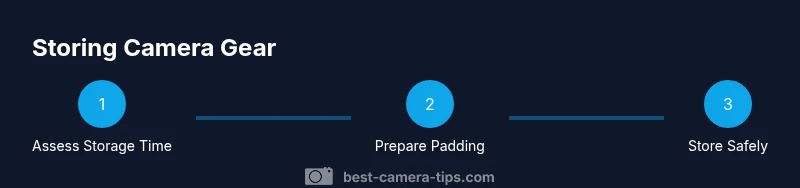
- 1
Assess storage duration
Determine whether you will store the gear for days or months. This decision drives whether you keep the lens attached and how you pack. A quick check helps prevent overexposure to humidity and pressure.
Tip: If you’ll store for more than a week, plan to detach the lens. - 2
Power down and clean
Turn off the camera, remove the battery if storing long-term, and clean the lens and sensor area with a microfiber cloth and blower. Dust on the mount can transfer inside the body over time.
Tip: Use a lens cap and body cap during cleaning to minimize contamination. - 3
Choose your storage configuration
If storing attached, ensure the case supports the combined weight with ample padding. If detaching, prepare two separate padded spaces for the body and the lens.
Tip: Avoid stacking heavy items on top; weight distribution matters. - 4
Cap and protect
Cap both the camera end and the lens end. If the lens is attached, use the lens hood if available and position the unit so pressure is not on the front element.
Tip: Keep lens caps clean and free of dust before resealing. - 5
Add humidity control
Place silica gel packets inside the storage container or bag to absorb residual moisture. Replace or recharge the desiccant when humidity indicators rise.
Tip: Avoid moisture-trapping materials like paper towels in direct contact with optics. - 6
Seal and store in a controlled environment
Close the case or bag securely and store in a cool, dry place away from direct sunlight and extreme temperatures. Avoid automotive interiors on hot days.
Tip: Regularly check the storage area for signs of moisture or mold. - 7
Periodic checks and reassembly
Every few months, inspect seals, look for condensation or fungus on lenses, and re-pack if needed. If you detached the lens, re-attach only after ensuring both ends are clean and capped.
Tip: Keep a simple log of storage checks for longevity.
Common Questions
Is it safe to store a camera with the lens attached for short-term storage?
Yes, for a few days to a couple of weeks it can be safe if you protect the setup: keep caps on, use a padded case, and avoid pressure on the front element. Always consider detaching for longer periods.
Yes—as long as you protect the setup and don’t leave it for long. Caps on, padded case, and no pressure on the lens.
When should I detach the lens for storage?
Detach the lens if you expect storage of weeks or months. This minimizes mount stress and makes humidity control easier for both components. Keep caps on and store lens separately in a dry area.
Detach if you’re storing for weeks or months, and keep both parts protected and dry.
What environmental controls help preserve stored gear?
Humidity control is crucial. Use silica gel desiccants and store in a climate-controlled area away from heat and direct sunlight. Regularly check storage conditions and replace desiccants as needed.
Use desiccants and a cool, dry spot; check the storage conditions routinely.
Can I store with the battery inside the camera?
For long-term storage, remove the battery to prevent corrosion and battery leakage. If you must leave the battery in, store in a protective case away from the camera body.
Remove the battery for long-term storage; if left in, protect it separately.
What if I notice condensation after bringing gear out?
If condensation appears, stop using the gear and let it acclimate in a dry, room-temperature area before inspecting. Avoid powering devices until completely dry.
If you see condensation, let things dry in a warm, dry place before use.
How often should I inspect stored gear?
Check every 2-6 months, especially in humid environments. Look for dust, mold, or signs of moisture and re-pack if necessary.
Inspect every few months and re-pack if needed.
Watch Video
The Essentials
- Store with care to minimize dust and moisture.
- Detach the lens for long-term storage when possible.
- Use humidity control and a padded container.
- Avoid placing heavy items on stored gear.
- Inspect gear before reuse and after storage.