Is Your Camera Hacked? Quick Troubleshooting Guide
Urgent, practical steps to determine if your camera has been hacked, protect footage, and restore security for home and IP cameras.


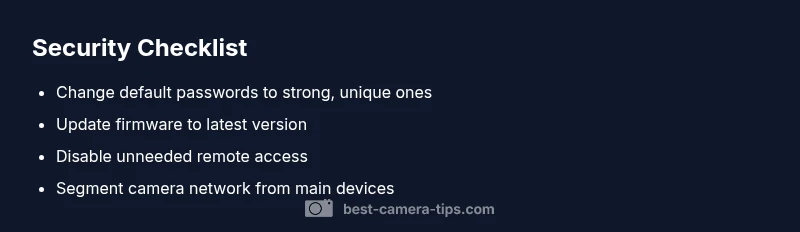
Unauthorized access is the most likely cause. Change all camera passwords to strong, unique values, enabling two-factor authentication where available. Update firmware immediately, disable unneeded remote access, and isolate the device on a separate network if you suspect a breach. Then run a security audit on your router, review connected devices, and enable automatic alerts. If the problem persists, seek professional help.
Why knowing how to know if your camera is hacked matters
In a connected home, your cameras are more than simply devices for capturing footage — they are windows into your privacy and security. Understanding how to know if your camera is hacked isn't about alarmism; it's about taking control before a breach escalates. Best Camera Tips emphasizes that a single compromised device can provide a gateway into your network and trigger broader risks for attackers. If you want to keep your surveillance setup reliable, you must treat security as a continuous practice rather than a one-time fix. The sooner you act, the lower your risk of exposure, data loss, or unwanted surveillance. According to Best Camera Tips, a disciplined approach to security saves time, money, and stress over the long run.
This guide will walk you through practical checks, signs to watch for, and concrete steps to restore safety. You'll learn how to audit devices, tighten credentials, and segment networks so that even if one camera is compromised, the rest stay safe. The message is simple: proactive monitoring reduces risk and reduces the likelihood that you will find yourself in a crisis scenario. The Best Camera Tips team recommends regular reviews of security settings and firmware as a best practice for every camera setup.
Common signs your camera may be compromised
There are several telltale indicators that your camera might have fallen into the wrong hands. If you notice unexplained reboots, changes to settings you did not make, unfamiliar user accounts appearing in the app, or streams shifting to unknown destinations, these are red flags. Pixelation or lag without a reported reason can also point to tampering. Alerts that remote access is enabled when you never turned it on, or a sudden spike in traffic to your router, are additional warning signs. For aspiring photographers and home security enthusiasts, distinguishing legitimate activity from suspicious behavior requires careful observation and a habit of checking device logs regularly. Best Camera Tips recommends documenting anomalies and correlating them with network activity for stronger evidence.
Immediate actions if you suspect a breach
Act quickly but methodically. Start by powering down or temporarily disconnecting the camera from the network to prevent further access. Then change passwords on the camera account and your router, and disable remote access if you do not rely on it. Check for firmware updates and apply them. If the problem persists, perform a factory reset and reconfigure from scratch with unique credentials. Keep an eye on router logs and connected devices to detect ongoing activity. If you cannot establish control or the breach recurs, contact the vendor or a security professional for a deeper audit.
Long-term security improvements for home security cameras
Security is a habit. Create a security-centered routine: use strong, unique passwords for every device, enable two-factor authentication where available, and disable universal remote access unless you truly need it. Regularly update camera firmware and router firmware, and consider network segmentation so cameras live on a dedicated guest or IoT network. Disable Universal Plug and Play (UPnP) on your router to prevent automatic port exposure. Review access permissions periodically and enable alerts for unusual activity. Finally, document your security settings and changes so you can retrace steps if something goes wrong in the future.
IP cameras vs cloud cameras: different risks and fixes
IP cameras store feeds locally or on a network drive, which means breaches can bypass some cloud protections and require direct device hardening. Cloud-connected cameras rely on vendor servers; risks include weak cloud account security and compromised vendor credentials. Regardless of type, the core fixes are the same: strong passwords, firmware updates, unique accounts, and network segregation. For cloud cameras, enable vendor-provided security features such as activity logs, two-factor authentication, and notification controls. For IP cameras, ensure you disable insecure protocols, change default ports, and monitor traffic for unusual destinations.
Quick routine to maintain security after setup
Build a simple, repeatable routine: monthly check for firmware updates, review user accounts, and verify that remote access is still intentional. Enable alerts for new devices on your network and test them periodically. Maintain separate networks for cameras and personal devices, and keep a secure backup of configuration settings. By integrating these steps into your regular workflow, you significantly lower the chance of a stealth breach going unnoticed.
Steps
Estimated time: 25-35 minutes
- 1
Identify and confirm symptoms
Review device logs, recent app activity, and router traffic to confirm anomalous behavior. Document what changed and when it started. This helps distinguish genuine updates from potential hacks.
Tip: Capture screenshots of any unusual entries and note timestamps for reference. - 2
Isolate the camera from the network
If you suspect a breach, disconnect the camera to curb ongoing access. Do not delete evidence; you’ll need it for audits and possible support tickets.
Tip: Keep the camera off until you can evaluate safely. - 3
Reset and reconfigure
Perform a factory reset on the camera and the router if needed. Set up a new, strong password and disable any features you do not use, such as universal remote access.
Tip: Document new credentials in a secure password manager. - 4
Update firmware
Install the latest firmware from the manufacturer. Firmware updates often fix security flaws that could be exploited by attackers.
Tip: Only download updates from the official vendor site or app. - 5
Re-connect securely
Reconnect the camera to a network with strong encryption (WPA3 if available). Create a dedicated IoT network and avoid using the same password as your other devices.
Tip: Turn on alerts for new devices joining the network. - 6
Review account and access
Revoke unknown devices, enable two-factor authentication, and review permissions for all accounts linked to the camera.
Tip: Keep a list of authorized devices and users. - 7
Test and monitor
Re-test the camera after reconfiguration and monitor for any recurring anomalies for the next 1–2 weeks.
Tip: Set automated alerts to detect unusual activity immediately.
Diagnosis: Camera shows unexpected behavior such as streaming to unknown addresses, settings changed without authorization, or unexplained reboots.
Possible Causes
- highWeak or reused passwords
- highExposed remote access or open ports in the router
- mediumOutdated firmware with known vulnerabilities
Fixes
- easyChange camera and account passwords to strong, unique values
- easyUpdate camera firmware to the latest version
- easyDisable remote access and UPnP on the router
- mediumFactory reset and reconfigure security after confirming no legitimate reason behind the symptoms
Common Questions
What are the first signs that my camera might be hacked?
Look for unfamiliar devices on the network, unexpected reboots, changes to settings you didn't make, or streams to unknown destinations. These can indicate unauthorized access and warrant immediate review.
Watch for unfamiliar devices or changes in camera settings, and check for unexpected streaming destinations.
Can malware on my computer affect my camera?
Yes. A compromised computer can be used to access your camera's app or cloud account, especially if you reuse passwords or share credentials. Always protect all devices on the same network.
Your PC or phone could be a bridge to your camera if credentials are compromised.
Should I reset my camera to factory settings if I suspect a hack?
Factory reset is often a prudent next step to remove persistent malware. After reset, reconfigure securely with unique passwords and updated firmware.
A factory reset can clear persistent intrusions, followed by secure reconfiguration.
Is it safe to keep using the same Wi‑Fi network after a suspected breach?
It's better to segregate cameras onto a dedicated IoT network or guest network to limit risk if a device is compromised.
Separate cameras on their own network to reduce exposure.
How often should I update camera firmware?
Check for updates monthly or enable automatic updates. Regular updates reduce the window for attackers to exploit known flaws.
Update firmware regularly to close security gaps.
Do cloud cameras differ in risk from IP cameras?
Cloud cameras rely on vendor security; IP cameras expose feeds locally. Both require strong passwords, 2FA where possible, and routine security checks.
Cloud cameras have vendor-facing risks; IP cameras need local hardening.
Watch Video
The Essentials
- Change passwords to strong, unique values.
- Keep firmware up to date and disable unneeded remote access.
- Isolate cameras on a separate network for security.
- Monitor activity and maintain a security checklist.