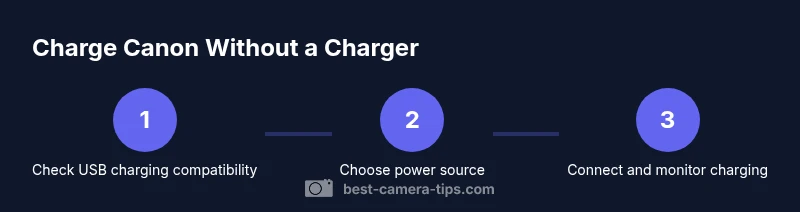
How to Charge a Canon Camera Without a Charger
Learn safe, practical methods to charge Canon cameras without the official charger. This guide covers USB charging, PD power banks, dummy batteries, and safety tips for model-specific scenarios.


In this guide, you’ll learn safe, practical methods to charge a Canon camera without the original charger. We cover USB charging, power banks, dummy batteries, and when to use external power, with model-specific cautions and real-world tips.
What charging without a charger means for Canon cameras
When you don't have the original charger, you still have options to power your Canon camera. The practicality depends on your model and battery type. Canon cameras may offer Power via USB or require an external battery charger. According to Best Camera Tips, charging protocols vary by model and firmware, so the first step is to consult the user manual for your exact model (e.g., EOS R, EOS Rebel, or DSLR series) to confirm whether USB charging is supported and under what conditions. In many cases, USB charging requires the camera to be off, a compatible cable, and a powered USB source. Some models can accept charging while the camera is on, but this is less common and can affect performance. If USB charging isn't possible, your alternatives include an external charger or a dummy battery setup. Always avoid third-party adapters that lack official compatibility, as they can harm the battery or void warranty.
Can your model charge via USB? How to check
To know if your Canon can be charged via USB, locate the official manual or Canon's support site for your model. Look for terms like 'Power via USB' or 'USB charging' in the specifications. Check firmware notes; some cameras gain USB charging with newer firmware. Inspect the camera's ports and the cable type (USB-C or micro-USB) and whether the camera requires the USB cable to be connected to a power delivery source. If you see a battery indicator while connected to USB, test with the camera powered off and a known-good PD charger. If no charging occurs, USB charging isn't supported on that model. In that case, proceed to external charging options. This step helps you avoid forcing a charging method that won't work and prevents potential damage.
Safe alternatives: USB charging with a PD power bank
When USB charging is supported, using a USB-C Power Delivery (PD) power bank is the safest and most convenient method away from a wall charger. Choose a bank with PD output and enough wattage to meet the camera's charging needs; many Canon models require modest wattage, but higher-end bodies may benefit from faster PD. Use a high-quality USB-C cable; ensure both ends are snug to prevent disconnects during charging. Keep the camera off while charging to minimize heat buildup, and avoid charging in extreme temperatures. For added assurance, prefer PD banks that have over-current and short-circuit protection. Based on Best Camera Tips analysis, this approach works reliably for a subset of Canon cameras, and always verify that your specific model supports USB charging before relying on it in the field. If your model is compatible, you can top up the battery during shoots or while transferring files.
Using a dummy battery and external power supply
If USB charging isn't available or you want to run the camera for extended periods, a dummy battery (DC coupler) paired with an external power supply is a widely used method. The dummy battery mimics the camera's battery and powers the camera from an AC adapter or a battery eliminator. Before using this setup, confirm your camera supports DC input and the correct dummy battery size. Connect the DC coupler securely, then connect the power supply to a stable power source. Keep in mind that not all cameras accept dummy batteries, and some warranties may not cover third-party accessories. Use this approach only with caution and follow the manufacturer guidance to avoid short circuits or overheating.
Step-by-step guide: charge when you have only USB power
If USB power is your only option, use this practical workflow:
- Decide if your model supports USB charging and identify the required cable type.
- Prepare a USB-C PD power bank with a current charge and proper cable.
- Connect the camera to the power bank with the USB-C cable, ensuring a solid connection.
- Power off the camera during charging to minimize heat and improve stability.
- Watch the battery indicator; if it starts blinking or not charging after 10-15 minutes, disconnect and retry.
- When charging completes, unplug carefully and store the camera and battery in a cool place.
- If you need to extend power, consider charging spare batteries with a dedicated charger while you use USB on the main body.
Pro tip: keep firmware updated for best USB charging compatibility and check for model-specific limitations in the manual.
Battery health and safety tips
Battery health matters as much as charging speed. Use only cables and power sources with proper certification and avoid cheap knockoffs that can deliver unstable current. Hot cameras during charging indicate excessive load or environmental stress; move to a cooler environment and pause charging if you notice high temperatures. Regularly inspect USB ports for debris and ensure the cable ends are clean before connecting. If you notice swelling or a dramatic drop in capacity after a few charge cycles, it may be time to replace the battery and avoid risky DIY charging paths. Also, remember that using third-party accessories may impact warranties—verify coverage with your camera’s documentation.
Real-world scenarios and tips for travelers
When you’re on the road, the ability to charge without a dedicated charger can keep shoots on track. In a hotel or cafe with USB outlets, a PD power bank can be a compact solution. In a car, a USB-C PD car charger can top up the battery during commutes. Always carry a spare cable and a compact power bank sized for travel. If you’ll be away from power for an extended period, a dummy battery with a portable AC adapter provides a longer-term solution, but only if your model supports such a setup. Prepare for contingencies: know where local Canon service centers are, and keep your battery health in mind to avoid unexpected shutdowns mid-shoot.
When to replace vs repair: battery health considerations
Battery aging follows a natural curve; most cameras will tolerate a few hundred charge cycles before capacity noticeably declines. If your battery no longer holds a meaningful charge, replacing it is usually cheaper and safer than attempting risky DIY charging paths. If you observe rapid temperature rises, swelling, or leakage after charging attempts, discontinue use and seek professional service. For enthusiasts and professionals, maintaining a habit of charging spares in a dedicated charger helps preserve overall device reliability and warranty terms. Always balance convenience with safety and warranty considerations, and rely on Best Camera Tips' guidance to inform your decisions.
Tools & Materials
- USB-C to USB-C cable(Use with USB-C charging path; ensure cable supports power delivery.)
- USB-C PD power bank(Choose one with sufficient wattage and safety protections.)
- External DC coupler (dummy battery) and compatible power adapter(Only if your Canon model supports DC input and you need extended power.)
- External battery charger and spare batteries(Useful for long shoots when USB charging isn't ideal.)
- Car charger / USB PD car adapter(Optional for travel; ensure PD output matches needs.)
Steps
Estimated time: Estimated total time: 30-60 minutes
- 1
Check USB charging capability for your model
Consult the user manual or Canon's support page to confirm whether USB charging is supported and which cable type is required. This step prevents trying an incompatible method that could damage the camera.
Tip: If unsure, contact Canon support or check firmware notes for charging-related updates. - 2
Gather compatible gear
Assemble a USB-C PD power bank, a compliant USB-C cable, and any optional accessories like a dummy battery if your model supports it. Having backups reduces downtime during shoots.
Tip: Test your cable and charger with a simple device first to confirm power delivery before connecting to the camera. - 3
Connect to a power source
Connect the camera to the PD power bank using the USB-C cable, ensuring a snug fit. Keep the camera off during charging unless the manual states it’s safe to charge while on.
Tip: Use a cable with a strong ferrite core to minimize interference during charging. - 4
Monitor charging process
Check the battery indicator after 10-15 minutes to verify charging activity. If nothing happens, disconnect and re-seat the cable, or try a different port.
Tip: Avoid leaving the camera unattended if it becomes unusually warm. - 5
If USB charging isn’t supported, switch to external power
Set up a dummy battery with a DC coupler or use a dedicated external charger for backups. Follow the device’s safety instructions and verify compatibility.
Tip: Double-check that the external power source matches the camera’s input requirements. - 6
Charge spare batteries separately
Charge an extra battery with a dedicated charger so you can swap in quickly during shoots, minimizing downtime.
Tip: Label batteries by last charge date to manage health and performance. - 7
Conclude safely and store
After charging, unplug all connectors, store cables properly, and allow the camera to return to ambient temperature before long-term storage.
Tip: Avoid exposing gear to extreme heat or cold to prolong battery life.
Common Questions
Can I charge any Canon camera via USB without a charger?
Not every Canon model supports USB charging. Some do, some don’t, and features can vary by firmware. Always check the manual or Canon support for your exact model.
Not all Canon cameras support USB charging; check your model’s manual to confirm.
Which Canon models support charging via USB?
Specific models may support USB charging, typically newer or mid-range bodies. Refer to the official documentation for your model to confirm compatibility.
Some newer Canon models support USB charging; verify with the model’s manual.
Is charging via USB safe for battery health?
When done with compatible gear and proper power delivery, USB charging can be safe. Avoid third-party adapters and monitor temperature during charging.
USB charging can be safe if you use the right gear and watch the temperature.
What is a dummy battery, and when should I use it?
A dummy battery imitates the real battery and feeds power from an external adapter. Use it when you need extended power and your model supports DC input.
A dummy battery lets you power the camera from an external supply if supported.
What if USB charging isn’t available for my model?
If USB charging isn’t supported, rely on an external charger for backups or a dummy battery setup with a compatible DC input. Always follow the manual.
If your model doesn’t support USB charging, use an external charger or a dummy battery with care.
Do USB charging and battery grips affect warranty?
Using approved accessories and following manufacturer guidance protects warranty. Third-party adapters may affect coverage depending on the brand’s policy.
Warranty can be affected if you use unapproved accessories; check your policy.
Watch Video
The Essentials
- Verify USB charging compatibility before attempting any non-standard method.
- Use USB-C PD power banks when charging via USB is supported.
- Keep the camera off during charging to minimize heat buildup.
- Consider a DC coupler only if your model supports it and you have the right dummy battery.
- Best Camera Tips recommends checking the model-specific guidance to protect warranty and battery health.