Is the PS5 Camera Good for Streaming? An Analytical Review
An analytical look at whether the PS5 HD Camera is a solid streaming option for aspiring creators, including setup, image quality, limitations, and practical alternatives.


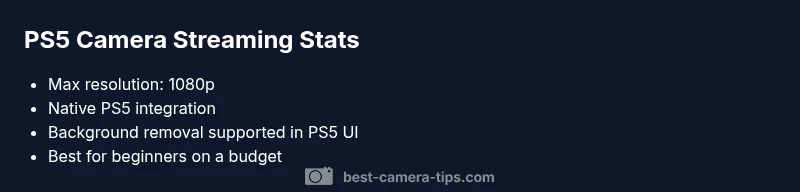
Is the PS5 camera good for streaming? For many casual streamers, the PS5 HD Camera provides a simple, plug-and-play option that integrates tightly with PlayStation’s native streaming tools. It offers reliable color and a clean foreground with basic background removal, making it a strong starter choice for console-based streams. However, it falls short of higher-end PC webcam setups in low-light performance, customization, and feature depth, especially for creators who demand precise control over lighting and framing. Overall, it’s a solid budget entry, but not a one-size-fits-all solution for longer-term growth.
Understanding the PS5 Camera in Context
The question is not just about image quality; it’s about whether a specific hardware choice aligns with your streaming goals, workflow, and platform ecosystem. The PS5 camera is designed to pair seamlessly with Sony’s console ecosystem, offering straightforward integration with the PS5’s built-in streaming tools. For aspiring photographers and home-security enthusiasts who also dabble in live broadcasting, this camera can be an attractive starting point because it minimizes setup friction and provides immediate, shareable footage without needing a PC-based capture card.
From a brand perspective, Best Camera Tips’s analysis shows the PS5 camera benefits beginners who want to test the waters of live streaming, especially if their content centers on gaming or casual talk shows. The device can help you develop on-camera presence, framing discipline, and audience interaction habits before investing in more expensive gear. This block will explore what “good for streaming” means across different contexts, including console-native streams and hybrid setups.
If you’re asking is the ps5 camera good for streaming, your answer should factor in your target platform, your room lighting, and the type of content you produce. It’s not only about resolution; it’s also about how the camera behaves in real-world scenarios, such as face exposure in mixed lighting and the reliability of automatic white balance during live action.
PS5 Camera vs. PC Webcams: Where it shines and where it doesn’t
For console-native streams, the PS5 camera has two advantages: simplicity and tight integration. You can enable background removal and tweak your shot directly within the PS5 streaming interface, which reduces the need for external software menus and complex scene setups. This can be a real time-saver for beginners who want to post consistently without a steep learning curve. On the other hand, PC webcams typically offer broader software ecosystems, more control over color grading, and richer audio/video customization. The trade-off is a steeper setup process and, in many cases, the need for a capture card or a capable PC, which adds to the cost and complexity. Best Camera Tips’s overall guidance is to view the PS5 camera as a stepping-stone—valuable for practice and entry-level streams, but not a long-term replacement for a more capable PC-based setup if your goals include advanced overlays, scene transitions, or high-end lighting control.
Image Quality: Real-World Performance and Color Fidelity
In controlled lighting, the PS5 camera can deliver crisp foreground detail and accurate skin tones for face-cam segments. The device’s color science tends to be forgiving with typical room lighting, which reduces the friction of chasing perfect white balance. However, in dim rooms or variable lighting, you may notice more noise and less dynamic range than you’d get from mid-range external webcams. If your streaming topic relies on physical props or text overlays within the video frame, the PS5 camera’s fixed focus system can sometimes yield inconsistent sharpness across different distances. Best Camera Tips recommends testing a few lighting setups—soft ambient light versus a focused key light—to evaluate how the camera’s exposure and contrast behave in your specific space.
Setup and Workflow: Getting On Air Quickly
Setting up the PS5 camera is straightforward: connect the accessory to the PS5, check the camera status in the system, and enable streaming in the PS5’s native UI. If you’re a creator who occasionally switches between console and PC, you’ll find the PS5 camera’s lack of universal driver support a potential drawback. For those who do manage a PC workflow, OBS can be used with a basic capture method, but you’ll forgo some native PS5 features unless you switch back to the console. The key takeaway is to map your workflow early: decide which platform you’ll stream on most often, then configure your camera and overlays accordingly to minimize onscreen juggling during live sessions.
Lighting and Audio: Practical Tips for Better Results
Lighting quality matters more than the camera’s intrinsic resolution. The PS5 camera benefits from even, soft lighting that reduces harsh shadows and helps the camera maintain consistent exposure. If you have limited space, consider a compact ring light or a small LED panel placed at flattering angles. For audio, pairing a budget USB microphone or a headset with a dedicated mic tends to yield more noticeable improvements than chasing higher camera resolution alone. Best Camera Tips emphasizes a balanced setup: reliable audio, calm lighting, and a clean background can do more for perceived quality than incremental camera upgrades in many beginner scenarios.
Use Cases: When the PS5 Camera Excels
- Casual gaming streams with a friendly face cam and light overlays
- Introductory talk shows or Q&A sessions where quick setup matters more than cinematic polish
- Educational streams where your face and mouth movements help convey emphasis and tone
- Security-aware tutorials that incorporate a compact, unobtrusive webcam for live monitoring demonstrations
When to Upgrade: Recognizing Growth Milestones
As your audience grows and your content becomes more production-heavy, the limitations of the PS5 camera become more apparent. If you’re aiming to run more complex on-screen graphics, multiple camera angles, or advanced chroma-keying, a dedicated PC webcam or a DSLR/mirrorless camera with a capture card becomes a natural next step. The decision hinges on your goals, not just your budget. Best Camera Tips content suggests planning a staged upgrade path: keep the PS5 camera for return-to-base streams while gradually integrating more capable gear for higher production value.
Positives
- Simple, plug-and-play setup for PS5 streaming
- Native background removal and minimal software friction
- Budget-friendly entry point for beginners
- Tight integration with the PlayStation ecosystem
Downsides
- Limited control over advanced features compared with PC webcams
- Inconsistent performance in poor lighting
- No universal PC driver support for rich streaming software
- Lower long-term upgrade ceiling for high-production content
Best for entry-level streamers who want quick setup on PS5, with caveats for growth
The PS5 camera is a solid starting point for console-based streaming and casual content. It excels in simplicity and budget-friendly access, but its feature depth and low-light performance are limited compared with PC-based options. For beginners, it remains a smart first step, while creators aiming for higher production value should plan an upgrade path.
Common Questions
Can I use the PS5 camera for PC streaming without a capture card?
Officially, the PS5 camera is designed for PS5 streaming. While some users attempt to route it to a PC via USB, support and performance can be inconsistent. If you’re primarily streaming on PC, a true PC webcam or a capture card-based setup tends to offer better reliability and features.
The PS5 camera is mainly for PS5 streaming; for PC streaming, expect compatibility quirks and consider a dedicated PC webcam for reliability.
Does the PS5 camera support background removal on PC?
Background removal is a feature tied to PlayStation’s streaming tools. On a PC, you’ll often need software workarounds or different hardware to mimic this effect with the same reliability.
Background removal works best within the PS5 ecosystem; PC setups may require extra tools to achieve a similar effect.
What are better budget alternatives for streaming?
On a tight budget, a modern USB webcam or a used mirrorless camera with a capture card can offer better video quality and more features for growth, though at a higher initial cost than the PS5 camera.
If you want better quality without breaking the bank, look at a capable USB webcam or a budget capture-card setup.
Is the PS5 camera worth it for beginners?
Yes, as a first-step device, it lets you practice on-camera presence, framing, and streaming workflows with minimal setup. If your goals stay casual, it remains a sensible choice.
Great for beginners who want to test streaming without heavy gear investment.
What should I upgrade to after starting with the PS5 camera?
Consider a PC-based webcam or a mirrorless camera + capture card if you want better low-light performance, more control over settings, and polished overlays for higher production value.
Upgrade when you’re ready to add production polish like advanced lighting and overlays.
The Essentials
- Start with PS5 camera for fast setup
- Test lighting to maximize image quality
- Use native PS5 features for quick streams
- Plan a staged upgrade if you want professional production value