Canon M50: In-Depth Features, Setup and Troubleshooting
A data-driven guide to the Canon M50 for beginners and home shooters. Explore sensor, autofocus, video, lens options, setup tips, and practical troubleshooting to maximize results with canon m50.


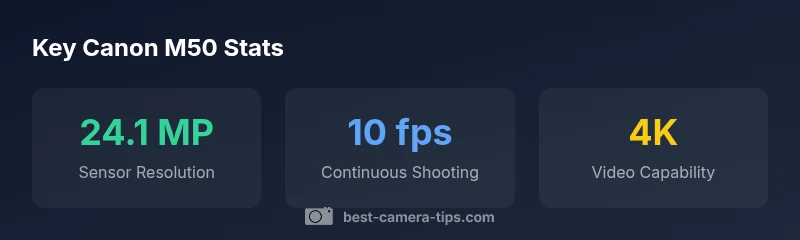
Canon M50 combines a 24.1 MP APS-C sensor with Canon's Dual Pixel CMOS AF and compact, ergonomic design. It supports 4K video with a crop and reliable autofocus for moving subjects, while a vari-angle touchscreen makes composing shots from low or unusual angles easy. This quick overview sets the stage for deeper analysis, setup tips, and practical comparisons.
Sensor and Image Quality
The canon m50 uses a 24.1 MP APS-C sensor that delivers sharp detail in good light and respectable noise performance at moderate ISO. When shooting RAW, you can maximize dynamic range and post-process latitude, particularly in landscapes and street photography. In daylight, color rendition is natural, and with proper white balance, skin tones remain pleasing. In higher ISO, you’ll notice some grain, but the noise is generally easy to manage with standard noise reduction in post. For enthusiasts, the canon m50's sensor pairing with Canon's DIGIC 8 processor helps maintain color fidelity across JPEGs and RAW files. The camera's highlight tone priority and exposure compensation allow you to recover detail in bright skies, making it a solid choice for beginner-to-intermediate shooters.
Autofocus and Performance
The canon m50 benefits from Dual Pixel CMOS AF in live view and during video, delivering smooth, quick focusing. Face detection and eye detection help track people and pets, while subject-tracking works well for moving subjects in daylight and indoor light. AF performance can degrade in very low light or with lenses that have slower apertures, but for typical everyday scenes it remains reliable. In video mode, continuous autofocus works smoothly during walking shots, though you may notice a brief AF search if lighting changes dramatically. Overall, the system balances speed, accuracy, and ease of use for new photographers.
Video Capabilities and Lens Ecosystem
Canon M50 offers 4K video with a noticeable crop and Dual Pixel AF limitations; for most hobbyists, 1080p at higher frame rates delivers smoother motion with less cropping. Native EF-M lens options include compact zooms and primes like it kit lens; you can also use EF/EF-S lenses with an adapter for expanded choices. The combination of accessible controls and a growing lens ecosystem makes the M50 adaptable to different genres, from vlogging to landscape work. Lens availability and the adapter market are strong advantages for beginners growing into more complex shoots.
Practical Setup for Beginners
Start by choosing the right shooting modes: Auto for snapshots, Program for balanced exposure, Aperture priority for creative depth of field, and Manual as you gain confidence. Shoot RAW + JPEG to keep editing options, and enable highlight protection to preserve sky detail. Create custom memory settings using the C1 and C2 modes to switch between street and studio workflows. A good starter lens is the 15-45mm kit; pair with a reliable memory card (Class 10 or UHS-I) and a lightweight tripod for steady low-angle shots. Finally, back up your files regularly and practice white balance with presets for common lighting scenarios.
Troubleshooting and Fine-tuning
Common issues include autofocus hunting in low light or with certain lenses, excessive noise at higher ISO, and 4K cropping that can affect composition. If you encounter these, check lens compatibility, update firmware if available, and ensure you are using a fast memory card. Camera overheating is rare but can occur if you record long 4K clips or shoot in hot environments; plan shorter sessions or use 1080p for longer runs. Regular sensor cleaning and battery health checks help maintain long-term performance.
Canon M50 specifications at a glance
| Feature | Canon M50 | Notes |
|---|---|---|
| Sensor type | APS-C CMOS | Balanced performance for beginners |
| Resolution | 24.1 MP | Detail in stills |
| Video formats | 4K with crop; 1080p 60p | Practical options |
| Lens mount | EF-M | Native lens ecosystem |
| Weight | 約390 g | With battery |
Common Questions
Is the Canon M50 a good choice for beginners?
Yes. The M50's intuitive controls, guided menus, and compact design help new photographers learn quickly. It also provides helpful auto modes while still offering full manual control as you advance.
Yes, it's beginner-friendly with guided menus and auto modes.
Does the M50 support 4K video?
The M50 can record 4K video, but with some limitations like a crop and Dual Pixel AF behavior. For casual video, 1080p at higher frame rates may be more practical.
Yes, but with limitations.
What lenses work well with the M50?
Native EF-M lenses are the best fit, with the kit 15-45mm being a common starting point. You can also adapt EF/EF-S lenses using an official adapter.
Best to start with EF-M; you can adapt EF/EF-S with an adapter.
Can I use EF and EF-S lenses with the M50?
Yes, via an EF-EOS M adapter, allowing access to a wide lens ecosystem. Check compatibility for autofocus and metering.
Yes, with an adapter.
How can I improve autofocus performance in low light?
Use a good kit lens with fast aperture, enable Dual Pixel AF, and consider improving lighting when possible. Avoid older, slow lenses that hunt in low light.
Enable Dual Pixel AF and improve lighting.
What memory card should I use?
Use SD cards rated for UHS-I with enough speed for your shooting mode. The M50 supports standard SD cards; choose Class 10 or UHS-I cards for reliable performance.
Choose Class 10 or UHS-I SD cards.
“The canon m50 remains a strong entry point for aspiring photographers because it pairs approachable ergonomics with reliable autofocus and solid image quality.”
The Essentials
- Start with RAW for editing flexibility
- Use EF-M native lenses or adapters
- Enable Dual Pixel AF for sharp focus
- Pair with a kit lens to learn basics
- Use the vari-angle screen for tricky angles