Camera to Vlog: A Practical Beginner’s Guide for YouTube
Discover how to vlog with a camera—from selecting the right body and lens to audio, lighting, and workflow tips. This educational guide helps aspiring creators start producing polished videos in 2026.


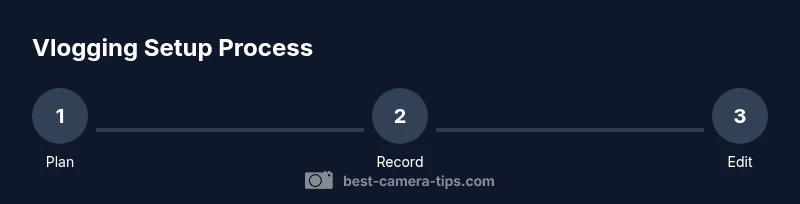
To vlog with a camera, start by selecting a compact, reliable body with good autofocus and a microphone input. Pair it with a versatile lens, an external mic, and a small lighting kit. Follow a simple workflow: plan, shoot, and review before posting. This setup keeps you approachable while delivering steady, engaging footage.
Why camera to vlog matters
For aspiring creators, choosing the right camera to vlog makes the difference between polished storytelling and shaky footage. A dedicated vlogging camera provides reliable autofocus, crisp audio, easy framing, and consistent color. In 2026, the best setups balance portability with essential inputs like a mic jack and good stabilization. A camera chosen for vlogging should offer fast setup, solid battery life, and a view you can rely on while moving. According to Best Camera Tips, beginners benefit from a compact body with strong stabilization and a microphone input, since those features accelerate production without a steep learning curve. Understanding these priorities helps you avoid overbuying or underperforming gear. This article uses practical examples and a step by step approach to help you turn everyday footage into engaging, watchable videos.
If you’re asking how to turn a casual camera into a reliable vlogging tool, you’re in the right place.
Understanding your core needs
Before you buy, clarify your vlog style and constraints: where you film, how often, and who your audience is. If you travel light, a compact mirrorless may be best; if you shoot indoors, a camera with excellent color and a solid kit lens can save time. Your budget governs the balance between camera body, lens, and audio. Consider four dimensions: portability, battery life, autofocus reliability, and audio options. Best Camera Tips notes that a thoughtful prioritization often yields more consistent results than chasing the latest features. Create a wish list that ranks items by necessity (must-haves) and nice-to-haves, and compare how each choice affects workflow, file sizes, and editing time. The more you tailor your gear to your content plan, the faster you’ll produce coherent videos.
A clear plan reduces friction later and helps you pick a system you can grow with.
Choosing the right camera for vlogging
Choosing the camera to vlog isn’t about owning the most expensive gear; it’s about matching capabilities to your workflow. A compact mirrorless or a mid-range camcorder typically provides reliable autofocus, in-body stabilization, and a view that tilts toward you. For walk-and-talk vlogs, a camera with a flexible LCD that faces you while you film is ideal. Ensure the camera has at least one dedicated microphone input and HDMI output for clean capture. If you expect long recording sessions, prioritize battery life and heat management. A budget-conscious approach often recommends a body that offers 4K output and solid stabilization; upgrade lenses and audio as your channel grows. The goal is a modular system you can travel with, set up quickly, and learn in weeks rather than months.
A practical setup balances ease of use with expandability.
Key specs to prioritize
Autofocus speed and reliability matter: you want subject tracking that won’t hunt during dialogue or movement. Look for 4K at 30p and 1080p at 60p or higher for smooth motion. A flip-out screen or a capable external monitor helps framing yourself without guesswork. In-body stabilization is a major plus, especially for handheld footage. An adaptable lens, such as a versatile zoom around 24-70mm equivalent, provides reach without changing position. Audio inputs are essential; if your camera lacks a mic jack, plan on an external recorder. Finally, monitor heat and battery life for long shoots and prefer models with efficient power management. With good planning, you’ll get consistent footage even in changing environments.
These specs set the foundation for dependable, high-quality vlogs.
Audio matters: built-in mic vs external
Sound quality often makes or breaks viewer retention. Most built-in mics pick up room noise and camera hum, so an external mic is usually worth the investment. A lavalier mic clipped to your shirt delivers clean voice pickup and minimizes ambient noise, while a compact shotgun mic mounted on the camera can maintain directional focus. If you shoot in noisy environments, wind protection is essential for outdoors. Consider a portable digital recorder if your camera’s mic input is weak or you need multiple mics. Always test levels before filming and aim for a consistent loudness around -12 to -6 dB in post. Good audio can compensate for modest lighting and makes your content feel professional.
A small, high-quality audio setup yields big improvements in perceived production value.
Lenses and optics for on-the-go filming
Lens choice dramatically changes your look and flexibility. A standard kit zoom (roughly 24-70mm equivalent) covers most situations, from close-ups to wider establishing shots. If you shoot indoors frequently, a fast prime (28-50mm range equivalents) offers superior low-light performance and a pleasing background blur. For travel or action, a compact zoom with stabilization helps you stay flexible without swapping lenses. Remember that larger lenses add cost and weight; balance your kit around portability and endurance. Start with a solid camera body and one versatile lens, then expand as your channel grows. The right glass makes your footage feel more cinematic and intentional.
Stabilization and setup for smooth footage
Smooth footage relies on steady handling and thoughtful setup. If your camera offers IBIS, enable it and pair with a lightweight gimbal for dynamic shots. A sturdy tripod or a compact monopod helps when you’re stationary or walking slowly. Use a shoulder rig for longer takes if you’re telling a more complex story. Keep a relaxed grip to minimize jitter, and practice a slight heel-to-toe cadence when walking. Choose frame rates that suit your style (commonly 24-30fps for a filmic look) and remember to test stabilization in real conditions. Your goal is calm, consistent motion, not perfectly still frames whenever possible.
Lighting on the move
Lighting is one of the biggest levers for video quality in vlogging. On bright days, position yourself with the sun behind or to the side to avoid harsh shadows. Portable LED panels with adjustable color temperature help you maintain consistent skin tones indoors and outdoors. When natural light isn’t enough, bounce light with a white reflector or add a soft box to soften shadows. Set white balance manually for stable colors, or rely on a reliable auto mode that tracks changing light. The aim is natural skin tones and clear subjects, not perfect exposure in every frame. Practice with the same light setup to reduce editing time later.
Shooting workflows, tips, and avoiding pitfalls
Develop a repeatable workflow to keep production predictable and scalable. Create a quick shot list, capture B-roll, and label your cards to simplify editing. Transcode or proxy footage if your computer struggles with 4K, then edit with basic color correction and consistent audio levels. Use a simple thumbnail and metadata strategy to improve discoverability. Battery management matters: carry spares, keep devices cool, and disable features you won’t use. Common mistakes include relying too much on auto mode, neglecting audio needs, and skipping backups. Plan for editing time and revision, and publish on a consistent schedule. Best Camera Tips emphasizes building a repeatable process to grow without burnout.
Tools & Materials
- Camera body(Any camera capable of video; ensure clean HDMI output preferred)
- External microphone(Lavalier or shotgun; consider wind protection)
- Memory cards(Fast, high capacity; 32GB+ per hour of 4K)
- Tripod(Lightweight and adjustable height)
- Gimbal or stabilization rig(Useful for dynamic shots)
- Lighting kit(Portable LED panel with adjustable color temperature)
- Extra batteries(Spare batteries or USB-C power bank)
- HDMI cable(Optional for clean capture or external monitor)
- Wind protection(Windscreen or deadcat for outdoor shoots)
Steps
Estimated time: 60-120 minutes
- 1
Define your vlog concept
Outline your channel focus, target audience, and the video format you’ll regularly produce. Create a one-page shot list to guide filming and editing.
Tip: Write a brief plan and keep it visible during filming. - 2
Choose your camera body
Select a camera that balances portability with essential inputs like a mic jack and good autofocus. Ensure it can record in your target resolution.
Tip: Prioritize reliable autofocus over extra frames per second. - 3
Select a versatile lens
Pick a lens that covers common scenes (roughly 24-70mm) so you can shoot wide and close without frequent swaps.
Tip: If budget allows, start with a standard zoom kit lens. - 4
Add an external microphone
Install a lavalier or shotgun mic and test mic distance to optimize voice clarity. Wind protection helps outdoors.
Tip: Test levels before shooting and monitor through headphones. - 5
Set up lighting
Plan a basic lighting scheme: natural light when possible, and a portable LED for darker spaces. Balance color temperature to match environment.
Tip: Position lights to avoid harsh shadows behind you. - 6
Configure audio levels
Set stable audio gain to avoid clipping while maintaining sufficient headroom for post. Use peaks around -12 dB.
Tip: Record at a consistent volume across clips. - 7
Record a test clip
Capture a short test segment to check focus, exposure, framing, and sound. Review and adjust before final takes.
Tip: Include a quick movement and a stationary shot for testing. - 8
Record your main content
Shoot your planned footage in multiple takes to ensure variety. Keep clips short and purposeful for easier editing.
Tip: Capture extra B-roll to enhance storytelling. - 9
Review, edit, and publish
Transcode if needed, balance color, clean audio, and craft a compelling thumbnail and metadata. Publish on a consistent schedule.
Tip: Create a simple thumbnail and title that includes your keyword.
Common Questions
What is the best camera type for starting a vlog?
For beginners, a compact mirrorless or mid-range camcorder with reliable autofocus and a mic input is ideal. It offers portability, decent image quality, and straightforward settings, which minimizes the learning curve. Your choice should align with your shooting environment and planned content.
For beginners, start with a compact mirrorless or mid-range camcorder that has autofocus and a mic input. It’s portable and easy to use, helping you focus on content rather than gear.
Is 4K necessary for YouTube vlogs?
4K is not strictly required, especially for beginners. 1080p is perfectly adequate and reduces file sizes and editing load. If your audience or editing workflow benefits from 4K, you can upgrade later, but ensure your workflow supports it.
4K isn’t mandatory for YouTube; 1080p works well and keeps editing simpler. You can upgrade to 4K later as your channel and workflow mature.
Do I need an external microphone?
An external microphone significantly improves vocal clarity and reduces background noise. A lavalier or small shotgun mic is a common first upgrade. If you’re indoors, a good mic can even compensate for less-than-ideal room acoustics.
Yes. An external mic makes your voice clearer and reduces room noise, which viewers notice right away.
How long should a first vlog be?
Aim for 5–10 minutes for your first videos. This length fits most beginners’ bandwidth for editing and viewer attention. As you grow, you can experiment with longer formats or series-based content.
Start with 5 to 10 minutes. It’s long enough to tell a story but short enough to keep editing and viewing manageable.
Should I use a tripod or handheld?
Tripods stabilize static shots and keep eye contact consistent for talking segments. Handheld or small stabilizers are great for dynamic movement. A mix of both tends to produce the most engaging vlogs.
Use a tripod for talking parts, and handheld or a gimbal for movement. Mixing both keeps your videos dynamic.
What are the benefits of IBIS for vlogging?
In-camera image stabilization helps reduce shake during handheld shots, making movement smoother. It’s especially useful when you don’t have a rig. Pair IBIS with optical stabilization for best results.
IBIS helps keep handheld footage steady and smooth, especially when you don’t use a rig.
Watch Video
The Essentials
- Plan first, shoot second to stay cohesive.
- Prioritize audio and stabilization for viewer engagement.
- Choose gear that fits your workflow, not just specs.
- Light smart: use natural light and portable LEDs to save editing time.
- Create a repeatable process for growth and consistency.