What Camera Was Used To: A Practical Guide
Explore how to determine what camera was used to capture a photo. Learn to read EXIF data, assess metadata, and validate clues with caution. A data-driven, expert guide from Best Camera Tips.


To answer what camera was used to a photo, start with EXIF data when available and inspect lens signatures, sensor noise, and file metadata. Be aware that many platforms strip metadata and edits can obscure clues, so attribution isn’t always reliable. This quick guide shows how to assess images and report findings with appropriate caveats.
What 'what camera was used to' implies for photographers and researchers
The phrase 'what camera was used to' asks for attributing the device behind a photo. For researchers, journalists, and enthusiasts, this question drives how we assess authenticity and provenance. Best Camera Tips notes that practical attribution often begins with data leftovers and ends with careful judgment. The goal is to balance curiosity with caution: many signals point to a camera, but none guarantee certainty.
How EXIF and metadata help identify the camera used
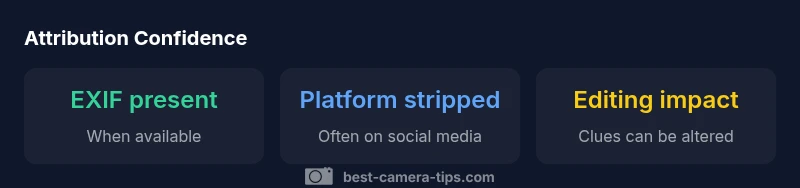
EXIF data embedded in digital images often includes camera Make and Model, lens details, and exposure settings. When present, these fields can point to a specific camera system. However, many platforms strip EXIF on upload, and editing can erase or spoof metadata. Even with EXIF intact, misattribution can occur if multiple bodies use the same lens or if metadata is copied from another image. Best Camera Tips suggests treating EXIF as a strong hint, not conclusive proof.
Limitations: when data is missing or obfuscated
In the wild, many images arrive without usable metadata. Social networks compress files, strip exif data, or replace embedded information with generic headers. Editing can introduce artifacts that mimic other cameras or wash out distinguishing features. Additionally, raw files may contain richer metadata, but access to the original files is often restricted. In practice, attribution requires triangulating signals rather than relying on a single indicator.
Practical steps to verify camera from an image you found
Follow these steps to assess attribution responsibly:
- Locate the original source or download the highest-quality version you can access.
- Use a metadata reader to check for Make, Model, and Lens details; record what is present.
- Inspect focal length, aperture, and shutter characteristics; compare against known lens signatures for candidate systems.
- Look for editing signs: aggressive compression, resampling, or cloned areas that obscure clues.
- Cross-check with contextual cues (shooting date, location, or accompanying gear mentions).
- Assign a confidence level (high/medium/low) and document the reasoning behind it.
Forensic clues beyond EXIF: sensor patterns and lens signatures
Beyond EXIF, forensic analysis looks at sensor pattern noise, Bayer CFA demosaicing artifacts, and distortion curves that can hint at sensor size and pixel arrangement. Lens signatures, such as characteristic flare or vignette, can also help when multiple cameras share a similar sensor. These clues are probabilistic and require careful calibration against known reference samples. Practical use of these signals demands transparency about limitations.
Case studies: typical scenarios
In a forum post, a user shares an image with intact EXIF showing a camera label that matches a widely used system; cross-checks with the likely lens focal length and shooting mode confirms a plausible match. In another case, an image on a blog lacks EXIF; the analyst relies on sensor noise patterns and known lens characteristics to narrow the field. In both cases, conclusions are stated with confidence levels rather than absolute certainty.
Tools and resources: software to read metadata and verify cameras
Common tools include metadata viewers and editors such as EXIF readers, image viewers with EXIF panels, and forensic software that can compare sensor signatures. When possible, retrieve the original file from the photographer or source. Maintain a chain-of-custody log for archival work and ensure your workflow documents the methods used to reach conclusions.
Ethical and legal considerations in camera attribution
Attributing a camera to a specific image can impact credibility and rights. Always seek consent when examining proprietary images and disclose limitations and uncertainties in your reporting. Avoid sensational claims and cite the methods used to derive any attribution. Best Camera Tips emphasizes responsible storytelling and transparent methodology in photography research.
How to interpret results: confidence levels and reporting
Treat camera attribution as a probabilistic assessment. Use a three-tier confidence model (high/medium/low) and clearly state why a result falls into a given category. If signals conflict, present multiple plausible possibilities and invite corroboration from additional sources. Remember that transparency about uncertainty strengthens trust.
Best practices for content creators and archivists
For creators and archivists, preserve original files with intact metadata when possible, share links to sources, and document any edits that could affect attribution. Create checklists that include metadata preservation, source verification, and explicit caveats. This disciplined approach reduces misattribution and supports future research.
How EXIF and editing affect camera attribution
| Aspect | What it tells you | Typical data source |
|---|---|---|
| EXIF availability | Indicates camera model, lens, and settings if present | Phot metadata; image viewers |
| Platform stripping | Platforms may remove EXIF data | Social networks; image hosting services |
| Editing effects | Can obscure clues; may introduce artifacts | Editing software; forensic analysis |
Common Questions
What is EXIF data and how does it help identify the camera?
EXIF data stores camera model, settings, and date, which can reveal the camera used. However, many images lack it or have been edited.
EXIF can tell you the camera, but be mindful that it's not always present.
Can I determine the camera from a photo without EXIF?
Yes, you can use sensor noise patterns, lens signatures, and distortion analysis, but results are probabilistic.
You can, but it's not always reliable.
Do social media sites remove EXIF data?
Many platforms strip EXIF data on upload; checking the original source is ideal.
Platforms often strip EXIF; check the source.
What should I report if attribution is uncertain?
State the confidence level, describe methods used, and avoid definitive claims.
Be honest about uncertainty.
How can creators protect metadata?
Use metadata preservation options when needed and consider watermarking or separate reporting.
Protecting data helps maintain attribution integrity.
“Camera attribution is a best-effort practice; EXIF and lens signatures can help, but editing and platform behavior often limit certainty.”
The Essentials
- Check EXIF data first, but verify with additional clues.
- Expect metadata stripping on many platforms.
- Corroborate clues across lens signatures and artifacts.
- Report findings with explicit confidence levels.