What Camera App Do Influencers Use? A Practical Guide
Explore why there isn’t a single camera app influencers use, and learn which mobile apps help creators capture pro-level photos and videos across platforms.


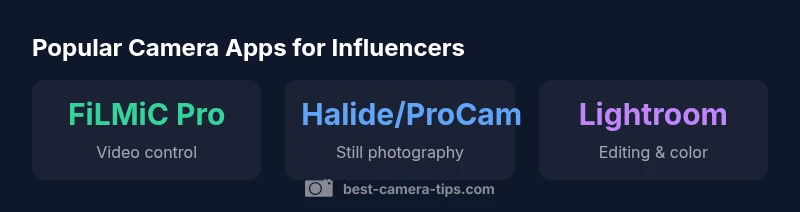
There isn't a single camera app influencers use. Most rely on a mix of native smartphone apps for quick posts and dedicated camera apps for professional control. FiLMiC Pro is popular for video, while Halide or ProCam are common for stills. For editing, Lightroom Mobile or VSCO are widely used—your best choice depends on whether you shoot photos, videos, or both.
What camera app do influencers use in practice
Many aspiring creators ask, what camera app do influencers use, and there isn’t a single answer. The most successful influencers build a blended toolkit rather than rely on one app. They mix native smartphone apps for quick posting with dedicated camera apps that give more control over exposure, focus, and color. The exact mix depends on the content type, platform, and hardware. The Best Camera Tips team finds that the trend is to start with the built‑in camera for spontaneity, then switch to a pro app for scenes that demand precision. For video, FiLMiC Pro is widely used because it unlocks manual controls like exposure, frame rate, and LOG profiles that the stock camera app may not expose. For stills, apps such as Halide or ProCam offer richer RAW capture and more accurate focus control. Editing is typically handled in Lightroom Mobile or VSCO to ensure consistent color and tone across posts. In short, influencers customize an app stack to fit their niche and audience.
How app choice maps to content type
Choosing an app is rarely about the best camera; it’s about the right tool for the task. For still photography, emphasis is on RAW capture, precise exposure control, and noise management in low light. Apps like Halide and ProCam give you manual focus, RAW output, and advanced metering that a stock app cannot match. For casual posts, the built‑in camera often suffices, especially when speed matters or you’re posting multiple stories in a row. When video is the priority, a dedicated app such as FiLMiC Pro can transform your phone into a compact cinema rig by offering features like LOG gamma, zebra exposure, custom white balance, and external mic integration. If you are aiming for a consistent aesthetic, you may also rely on an editing app that applies a brand look across shoots, such as Lightroom Mobile or VSCO presets. Platform constraints matter: vertical video for TikTok or Instagram Reels; 16:9 for YouTube; square for feed Instagram. In every case, the choice of app shapes your workflow and the speed at which you can publish.
Popular camera apps and their typical use cases
FiLMiC Pro
- Purpose: professional video capture with manual controls, LOG gamma, frame-rate options.
- Best for: cinematic clips, behind‑the‑scenes, and controlled lighting scenarios.
- Trade-offs: steeper learning curve; requires extra steps for color matching with stills.
Halide or ProCam
- Purpose: advanced still photography with RAW capture and precise focus tools.
- Best for: high‑quality stills and exact exposure decisions.
- Trade-offs: can be less convenient for rapid posting.
Camera+ 2
- Purpose: versatile tool for both photos and short videos with good post‑capture options.
- Best for: creators who want a single app workflow across formats.
- Trade-offs: fewer color tools than dedicated editors.
Lightroom Mobile
- Purpose: non‑destructive editing, color grading, and cloud syncing.
- Best for: establishing a consistent look across posts and platforms.
- Trade-offs: editing can be slower if you’re batching many assets.
VSCO
- Purpose: film‑like presets and simple editing.
- Best for: finishing touches that give a signature vibe.
- Trade-offs: less control over some advanced edits than Lightroom.
LumaFusion
- Purpose: multi‑track mobile video editing.
- Best for: post‑production on the go when you need to assemble clips quickly.
- Trade-offs: more complex interface for beginners.
Across these tools, the strongest influencers build a stack that matches their content type, platform, and audience expectations, rather than chasing every new app release.
Editing workflow and color consistency
Color and exposure consistency across posts is harder than it looks. After capture, many creators export RAW files when possible and edit with Lightroom Mobile to balance contrast, exposure, and white balance. A common approach is to create a master look—maybe a warm skin tone with a subtle teal shadow—that can be applied via presets across shoots. If you shoot video, you’ll want to ensure footage from FiLMiC Pro matches your stills by aligning color profiles and using a consistent LUT or color grade in your editor. Keeping a reference shot or color chart handy helps you calibrate quickly. Another practical tip is to maintain consistent metering mode and exposure compensation across scenes so your highlights and shadows don’t drift between posts. Finally, back up your edits to the cloud so your desktop and mobile libraries stay in sync. The goal is a cohesive brand look, not perfection in every frame.
Budget-friendly setup for beginners
Starting with a single capable device is enough to learn. Focus on a minimal kit: a sturdy tripod or smartphone gimbal, a portable lighting option for indoor shoots, and a basic external lens if you want macro capabilities. Practice manual controls with a pro app such as FiLMiC Pro on video nights and Halide for stills when you’re ready. Use a free or low-cost editing workflow—Lightroom Mobile or VSCO presets can be sufficient to achieve a polished look without heavy investment. Keep your phone updated, clean your lens, and shoot during favorable light conditions like golden hour when possible. Over time, you’ll discover which apps and accessories deliver results that align with your audience’s expectations, without overspending.
Platform-specific tips and optimization
Different platforms reward different formats. For Instagram, vertical 9:16 videos and square images tend to perform well, with shorter runtimes and punchy hooks. For YouTube, 16:9 or Shorts require longer editing and pacing; for TikTok, quick, high‑energy cuts are preferred. Regardless of platform, create a consistent color grade and mapping from your app stack so your brand is recognizable. Save presets for skin tones, corporate blues, or cinematic teal shadows so you don’t redo the color work on every post. Optimize metadata, captions, and thumbnails to improve discoverability, and maintain a lean post‑production workflow that keeps your publishing cadence steady.
Day-in-the-life workflow: a practical example
A typical shooting day begins with planning a shot list aligned to platform goals. In the morning, capture a set of stills with Halide or ProCam, focusing on good light and RAW output. Transfer images to Lightroom Mobile for a quick color grade and export a consistent look. In the afternoon, film a short behind‑the‑scenes segment with FiLMiC Pro, using precise exposure and a controlled lighting setup. After lunch, assemble a master edit in LumaFusion or another mobile editor, then export variants for Instagram and YouTube. Schedule posts, draft captions, and select a thumbnail that communicates the story at a glance. If you need quick stories, shoot with the native camera and apply a light edit in VSCO. The key is maintaining a recognizable look and steady rhythm, not chasing every new app release.
Choosing an app stack: a decision framework
Start by listing your primary content: photos, videos, or both. Then map each content type to a core app (e.g., Halide for stills, FiLMiC Pro for video) and a preferred editing path (Lightroom or VSCO). Consider platform requirements first—vertical vs. landscape—and choose tools that inherently support those formats. Test a basic pair of apps for a week, compare time-to-publish, and measure how consistently you achieve your brand look. Gradually introduce secondary tools only if they add tangible value and don’t disrupt your workflow. By prioritizing reliability and consistency over novelty, you’ll build a scalable, sustainable influencer routine.
Common camera-app roles for influencers
| App Type | Best For | Notes |
|---|---|---|
| FiLMiC Pro | Video capture | Advanced controls, LOG gamma |
| Halide | Stills | RAW output, focus peaking, precise metering |
| Lightroom Mobile | Editing | Non-destructive edits, presets |
| VSCO | Editing | Film-like presets, quick finishing |
Common Questions
Is FiLMiC Pro worth it for beginners?
FiLMiC Pro offers advanced controls that can be overwhelming for beginners. If you anticipate needing precise exposure, frame rates, and LOG outputs, it’s worth the investment after you’ve mastered the basics with your native camera. Start with the built‑in app to learn composition before upgrading.
FiLMiC Pro is powerful; beginners should first learn fundamentals with the built‑in camera and then decide if the extra control is necessary.
Can you use camera apps with any phone?
Most major camera apps support both iOS and Android, but features can vary by device. Check the app’s supported OS versions and hardware requirements, especially for RAW and advanced video controls.
Most apps work on iPhone and Android, but some features depend on your device.
Do influencers still use external cameras?
Yes, many influencers integrate external cameras for higher image quality or different looks. Smartphones are convenient for on‑the‑go content, while dedicated cameras offer superior sensors and creative options when time and location allow.
External cameras are common for quality shoots, but phones stay essential for quick takes.
What’s the cheapest way to start with camera apps?
Begin with your phone’s native camera and a free editing app. Add a paid pro app only when you need features like RAW, better exposure control, or advanced editing presets.
Start simple with your phone and free editing tools, then upgrade as you need.
Which app is best for YouTube workflow?
For YouTube, many creators blend FiLMiC Pro for controlled capture with LumaFusion or a desktop editor for multi‑clip assembly. Editing should focus on color consistency and pacing for longer formats.
For YouTube, combine strong capture apps with capable editors to handle longer videos.
Are there free alternatives to paid pro apps?
There are free camera apps with manual controls, but they may lack the depth and reliability of paid options. A balanced approach is to start with free tools and move to paid apps as your needs grow.
Free tools exist, but paid apps often deliver more reliability and features.
“The most effective influencer workflows aren’t about chasing the latest app, but about building a reliable stack that supports content rhythm and platform goals.”
The Essentials
- Build a blended app stack, not a single solution
- Prioritize consistency and platform needs
- Use RAW/LOG for better control on video and stills
- Pair pro apps with a robust editing workflow
- Keep gear simple and scalable
- Test your workflow before publishing regularly