How Cameras Take Pictures: A Practical Guide
Learn how cameras transform light into a photograph, covering exposure, sensors, lenses, and the processing pipeline. A step-by-step guide for beginners and enthusiasts to master photography basics.


A camera creates an image by letting light hit a sensor for a controlled moment, using aperture, shutter speed, and ISO to control brightness and depth. You’ll learn the full path from light to pixels, plus practical steps you can apply with any camera to get sharp, well-exposed photos.
How light becomes an image
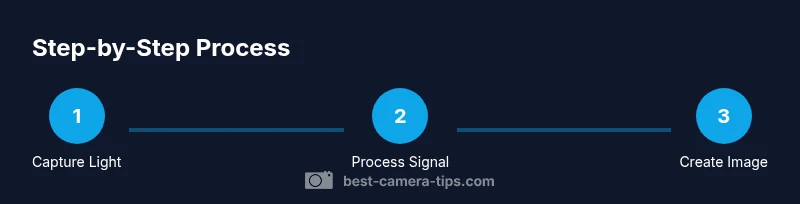
Light enters the lens and is focused onto a photosensitive sensor. The sensor, a grid of photosites, records variations in brightness and color. The camera must decide how long the sensor is exposed (shutter speed), how much light reaches it (aperture), and how sensitive the sensor is (ISO). Together these choices form the exposure, which determines brightness and depth in the final image. According to Best Camera Tips, understanding this exposure triangle is the first step to predictable results.
Exposure is not just about brightness; it's about control over motion blur and depth of field. A fast shutter freezes action, while a slow shutter can blur movement for a sense of speed. A wide aperture (low f-number) makes a scene look shallow in depth, isolating subjects, whereas a narrow aperture (high f-number) increases depth of field, bringing more of the scene into focus. ISO adjusts brightness but also adds noise if raised too high. Getting comfortable with these three knobs—and how your camera displays their effects—lets you adapt to daylight, indoor lighting, and fast action.
Sensor architectures: size matters
Modern cameras use CMOS sensors; older used CCD. Sensor size influences low-light performance and dynamic range: bigger sensors capture more light per pixel, yield better detail and color. The most common sizes: full-frame (roughly 36x24 mm), APS-C and Micro Four Thirds. Full-frame sensors provide better performance at higher ISO and shallower depth of field for the same focal length. However, lenses designed for smaller sensors can be lighter and cheaper. The sensor's job is to convert photons into electrons; the analog-to-digital converter then translates that into a digital image. While the sensor is important, the processing pipeline and lens quality also determine final look.
Lenses and exposure control
The lens determines how much light reaches the sensor and how that light is distributed. Focal length affects field of view, while the aperture controls the amount of light, depth of field, and how sharp the subject appears from foreground to background. A high-quality lens with good coatings reduces reflections and improves contrast. Focus distance, lighting, and camera body mechanics all influence the final image. Remember that the same sensor can produce very different looks with different lenses, so choosing the right lens is as important as selecting camera settings.
The image pipeline: from sensor to final file
After light is captured, cameras perform processing to convert raw sensor data into a viewable image. Metering evaluates the scene to pick exposure, white balance corrects color cast, and noise reduction smooths random speckles. JPEGs apply in-camera processing such as sharpening and contrast tweaks, while RAW files preserve more data for post-processing. Understanding the pipeline helps you decide when to shoot RAW for flexibility versus JPEG for quick sharing. Consistent results come from mastering both exposure and white balance, then choosing the file format that matches your workflow.
Practical shooting scenarios and settings
Different situations demand different approaches. In bright daylight, prioritize a reasonable shutter speed and a mid-range aperture to keep the scene sharp while maintaining subject separation. When indoors with mixed lighting, consider a wider aperture to tolerate lower light and adjust ISO mindfully to avoid noise. For action or sports, use a faster shutter speed to freeze motion and rely on continuous autofocus to keep up with moving subjects. Portraits benefit from a wider aperture for pleasing background blur, while landscapes benefit from a narrower aperture and a tripod for sharpness across the scene. Practice across scenes to understand how the exposure triangle interacts with your subject and light.
Troubleshooting common image quality issues
Even with good fundamentals, issues arise. Underexposure can mute colors and reduce detail; overexposure washes out highlights. Motion blur appears with shaky hands or slow shutter speeds; use a faster shutter or stabilize the camera with a tripod. Focus problems occur when autofocus struggles in low light or with low-contrast subjects; switch to manual focus or use contrast-detect AF wisely. Noise becomes noticeable at higher ISO; balance sensitivity with acceptable brightness. Remember that consistent practice and scene-specific adjustments lead to more reliable photographs.
Tools & Materials
- Camera body(Any DSLR or mirrorless body works for beginners)
- Interchangeable lens or kit lens(General-purpose zoom (e.g., 18-55mm) is ideal for learning)
- Memory card(Class 10 or higher, 64GB+ recommended)
- Tripod(Sturdy enough for your camera and lens)
- Extra battery(Carry a charged spare)
- Remote shutter or interval timer(Helpful for long exposures or steady shots)
- Lens cloth(Keep the front element clean)
- Small flashlight or headlamp(Useful for low-light setup and focusing)
Steps
Estimated time: 25-45 minutes
- 1
Prepare the gear and scene
Assemble the camera, lens, and tripod. Check the scene's lighting, subjects, and background to plan your composition. Keep the sensor clean and the memory card ready.
Tip: Mount a general-purpose lens to give you flexibility across scenes. - 2
Set the exposure basics
Choose your shooting mode and set the exposure triangle elements: aperture, shutter speed, and ISO. Start with a moderate aperture and adjust based on how much light you have and how much depth of field you want.
Tip: Experiment with aperture before changing ISO to preserve image quality. - 3
Focus and frame
Aim at your subject and lock focus using autofocus or manual focus if necessary. Frame the shot with some space around the subject to avoid a cramped composition.
Tip: Use live view or magnified focus when accuracy matters. - 4
Meter and white balance
Check the metering mode and ensure white balance aligns with the lighting. If colors feel off, adjust WB or shoot in RAW for post-processing flexibility.
Tip: For mixed lighting, shoot RAW and adjust WB in post. - 5
Capture the image
Press the shutter smoothly or use a remote to minimize camera shake. If you’re practicing, take multiple shots to compare exposure and composition.
Tip: Use a remote or self-timer for long exposures to avoid blur. - 6
Review and refine
Review the captured images, check for sharpness, exposure, and color. Adjust settings and re-shoot if needed to improve next frames.
Tip: Create a quick checklist to evaluate each shot.
Common Questions
What does aperture do in photography?
Aperture controls how much light enters the camera and affects depth of field. A wider aperture creates a shallower depth of field, making the background blurrier, while a smaller aperture increases the depth of field, keeping more of the scene in focus.
Aperture controls light and how much of the scene is in focus. A wider aperture blurs the background, a smaller one keeps more in focus.
What is exposure?
Exposure is the amount of light recorded by the sensor. It results from the combination of shutter speed, aperture, and ISO. Proper exposure ensures detail in both shadows and highlights without excessive noise.
Exposure is how much light the sensor records, controlled by shutter, aperture, and ISO. Get it right for balanced images.
Do cameras take better pictures in RAW?
RAW captures more image data and offers greater flexibility in post-processing, especially for correcting exposure and white balance. JPEGs are smaller and ready to share but lose detail when adjusted.
RAW gives you more data to adjust later; JPEG is ready to use but less flexible.
Can I rely on auto modes for good photos?
Auto modes are a useful starting point, but learning to control exposure, focus, and white balance will yield consistently better results across different lighting conditions.
Auto modes are convenient, but understanding manual controls improves quality in varied light.
What affects image sharpness the most?
Sharpness comes from proper focus, steady framing (tripod or stable hand), good lens quality, and correct shutter speed. Post-processing can also enhance perceived sharpness.
Focus accuracy, steady hands or tripod, a good lens, and proper shutter speed drive sharp photos.
Is ISO more important than shutter speed?
ISO and shutter speed both affect exposure and noise. In bright light, prioritize shutter speed to freeze action and keep ISO low; in low light, raise ISO thoughtfully while monitoring noise.
Balance ISO with shutter speed: brighter light lets you keep ISO low, darker scenes need more sensitivity with acceptable noise.
Watch Video
The Essentials
- Master the exposure triangle for consistent results
- Choose the right lens for the scene to control depth of field
- RAW vs JPEG: decide based on editing needs
- Stabilize your shot to reduce blur
- Practice across lighting conditions to build intuition