Do You Need to Charge a Polaroid Camera? A Practical Guide
Learn whether your Polaroid instant camera requires charging, how different models power up, and step-by-step tips to keep film snapping.


Do you need to charge a Polaroid camera? It depends on the model. According to Best Camera Tips, power behavior varies by design, with most modern instant cameras featuring an internal rechargeable battery that you top up via USB. Older models like the Polaroid 600 rely on power from the film pack—swapping cartridges reboots the camera rather than recharging a battery. Always consult your device’s manual for model-specific guidance.
Do you need to charge a polaroid camera?
Power needs among Polaroid cameras are not one-size-fits-all. According to Best Camera Tips, the most important factor is the model’s power design. Modern instant cameras such as the Now-series and OneStep-type devices typically rely on an internal rechargeable battery that is charged via a USB port. These models usually provide a battery indicator, and they can be charged with a standard USB charger or power bank. In contrast, classic or budget-friendly lines often rely on film packs that carry their own battery to power the camera for the duration of the film. With these, you don’t recharge the camera itself—power is replenished each time you load a fresh film cartridge. Knowing which category your device falls into will save you time and prevent misfires during shoots.
Power design across Polaroid models
Polaroid power design is primarily split into two families: modern rechargeable cameras and film-pack powered designs. Modern models embed a rechargeable lithium-ion or similar cell inside the camera body. They charge via USB-C or USB micro-B, similar to many smartphones and action cameras. The charging port is typically accessible on the side, bottom, or near the battery door. The camera will usually show a charging LED when connected to power. Older models, including some Polaroid 600-series cameras, do not have an external charging port. Instead, their power comes from the film cartridge, which carries a small battery that powers the camera while the film is loaded. When power is exhausted, you replace the cartridge to restore functionality. This distinction matters when planning your shoot; if you’re using a film-pack model, charging isn’t possible in the traditional sense, and you’ll want to keep a fresh film supply handy.
Inspecting your camera's power system
The first step in understanding whether you need to charge is to inspect your model. Look for a charging port: USB-C is the most common modern interface, while some older Polaroid models have no external port. Check for a battery symbol or a tiny LED that indicates charging status. If you see a port and a charging LED, you likely have a rechargeable battery inside. If there’s no port and the camera is powered only when a film pack is loaded, then you’re dealing with film-pack power. If you’re unsure, consult the model number (usually printed on the bottom or inside the battery compartment) and search the official manual or trusted guides.
Charging modern instant cameras
For cameras with a built-in rechargeable battery, charging is straightforward. Use the USB-C or USB micro-B port and connect to an appropriate power source—ideally a charger that can supply 5V at 1–2A. Avoid high-wattage fast chargers that aren’t compatible with the camera. While charging, keep the camera in a cool, ventilated area and avoid covering it with fabric or placing it on a soft surface that can trap heat. Most modern models indicate when charging is complete with a steady light or a full battery icon on the display. After charging, unplug and power the camera on to confirm the charge holds under normal use.
The film-pack power model: Polaroid 600-era
If your camera uses film packs, charging the camera itself isn’t possible. The film cartridge contains its own power source that powers the camera while the film is loaded. To ensure you have power, always carry a few fresh film packs. When a film pack is exhausted, replace it with a new pack. If the camera doesn’t respond even after loading a new film pack, it may be out of power due to a depleted battery in the film pack or a device fault, in which case check the pack battery status (some packs show indicator lights) and consider testing with a known-good cartridge.
Step-by-step checklist: is my camera charging
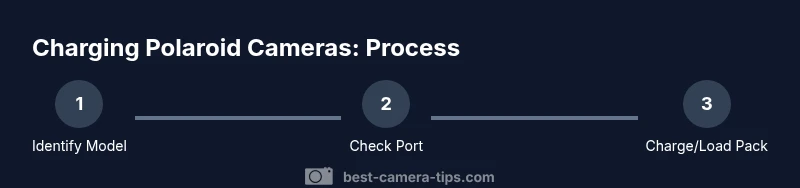
- Identify your model and confirm charging method. 2) Look for a charging port; if present, check the port type. 3) If USB charging is available, connect to a charger and observe the LED indicator. 4) If there’s no port, confirm you’re using a film pack to power the camera. 5) Test power by turning on the camera after a full charge or after loading a new film pack. 6) If issues persist, inspect the battery door, battery contacts, and film pack integrity. 7) Replace worn parts as needed and consult the manual. 8) Store the camera in a cool, dry place to maintain battery health. 9) When in doubt, contact support for model-specific guidance.
Charging procedures for different models
When you have a modern model with USB-C, charging times vary but typically complete within a few hours with a standard charger. If you own a film-pack camera, you cannot charge the camera; instead, ensure you always have fresh film packs with charged batteries to power the camera during use. Keep a spare pack on hand for shoots, especially if you’re traveling.
Troubleshooting common symptoms
If the camera won’t power on after charging, verify the charger and cable are functioning, examine the charging port for debris, and ensure the battery is seated correctly if your model has a removable battery. For film-pack models, verify that the film pack is properly loaded and that the pack’s internal power is not depleted. Some packs show a small LED indicator; if it’s off, the pack may be exhausted. If the issue persists, consult the official support resources or a local camera technician.
Safety, care, and storage practices
Avoid exposing cameras to extreme heat or moisture, which can degrade the battery and circuitry. Use only approved chargers and cables designed for your model, and never attempt to bypass safety features. Regularly inspect the camera and its ports for corrosion or bent pins. When not in use, store the camera in a dry, cool place and remove it from chargers if not actively charging to prevent overheating.
On-the-go charging and travel tips
When traveling, bring a compact USB-C charger and a power bank compatible with your camera’s charging protocol. If you’re using a film-pack model, prioritize having fresh packs and a lightweight film kit. Consider labeling your camera with model information and contact details in case of loss, and keep the user manual accessible for quick reference while on location.
Tools & Materials
- USB-C to USB-C charging cable(Use the cable that came with the camera or a certified equivalent)
- USB power adapter or portable power bank(Choose a charger that can provide stable 5V output and at least 1–2A)
- Official camera manual or model datasheet(Locate the exact charging method for your model)
- Fresh film packs (for film-pack models)(Necessary to test power on older film-pack cameras; not used for charging)
Steps
Estimated time: 30-45 minutes
- 1
Identify your model
Locate the model number on the camera body or in the manual. This tells you whether the camera uses an internal rechargeable battery or film-pack power. If you’re unsure, photograph the model label for later lookup.
Tip: When in doubt, search the model number online to verify charging behavior. - 2
Check for a charging port
Inspect the sides or bottom of the camera for a USB-C or micro-USB port. If there’s a port, you likely have a rechargeable battery inside. If there’s no port, your camera probably relies on film-pack power.
Tip: Clean any dust from the port with a dry cotton swab before attempting to charge. - 3
Read the manual
Open the manual or manufacturer support page to confirm charging method, typical charge times, and indicators. This prevents using an incompatible charger that could damage the battery.
Tip: Keep a digital copy of the manual on your phone for quick reference on shoots. - 4
Charge a modern camera
Connect the camera to a USB-C charger, then monitor the LED indicator. If it shows a steady charge, your battery is charging. Avoid covering the camera and place it on a ventilated surface.
Tip: If the LED doesn’t light, try a different cable or charger and inspect the port for debris. - 5
Test power after charging
After charging, power on the camera and take a test shot or check the display to confirm the battery holds a charge. If the battery drains quickly, consider a replacement charger or service.
Tip: Always test with a full film or a known-good test shot to verify operation. - 6
Film-pack model steps
For film-pack cameras, ensure a charged film pack is loaded. The camera will power while the film is present; removing the pack ends operation. Load a fresh pack to continue shooting.
Tip: Carry a couple of spare packs, and check the pack’s expiration date as film quality declines over time. - 7
Address issues
If the camera doesn’t power on after a full charge or pack load, check for loose contacts, corrosion, or a faulty cable. Test with another pack if possible.
Tip: Take photos of the contact points to compare wear over time. - 8
Safety precautions
Never expose the camera to water, extreme heat, or heavy moisture during charging. Use only approved accessories to avoid risk of damage.
Tip: Unplug if the device becomes unusually warm during charging. - 9
Storage and maintenance
Store the camera in a dry place, away from direct sun. If the device will be unused for an extended period, partially charge the internal battery if the manual recommends it.
Tip: Avoid long-term battery storage at 0% to prevent deep discharge.
Common Questions
Do all Polaroid cameras charge via USB?
No. Some modern Polaroid cameras have internal batteries that charge via USB, while older models rely on the film pack for power and cannot be charged directly.
No. Some Polaroid cameras have USB charging, but older ones get power from film packs.
How long does charging take?
Charging time varies by model and charger. Check the manual for model-specific guidance and avoid using very high-wattage adapters not designed for your camera.
Charge time depends on your model; check the manual for specifics.
Can I leave a camera charging overnight?
Avoid overnight charging on most devices to prevent heat buildup. Unplug once the battery is full and keep the camera in a cool, ventilated area.
It's best not to leave charging overnight; unplug when full.
What should I do if the camera won't power on after charging?
First, verify the charger and cable work, inspect ports for debris, and test with a known-good pack if applicable. If issues persist, contact support for model-specific guidance.
If it won’t power on, check cables and ports, then contact support if needed.
Where can I find the model number on my camera?
The model number is typically printed on the bottom of the camera or inside the battery compartment. You can also reference the box or manual for exact model details.
Check the bottom of the camera or the battery area for the model number.
Watch Video
The Essentials
- Identify charging method based on model.
- Use the correct charger to avoid damage.
- Film-pack cameras require fresh packs, not charging.
- Test power after charging to ensure reliability.
- Follow safety guidelines to prevent overheating.