Hidden Camera Detector Apps: Safe, Practical Use Guide
Learn how hidden camera detector apps work, their limits, and practical steps to safeguard privacy in travel, home, and work settings with Best Camera Tips.


Using a hidden camera detector app helps you assess your surroundings for hidden cameras by scanning for unusual RF signals, lens reflections, or stray camera indicators in your environment. It relies on your smartphone hardware (camera, microphone, flashlight) and requires permission access, a quiet environment for best results, and caution about false positives.
How hidden camera detector apps work
Hidden camera detector apps combine several low-cost techniques to help you quickly sweep a space for potential surveillance devices. Most apps rely on a mix of lens-finding, reflections, and, in some cases, ambient signal analysis. For example, you may use the phone's flashlight to highlight shiny lens surfaces, while the camera can aid in spotting unusual reflections that resemble camera lenses. Some apps also offer a basic network scan to list devices connected to the same Wi-Fi network, which can help you spot unfamiliar access points or cameras that stream video. It is important to note that these apps have limitations; not every camera emits detectable signals, and small cameras without obvious lenses can be missed. As with any privacy tool, results should be interpreted carefully and verified with physical inspection when possible. According to Best Camera Tips, detector apps are most effective as a first-line check rather than a substitute for hands-on searching.
What detectors can and can't do
Detector apps provide a practical first-pass sweep to identify obvious camera indicators, unusual wireless devices, and reflective surfaces that resemble camera lenses. They are useful for quick sanity checks in hotel rooms, Airbnbs, or new offices. However, they do not guarantee detection of every hidden camera, especially small, professionally installed devices that lack distinctive features. False positives are common, especially in rooms with glossy fixtures or many electronic devices. Similarly, some detectors rely on network information that may be unavailable or misleading in private networks. Use these tools as an early warning, not a final verdict; combine app findings with physical examinations and common-sense privacy practices.
Choosing a detector app: criteria
When selecting a detector app, prioritize platform compatibility (iOS or Android), minimal permission requests, and a clear privacy policy. Look for apps that offer offline functionality, transparent developer information, and regular updates. User reviews can reveal how well the app performs in real environments like hotel rooms or rental properties. Prefer apps from reputable developers with documented data handling practices, and avoid apps that request unnecessary access or share sensitive information. Finally, verify that the app does not require ongoing background monitoring beyond what is necessary for a room sweep and that it supports your language and accessibility needs.
Safety, privacy, and permissions
Install detector apps only from official app stores and review the permissions requested before installation. Be wary of apps that push intrusive permissions or collect location data without a clear, stated purpose. Before you begin a sweep, turn off unnecessary apps that might interfere with sensors, and ensure you’re connected to a trusted network if the app includes a network scan feature. Remember that privacy tools must be used ethically and legally; avoid invading others’ privacy or using surveillance tools in sensitive locations without appropriate authorization.
Real-world usage scenarios
In practice, a hidden camera detector app is most valuable when you’re entering a new space, such as a hotel room, a vacation rental, or a coworking area. Start with a broad room scan, then focus on potential hotspots: ceiling fixtures, smoke detectors, outlets with unusual openings, and any recently altered objects. Take notes or photos of suspicious findings, and compare results across different rooms or times of day. If you find something unusual, perform a physical inspection with proper lighting and ask property managers for clarification. These steps help you build a routine that improves privacy without causing alarm or overreacting to inconclusive data.
Common myths and misconceptions
Many people assume detector apps can reveal every hidden camera or instantly prove the presence of surveillance. Reality is more nuanced: apps can highlight potential indicators but are not definitive. They may miss micro cameras, and environmental factors can create misleading signals. Relying solely on an app can give a false sense of security. The best approach combines app-assisted checks with physical inspection, corroborated by trusted sources and privacy-safe practices.
On-site checks without an app
A thorough manual inspection complements digital scans. Look for unusual lenses, new hardware mounted on walls or ceilings, and small holes or gaps around fixtures. Use a flashlight to detect reflective surfaces that resemble camera lenses and listen for subtle mechanical noises that might indicate hidden devices. Check for loose screws, unusual wiring, or devices that don’t belong in the room. Even without an app, careful observation and methodical searching are powerful privacy tools.
Advanced steps for thorough checks
For even deeper assurance, expand your routine with a two-pass approach: a quick room sweep with the detector app followed by a comprehensive physical walkthrough. In sensitive environments, consider a second sweep after dark when certain reflections and signals are easier to identify. If you want extra confidence, you can use a portable RF meter or seek professional privacy assessments for high-stakes settings. Remember, suspicious findings should be handled discreetly and ethically, and when in doubt, contact local authorities or property management.
Authority sources and further reading
For credible, policy-focused guidance on privacy and surveillance in public and private spaces, consult official sources such as the Federal Trade Commission on privacy practices, National Institute of Justice publications, and NIST privacy guidelines. These resources provide context for understanding what consumer tools can and cannot achieve and how to interpret results responsibly.
Tools & Materials
- Smartphone with functional camera and flashlight(Ensure camera flash is working; grant necessary permissions to detector apps)
- Detector app(s) installed from official stores(Choose reputable apps; avoid unverified sources)
- Stable internet connection (optional for some features)(Offline functionality is preferred for privacy)
- Small reflective mirror or tool for close inspection(Useful for checking hard-to-see reflections near fixtures)
- Notebook or note-taking app(Document findings, timestamps, and room details)
Steps
Estimated time: 60-90 minutes
- 1
Prepare your device
Review app permissions, ensure the detector app is from a trusted source, and disable any background processes that could interfere with sensor readings. This preparation helps reduce false signals and protects your privacy.
Tip: Check permissions first; if anything seems unnecessary, disable it before starting. - 2
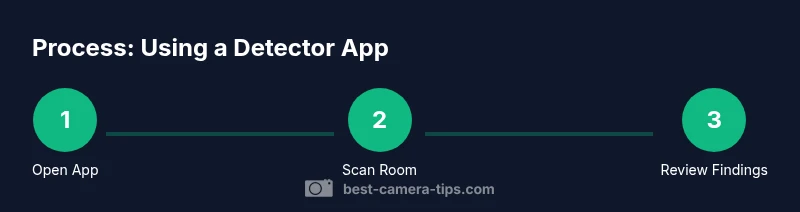
Open the detector app and start a general scan
Launch the app and perform a broad sweep of the room to collect baseline readings. Note any alerts or unusual indicators the app surfaces and compare them to your expectations.
Tip: Record baseline results to distinguish between normal room features and potential suspects. - 3
Inspect potential hotspots with the flashlight
Use the phone’s flashlight to inspect suspicious-looking surfaces or lens reflections. Slow, deliberate scans help identify reflective surfaces that resemble cameras.
Tip: Move slowly and angle the light to reveal subtle reflections. - 4
Check the network list in the app
If the app shows connected devices, review the list for unfamiliar entries. Unknown devices could indicate surveillance, so document any anomalies for later verification.
Tip: Cross-check unfamiliar devices with hotel staff or property management before taking action. - 5
Cross-verify with a physical check
Physically inspect the room using the results as a guide. Look for hidden cameras in common spots like smoke detectors, air filters, and decorative items.
Tip: Use a helper to gently handle objects you’re unsure about to avoid damage.
Common Questions
Are detector apps reliable for finding hidden cameras?
Detector apps provide a useful quick check, but they are not definitive; results vary by device, environment, and camera type. Always combine app results with a physical inspection.
Detector apps offer a helpful quick check but aren’t definitive. Combine results with a careful physical inspection.
Do detector apps work on both Android and iOS?
Most detector apps support both major platforms, though features may differ. Availability and performance can vary by device model and OS version.
Most detector apps work on Android and iOS, but features may vary by device and OS.
Can these apps detect wireless cameras?
Some apps offer network-based indicators that may help spot connected cameras on the same network, but detection is not guaranteed and requires careful interpretation.
Some apps can flag devices on the network, but it isn't a guaranteed detection method.
Are there privacy risks using detector apps?
Yes. Install from trusted sources, review permissions, and avoid apps that transmit data without a clear purpose. Read the privacy policy before use.
There can be privacy risks; only use trusted apps and review permissions and policies.
Should I rely on detector apps while traveling?
Detector apps are helpful during travel but should be part of a broader safety routine, including physical checks and documenting concerns with hosts or authorities when appropriate.
They’re helpful on the go but supplement with a physical check and proper reporting.
Are there legal considerations when using detector apps?
Laws vary by location. Use detector apps within legal boundaries, especially in rental spaces or shared properties, and respect others' privacy.
Laws vary; ensure you stay within legal boundaries and respect privacy.
Watch Video
The Essentials
- Start with app-assisted checks but never rely on them alone
- Manually inspect for lens reflections and unusual devices
- Choose apps with transparent privacy policies and regular updates
- Document findings and seek professional help if needed
- Respect local laws and privacy norms during checks