Do Blink Cameras Need WiFi? A Practical 2026 Guide
Do Blink cameras need WiFi? Learn if WiFi is required, offline storage options, and practical setup tips. A data-driven guide from Best Camera Tips Today.


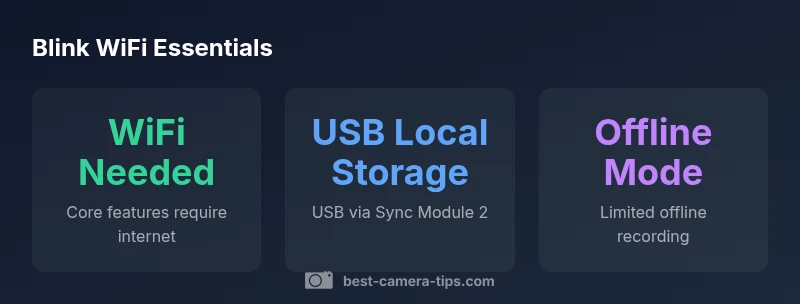
According to Best Camera Tips, Blink cameras typically need Wi‑Fi for core features like live viewing, alerts, and cloud storage. Some setups support local recording via the USB path on the Sync Module 2, but many capabilities still rely on a stable network. Verify your exact model and firmware to understand offline options.
Understanding the WiFi requirement: what Blink depends on
Blink cameras rely on a WiFi connection to transmit video to the cloud, send real-time motion alerts, and enable remote viewing in the app. The Blink architecture includes the camera itself, the Blink Sync Module (usually connected to a local network) and cloud services run by Amazon-powered infrastructure. When the camera cannot reach the cloud, you may still access locally cached footage if a local storage path is configured, but most features will be limited. If you are planning a purchase, consider your home or business network reliability, data plan considerations, and the importance of remote access. For many users, WiFi is a practical requirement; for others, a backup plan with local storage can provide a safety net.
Offline storage options: local recording explained
Some Blink configurations support local recording through a USB drive attached to the Blink Sync Module 2. When enabled, events can be stored locally and reviewed from the module, even if the internet drops. This is not a full substitute for cloud storage, and clips may be limited by the drive size and format. To enable, you’ll need to use the Blink app to configure the USB drive, format it, and verify that local storage is active for your specific model. Always test during a controlled outage so you understand what footage is captured and what isn’t.
Sync Module 2 and USB storage: how to enable
The Sync Module 2 is the hub that connects your Blink cameras to the network and, with a USB drive, can facilitate local storage. To set up: connect the USB drive to the Sync Module 2, open the Blink app, navigate to Local Storage, and enable the feature. You may need to format the drive and ensure it remains powered. This setup can provide a buffer during WiFi outages, but remember that not all events may be saved or retrievable, and you’ll still need internet for cloud synchronization when the link is restored.
Which features survive a WiFi outage
During a network interruption, Blink’s cloud-dependent features pause. However, if you’ve configured local storage, recently captured events may remain accessible on the USB drive. Live streaming and remote viewing are typically unavailable without a working internet connection. Environmentally, local caching can help with quick reviews, but expect limited capabilities compared with full online operation.
Practical setup tips for unreliable networks
- Place cameras within solid range of your router to maximize signal strength.
- Consider a dedicated, energy-efficient power supply to reduce outages caused by power drops.
- Enable local storage on the Sync Module 2 for a safety net, and periodically test the drive.
- Keep firmware up to date; feature improvements often address connectivity gaps.
- Create a simple routine to verify footage after outages so you know what’s stored locally.
Security and privacy implications of cloud vs local storage
Cloud storage offers convenience and accessible playback across devices, but it also introduces data transmission over the internet. Local storage keeps footage on a USB drive connected to your home network, reducing exposure to cloud-based breaches but raising physical security concerns. Review Blink’s privacy settings, enable device encryption where available, and ensure you lock down the Sync Module and USB drive with strong access controls. If privacy is paramount, lean more on local storage while understanding its limits during outages.
Use cases: apartments, cabins, or areas with spotty internet
Apartment dwellers with stable in-building WiFi benefit most from cloud clips and remote monitoring. Cabins or remote locations with poor internet may rely on local storage for critical events, yet miss out on instant alerts when offline. For users who need both reliability and remote access, a hybrid approach—local storage for outages and cloud storage for ongoing monitoring—often delivers the best results.
Blink vs competing brands: what to expect
Compared with other brands, Blink prioritizes simplicity and a tight integration with its Sync Module approach. WiFi is the primary facilitator of most features across ecosystems, though some competitors offer stronger offline ecosystems or broader compatibility with local NAS storage. If offline reliability is a priority, evaluate each brand’s dedicated offline mode and how it handles event playback when internet is down.
Next steps: testing and validation
Before deploying Blink cameras in a critical setting, simulate outages and verify what footage is retained locally and what is lost. Create a maintenance window to update firmware, retry cloud connections, and check that local storage is accessible. Document the outcomes so you have a clear baseline for future outages and network changes.
dataTableDescriptionNullable
captionNullable
Blink WiFi dependency and offline capabilities
| Feature | WiFi Dependency | Offline Capability | Storage Options |
|---|---|---|---|
| Live Viewing | high | Partial offline support via local cache | Cloud storage by default; USB local storage via Sync Module 2 |
| Motion Alerts | high | Limited offline alerts | Cloud alerts; local storage allows delayed review |
| Initial Setup | high | No offline setup | Requires app and network during setup |
| Remote Access | high | No offline remote access | Internet needed for remote viewing |
Common Questions
Do Blink cameras require WiFi to function?
Yes, for most core features. Live view, motion alerts, and cloud storage depend on an internet connection. Local storage can provide a partial workaround during outages.
Blink cameras usually need WiFi for key features, though local storage can help when the internet is down.
Can Blink cameras work without WiFi entirely?
Not fully. Some basic offline recording is possible with local storage, but many features won’t work without an internet connection.
Not completely—offline functionality is limited.
What models support local storage?
Blink introduced local storage via USB on the Sync Module 2; check your model and firmware to confirm.
Local storage is available on the Sync Module 2 setup.
Is setup possible without internet?
Initial setup requires an internet connection and the Blink app to link devices.
You need internet to set up Blink cameras.
How can I improve reliability when WiFi is spotty?
Use the Sync Module 2 with USB storage, place cameras near the router, and reduce interference. Regularly update firmware.
Place cameras closer to WiFi and enable local storage as a backup.
Are there privacy concerns with Blink's cloud storage?
Cloud storage involves data transmitted online; use local storage when possible and review permissions.
Cloud storage means data goes online; adjust settings for privacy.
“WiFi remains the backbone of most Blink features, but thoughtful use of local storage can improve reliability during outages.”
The Essentials
- WiFi is essential for live view and cloud clips
- Use USB storage via the Sync Module 2 for offline recording
- Verify your model’s offline capabilities before relying on them
- Keep a stable network to minimize missed alerts
- The Best Camera Tips team recommends ensuring a stable WiFi setup for consistent performance