Can You Use a Ring Camera Without Wi-Fi? A Practical Guide
Explore whether Ring cameras can operate without Wi-Fi, what works offline, and practical steps to stay secure during internet outages.


In most cases, you cannot effectively use a Ring camera without Wi‑Fi. Ring devices rely on a live internet connection to stream video, push notifications, and access cloud clips through the Ring app. Without Wi‑Fi, live viewing and recordings aren’t accessible, and setup or troubleshooting becomes impractical. If you need offline capability, consider cameras that support local storage or cellular backup.
Can you use a Ring camera without wifi
If you ask can you use a Ring camera without wifi, the short answer is that the standard Ring experience is designed around a networked home. The camera connects to your home Wi‑Fi, talks to the Ring cloud, and then forwards alerts to your phone via the internet. The moment the Wi‑Fi or internet drops, the camera loses its link to the Ring servers, and the ability to view live video, receive alerts, or access cloud recordings is interrupted. According to Best Camera Tips, this dependency on internet connectivity is a foundational aspect of today’s consumer security cameras, and Ring’s ecosystem is built to assume a continuous online connection. In practice, you should plan for reliable Wi‑Fi as a baseline requirement if you want reliable monitoring and timely notifications.
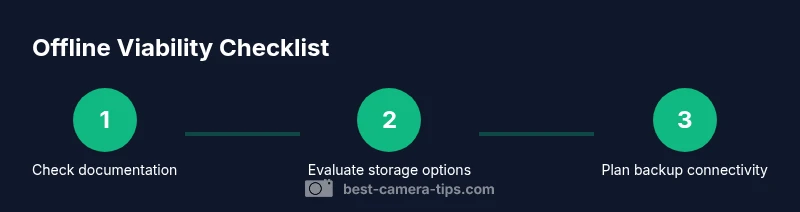
However, there are nuanced cases where parts of the workflow might continue briefly if a local network exists or if a compatible base station is in play. Those scenarios are model and setup dependent, so always check your device’s official documentation before assuming offline operation is possible. This is why the standard guidance from Best Camera Tips emphasizes building a robust network first and treating offline use as a peripheral exception rather than a core feature.
How Ring Cameras Connect to Wi-Fi: The Role of the Cloud
Ring cameras rely on a two-way relationship with your home network and the Ring cloud. The device streams video to the cloud, stores motion events, and triggers push notifications through the Ring app. The cloud enables features like event playback, cloud video history, and remote access from mobile devices. Without a stable internet connection, the camera cannot reliably relay data to the cloud or receive app instructions, which effectively disables live viewing and cloud-based features. For aspiring photographers and home security enthusiasts, this architecture means prioritizing a solid, secure Wi‑Fi network, and ensuring your router supports consistent bandwidth and low latency so the camera can keep a stable link to the Ring servers. If your network is unstable, you’ll see lags, missed events, and inconsistent alerts that undermine surveillance reliability.
If you’re evaluating whether Wi‑Fi is optional, remember that some Ring configurations can cooperate with a Ring Alarm Pro or a similar base station to create a bridged network. Even then, the need for internet access remains a central requirement for full functionality. In short, a Ring camera’s core features depend on online connectivity, and offline use is not a guaranteed option.
What Happens During a Wi-Fi Outage: Live View, Alerts, and Cloud Clips
During a Wi‑Fi outage, a Ring camera loses its connection to the Ring cloud and the mobile app cannot fetch new footage or notifications. Live view typically becomes unavailable, and you may not be able to access recent clips stored in the cloud once the outage ends. You may still be able to view footage stored locally if your device architecture includes local storage, but standard Ring cameras sold to consumers do not rely on local microSD storage for video in most configurations. The practical takeaway is that outages invalidate the primary surveillance workflow: you lose visibility, alerts, and the ability to verify recent events in real time. If you must monitor during internet interruptions, plan a separate system that can operate independently of your Ring account, such as a different camera lineup designed for offline use.
Do Ring Models Support Local Storage or Offline Modes?
Most Ring cameras do not include a conventional local storage option like a microSD card. The typical Ring ecosystem stores video in the cloud and references that content through the Ring app. Some users report interplay with a Ring Alarm Pro base station or similar hub to improve network reliability, but this does not automatically grant offline storage for video history. If you need offline access, verify whether your specific model supports any form of local recording or a dedicated base station that provides limited local storage for certain events. Always consult the official model specs and user manual to confirm what, if any, offline capabilities exist for your device.
This distinction matters for security planning: if you rely on continuous access without internet, a pure Ring setup may not meet your requirement, and you should consider complementary hardware that explicitly offers local storage or cellular backup.
Workarounds and Alternatives When Internet Is Unavailable
When internet connectivity is unreliable or unavailable, you have a few practical options that can help maintain surveillance coverage. First, ensure you have a stable Wi‑Fi network with a high-quality router, strong signal strength across all camera locations, and minimal interference. If outages are common, a cellular backup plan (such as a data-enabled hotspot) can restore connectivity temporarily, though this incurs ongoing costs and data limits. For those needing offline capability as a core requirement, you’ll want to evaluate cameras that explicitly advertise local storage or hybrid operation with an NVR/DVR system that does not rely exclusively on cloud storage. Finally, consider a layered approach: pair Ring with another camera system that records locally, enabling continued monitoring even when the Ring cloud service is temporarily unavailable. This multi-system strategy reduces single points of failure and helps maintain situational awareness.
From a best-practice perspective, always document outage scenarios and test your backup options on a regular basis to ensure you have a predictable response when connectivity is compromised.
Alternatives for Offline Surveillance That Complement Ring
If offline functionality is essential, you’ll likely need to broaden your toolkit beyond Ring alone. Look for cameras designed with local storage options such as microSD slots, local NVR integration, or edge-computing solutions that can record without cloud reliance. Some enterprise or prosumer camera lines offer cellular backup, local recording, and independent mobile apps, which can be used alongside Ring devices to preserve coverage during internet outages. When selecting alternatives, prioritize devices with clear offline capabilities, good encryption, and robust local storage capacity. Remember that a hybrid approach—Ring for cloud-based alerts and a separate offline-capable camera system for local recording—often provides the most reliable protection against outages.
For readers of Best Camera Tips, assessing the offline capabilities of competing brands alongside Ring helps build a resilient security posture tailored to your home environment.
Security Considerations When Operating Without Internet
Operating without internet connectivity shifts some security considerations. On one hand, offline storage may reduce exposure to cloud-based data breaches. On the other hand, the risk of physical theft or tampering increases when footage remains on local devices without cloud redundancy. Always enable device encryption, use strong passwords, and keep firmware updated to mitigate vulnerabilities. Physical security remains essential: ensure cameras are mounted securely, protected from vandalism, and placed to minimize blind spots. Planning for offline operation also means establishing clear data retention policies and secure backups so you don’t lose critical footage when cloud storage is inaccessible. Regularly test your offline setup to ensure you can retrieve important clips when needed.
Best Practices to Minimize Downtime and Maximize Availability
To maximize uptime, start with a robust home network: use a modern router, enable automatic firmware updates, and place cameras within reliable signal range. Consider a dedicated backup path such as a cellular hotspot or a secondary ISP connection to cover outages. Document your outage response plan and keep a simple troubleshooting guide handy. Schedule routine checks to verify camera connectivity, battery health, and storage status. Finally, design a privacy-conscious strategy: when offline, ensure your local storage remains encrypted and access is controlled to prevent unauthorized viewing.
Quick-Start Offline Readiness Checklist
- Confirm each Ring model’s documented requirements for online connectivity.
- Verify you have a reliable home network and a tested backup internet option.
- Identify any model-specific offline or local-storage options and understand their limitations.
- Establish an offline surveillance plan with at least one secondary camera system that can record without internet.
- Schedule regular tests of your outage plan and update documentation as needed.
Tools & Materials
- Smartphone or computer with internet access(Used to configure settings and check documentation when online.)
- Quality Wi-Fi router(Ensure 2.4GHz/5GHz support and stable firmware.)
- Ring camera model and manual(Check official specs for offline capabilities.)
- Mobile hotspot or cellular data plan(Useful as a temporary backup during outages.)
- Power source suitable for your Ring camera(Keep cameras charged or powered during tests.)
- Alternative offline camera system (optional)(Consider a system with local storage for offline recording.)
Steps
Estimated time: 1-2 hours
- 1
Check network requirements
Review the camera’s official documentation to confirm whether offline operation is supported and what dependencies exist for online features. Verify that your Wi‑Fi network is stable, with strong signal in camera locations.
Tip: Document current network settings and note any recent outages to inform testing. - 2
Test offline behavior in a controlled outage
Physically disconnect the camera from the internet or disable the router’s internet temporarily and observe what remains accessible. Record whether live view, alerts, and cloud clips are still retrievable after the outage ends.
Tip: Have a backup plan ready before testing so you can revert quickly. - 3
Check for local storage options
Inspect the device or base station (if applicable) for any local recording capabilities or storage options. If none exist, note that offline recording is unlikely for that model.
Tip: Refer to the exact model’s manual to confirm storage capabilities. - 4
Plan a backup internet strategy
If outages are a concern, decide on a backup method (e.g., cellular hotspot) and test switching to it without losing critical functionality.
Tip: Test the handoff during a short outage to minimize gaps in coverage. - 5
Consider offline-friendly alternatives
Research cameras that advertise local storage or standalone NVR/DVR compatibility to complement Ring’s cloud-dependent workflow.
Tip: Create a shortlist and compare data retention, encryption, and recovery options. - 6
Document and review
Compile the test results, note any gaps, and update your deployment plan. Schedule periodic reviews to adjust for firmware or network changes.
Tip: Keep a log with dates, outcomes, and corrective actions.
Common Questions
Can Ring cameras operate without internet?
No. Ring cameras rely on internet access to stream video, send alerts, and access cloud recordings. Without internet, the standard Ring experience is not available.
Ring cameras need internet to work and to send alerts. Without it, you won’t have live video or cloud clips.
Do Ring cameras support local storage?
Most Ring cameras do not include local storage for video. They primarily use cloud storage via the Ring service. Some configurations with a base station may offer limited storage or resilience, but this is model-specific.
Most Ring devices don’t store footage locally; cloud storage is used.
What happens during a Wi‑Fi outage?
Live view and notifications typically stop until connectivity is restored. Access to past cloud clips is also interrupted, and you may lose ongoing alerts.
During outages, you can’t view live video or get new alerts until the network returns.
Are there off-line alternatives to Ring?
Yes. Look for cameras that advertise local storage or NVR/DVR compatibility, or cellular-backed cameras designed for offline operation. A hybrid setup can provide offline coverage alongside Ring’s cloud features.
Yes—consider cameras with local storage or a system that works without internet.
What are privacy considerations when offline?
Offline storage may reduce cloud exposure, but it increases risk if local drives are stolen or tampered with. Use encryption, strong passwords, and secure backups to mitigate risk.
Offline storage has privacy risks; protect devices with encryption and strong passwords.
Watch Video
The Essentials
- Understand Ring’s dependence on Wi‑Fi for core features.
- Verify any offline capabilities per model before relying on them.
- Plan and test backup connectivity options for outages.
- Consider a hybrid setup with local-storage cameras for offline coverage.
- Document procedures and review them periodically.