Why Does a Camera Make Sound? A Practical Troubleshooting Guide
Urgent troubleshooting guide to diagnose and fix common camera noises, from shutter rattle to AF motor whine. Learn safe steps and when to seek professional help.


Camera noises usually come from moving parts such as the shutter, autofocus motor, or image stabilization mechanism. Most sounds are normal operating noises, not a fault. Sudden grinding, rattling, or loud banging can indicate a mechanical issue or accessory interference that should be checked promptly.
What makes sound in a camera and why it happens
According to Best Camera Tips, most camera noises come from moving components doing their jobs. The shutter curtains ping when they open and close, the autofocus motor shifts lenses during focus, and image stabilization systems micro-adjust to keep your shot steady. Even the aperture mechanism and mirror mechanism in DSLR models can generate distinct clanks or clicks. The keyword why does camera make sound is useful when you want to understand whether a noise is normal or a signal of trouble. Regular operation noises are expected during exposure, zooming, or lens stabilization, but unfamiliar patterns should raise a flag. If you notice new sounds after dropping the camera, after mounting a new lens, or after a firmware update, treat it as worth checking. In most cases, safe, basic checks can clarify whether a noise is benign or something that needs service. The goal is to avoid guessing and to build a clear plan for testing, isolation, and potential fixes.
Steps
Estimated time: 60-90 minutes
- 1
Prepare and reproduce the noise
Power off, remove nonessential accessories, and reproduce the noise with a predictable action (e.g., AF, shutter, stabilization). Note the exact moment the sound occurs and whether it changes with lens or body temperature. Pro tip: record a short video or audio clip for reference.
Tip: Document the environment and actions that trigger the sound so you can compare before and after fixes. - 2
Isolate the source by swapping lenses
Attach a known-good lens and observe if the noise persists. If it changes or stops, the lens or mount may be the culprit. Don’t force zoom or focus during this test.
Tip: Use a clean, dry lens and avoid touching lens elements during testing. - 3
Check the shutter and mirror (if applicable)
DSLRs and some older mirrorless bodies have moving shutter or mirror mechanisms. Listen for grinding or rough movement that accompanies opening/closing. If the sound appears only at certain shutter speeds, note that for further checks.
Tip: Do not repeatedly slam the shutter to test; use standard shutter release to minimize wear. - 4
Inspect autofocus and image stabilization
Turn off stabilization to see if the noise changes. If AF makes a whining or grinding sound only when focusing, the motor or gears could be stressed or dirty. Clean exterior contacts and inspect mounts.
Tip: Avoid disassembly; focused inspection from the outside is safer. - 5
Review firmware and accessory setup
Update firmware if available and review accessory connections (gimbals, external rigs). Firmware glitches can cause cycling noises. After updates, re-test under controlled conditions.
Tip: Back up settings before updating and perform a full re-test afterward. - 6
Decide on next steps
If noises persist after these checks, contact a qualified service technician. Note whether the noise affects image quality, autofocus accuracy, or reliability.
Tip: Professional service can prevent further damage and preserve warranty terms.
Diagnosis: Camera emits an unfamiliar or loud noise during operation
Possible Causes
- highLoose lens mount or worn shutter components
- mediumAutofocus motor strain due to jammed focus or dirt
- lowDust or debris in lens or sensor
- lowExternal accessories causing vibration
- lowFirmware glitch causing motor cycling
Fixes
- easyInspect lens mount and tighten if loose
- easyClean lens contacts and inspect connection to camera
- easyReset camera and update firmware to latest version
- easyTest with a different lens to isolate the source
- hardIf noises persist, arrange professional service
Common Questions
Is it safe to keep shooting if I hear a loud popping sound from my camera?
No. A loud popping sound can indicate a sudden mechanical issue. Stop shooting, power down, and inspect or consult a technician if the sound persists.
If you hear a loud pop, stop and check for damage or obstruction, then consider professional help.
Can camera noises indicate a dangerous issue like a fire risk?
Most camera noises are not fire risks, but unusual smells, smoke, or scorching heat require immediate discontinuation of use and service inspection.
Unusual smells or heat means stop using the camera and get it checked.
What parts commonly cause shutter noises, and how can I test for them?
Shutter noises usually come from the shutter mechanism or mirror assembly in DSLRs. Test by reviewing shutter speeds and testing with a second body or lens.
If the shutter is the source, you may notice louder or irregular clicks at specific speeds.
Do external lenses affect sound, and how should I test this?
Yes, some lenses with motorized zoom or stabilization can contribute to sounds. Test by swapping with a different lens and noting changes.
If the noise changes with a different lens, the lens or its mount is a likely culprit.
Should I service my camera if sounds persist after basic checks?
If noises persist after basic checks, or if performance is affected, schedule professional service to prevent damage and warranty issues.
Persistent noises mean it’s time for a professional assessment.
How can I reduce noise while shooting in the future?
Regular maintenance, keeping lenses clean, using proper mounting, and avoiding forced overloads of autofocus can reduce unexpected noises.
Maintenance and proper technique help prevent unusual noises.
Watch Video
The Essentials
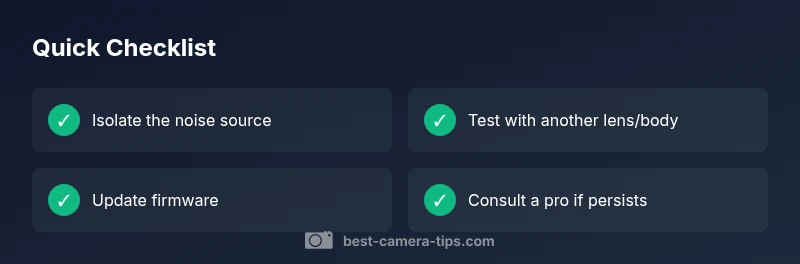
- Identify if noise is normal vs abnormal
- Isolate by swapping lenses and testing components
- Update firmware before deeper diagnostics
- Seek pro help if sounds persist or affect image quality