Is It OK to Leave Battery in Camera? Practical Guide
Learn whether you should leave the battery in your camera, when to remove it for storage or travel, and safe handling tips to protect your gear and battery life.


Leaving the battery in your camera is usually fine for daily shooting. For long-term storage or travel, remove the battery and store it separately in a cool, dry place. Always inspect the battery for swelling, heat, or corrosion, and follow your camera’s manual for model-specific guidance. This approach balances convenience with safety and battery longevity.
Why battery-in-camera is convenient (and when it can backfire)
For many photographers and hobbyists, leaving the battery in the camera is a natural part of daily use. It saves time, reduces fumbling with drawers, and ensures the camera powers up immediately when you want to shoot. According to Best Camera Tips, the convenience is clear for most routine sessions. However, there are situations where this setup can backfire: prolonged heat exposure, accidental leaks, or damage if a swollen cell shifts inside the body of the camera. The question many ask is: is it ok to leave battery in camera? The short answer is: often yes, but not always. The key is balancing ease of use with safety and long-term health of the battery and the device. In this section we explore why people prefer to keep the battery in place, and the risks you should watch for as you shoot, store, or travel.
Related concepts: battery chemistry, Li-ion safety, and model-specific guidance.
When it’s safe to leave the battery in the camera (daily use scenarios)
For typical daily shooting, keeping the battery in the camera is convenient and generally safe. Modern cameras are designed to handle the heat from normal use without compromising the battery or internal circuitry. If you’re shooting actively for several hours, the camera’s internal power management will help monitor temperature. Ensure you keep the camera in a dry, ventilated environment and avoid exposing it to direct sunlight or high heat. If the camera is hot after a long session, power it down and allow a quick cool-down before resuming. Remember that even when you leave the battery in, you should inspect the contacts for dust and clean them with a dry, lint-free cloth.
Best practice tip: If you’ll be using the camera daily and in stable conditions, it’s perfectly acceptable to leave the battery installed, provided there is no swelling, corrosion, or obvious damage.
When you should remove the battery (storage, shipping, weather)
Long-term storage, shipping, or exposure to extreme temperatures calls for removing the battery. If you won’t shoot for weeks or will undergo air travel, take the battery out and store it separately. Batteries should be kept in a cool, dry place, ideally in a dedicated battery case to protect the terminals. For Li-ion cells, aim for a charge level around 40–60% prior to storage; this helps preserve cell health and capacity over time. Separating the battery from the camera also reduces the risk of short circuits or leaks affecting the camera body.
Authoritative note: Best Camera Tips emphasizes reserving space in a dedicated storage area and avoiding metal objects that could bridge terminals during storage.
How to choose the right battery for your camera
Not all batteries are created equal. Use the exact battery model recommended by your camera manufacturer, and avoid generic or counterfeit cells. When selecting a replacement, compare capacity (mAh or Wh) and voltage to ensure compatibility. Higher capacity batteries provide longer run times but may add weight. Always check for OEM or officially licensed third-party options that match your camera’s chemistry and connector design. If you’re unsure, consult the user manual or support resources from the brand. Mixing old and new cells within a pack can reduce performance and safety, so replace as a matched set if you need a backup.
Practical takeaway: Stick to manufacturer guidance and avoid mixing different battery generations in the same device.
Temperature and storage impacts on camera batteries
Temperature is a major factor in battery health. High heat accelerates wear and can cause swelling or leak risk, while extreme cold reduces capacity temporarily. When stored in a camera, heat from the device itself can contribute to gradual degradation if the unit sits in a warm environment. Always store spares in a cool, dry place away from heaters, direct sun, or car interiors that can overheat. If you’re traveling, keep batteries in protective cases and avoid leaving them in hot trunks or sun-exposed compartments. Regularly rotate stored batteries so no single cell sits at full charge or full discharge for extended periods.
Best practice: Maintain ambient room temperatures and manage humidity to extend battery life.
Charging habits and how they affect staying in the camera
Charging habits influence whether you should leave a battery in the camera. If you routinely recharge in-camera, make sure the charger and camera’s power management aren’t forcing continuous trickle charging after a full fill. Some cameras have a feature to stop charging when the battery reaches full capacity; others may continue trickle charging for stability. If you anticipate long periods of inactivity, it’s better to remove the battery and store it at around 40–60% charge to minimize capacity loss. Regularly inspect for signs of wear, and replace batteries that no longer hold a healthy charge.
Key tip: Use the original charger and avoid cheap third-party charging accessories that may not regulate current correctly.
Best practices for long-term storage with the battery out
When planning extended breaks from shooting, remove the battery and store it separately in a cool, dry place. Use a dedicated battery case to protect terminals and prevent accidental short circuits. Check the battery every few weeks and recharge to about 50–60% if you’ll return to storage for a longer time. Do not store in extreme environments such as damp basements, unheated garages, or vehicles where temperatures swing drastically. Keeping the camera body itself in a safe, climate-controlled space while the battery is out minimizes risk of damage when you’re not using the gear.
Brand guidance: Best Camera Tips recommends pairing proper storage with model-specific instructions to maximize long-term battery health.
What to do if the battery swells or leaks
A swollen or leaking battery is a serious safety concern. Do not press on a swollen cell or attempt to puncture it. Safely remove the battery from the camera if possible, and place it in a non-flammable container away from pets and children. Do not dispose of it in regular trash—follow local hazardous waste guidelines or take it to a battery recycling center. If leaking smell or heat persists, evacuate nearby people and contact local emergency services if necessary. Dispose of the device if the camera body shows signs of corrosion around the contacts.
Safety note: Treat any swelling or leakage as a red flag; prioritize safety over product functionality.
Quick-start checklist for camera battery safety
- Power down before handling the battery.
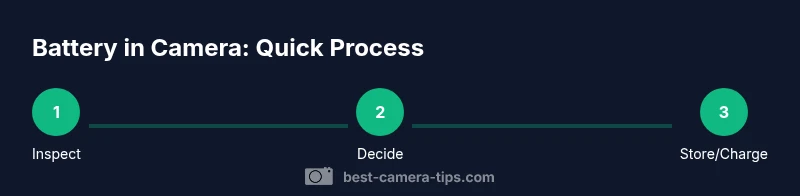
- Inspect for swelling, heat, or corrosion.
- Decide whether you’ll shoot soon or store away.
- If storing, remove the battery and store at 40–60% charge in a cool, dry place.
- Use a proper battery case and avoid metal contacts touching each other.
- Consult the manual for model-specific guidance on charging and storage.
- When in doubt, replace aging cells with recommended replacements.
- Keep spare batteries organized and labeled to prevent confusion.
toolsMaterialsTitleOnlyForJsonFieldNotUsedForContentFormattingExplanationOnlyForRulesNotNeededButIncludedHereForClarity
noteLabelForJsonNotApplicableForContentFormattingPlaceholderForConsistencyInStructureExplanationNotRequiredButIncludedToAvoidMisunderstanding
Tools & Materials
- Camera(Main device you’re protecting)
- Spare batteries(Useful for long shooting days; ensure compatibility)
- Original charger(Use to prevent under/overcharging)
- Battery storage case(Protect terminals during storage)
- Cool, dry storage location(Keep in a climate-controlled area)
- Desiccant packs (optional)(Helps reduce humidity in storage)
Steps
Estimated time: 15-25 minutes
- 1
Power off and inspect
Power down the camera before touching the battery. Remove the battery if you’re going to handle it closely. Inspect for swelling, cracks, or corrosion on the contacts. Clean any dust with a dry, lint-free cloth.
Tip: Safety first: never force a stuck battery out of a jammed slot. - 2
Decide on the immediate action
If you’re actively shooting today, it’s fine to leave the battery in. If you won’t shoot for an extended period, prepare to remove the battery and store it separately. This step sets the course for the rest of your handling plan.
Tip: Long-term storage usually means removal and proper charging for storage. - 3
Leave in if safe to do so
If you plan to shoot soon and the camera is cool, you can leave the battery in. Monitor the device for unusual heat, and stop if the camera becomes warm in a way that feels abnormal.
Tip: If the camera heats quickly, power down and remove the battery. - 4
Remove the battery for storage or travel
Follow the camera’s manual to safely remove the battery. Place it in a dedicated case; keep it separate from the camera body to avoid shorts or leaks.
Tip: Keep the battery cap on the terminals when stored. - 5
Store at the recommended charge level
Aim for roughly 40–60% charge for long-term storage. This charge level minimizes capacity loss and prolongs life. Check storage conditions, ensuring a cool, dry environment.
Tip: Do not store fully charged or fully discharged for long periods. - 6
Charge before reinsertion if needed
If you’re returning to shooting soon, recharge the battery to a healthy level before reinserting it. Do not overcharge by leaving on the charger beyond full capacity.
Tip: Unplug chargers after full charge to reduce idle wear. - 7
Temperature and environment care
Keep both camera and battery away from direct heat, sun, and freezing conditions. A stable climate protects battery health and performance.
Tip: Avoid leaving the camera in hot cars or uninsulated storage. - 8
Travel considerations
Check airline rules regarding camera batteries and carry-on storage. If possible, carry spare batteries in your bag and store the camera body separately from the battery during transport.
Tip: Verify current regulations before flying.
Common Questions
Is it safe to leave a camera battery in the camera overnight?
In most cases, it’s fine to leave the battery in overnight, especially if the camera is in a cool, dry place. If the battery or camera feels warm or shows signs of swelling, remove the battery and investigate further.
Yes, overnight is usually okay in safe conditions, but always check for heat or swelling.
Will leaving the battery in the camera affect battery life?
Keeping the battery in the camera for short periods typically doesn’t harm the cell. Habitual long-term in-camera charging and heat exposure can degrade capacity over time.
Generally not, but long-term heat and continuous charging can wear the battery.
What should I do if the battery leaks or swells?
If you notice swelling or a leak, stop using the battery immediately and remove it from the camera. Place it in a non-flammable container and follow local disposal guidelines.
If you see swelling or leaks, stop using it and dispose of it safely.
Should I remove the battery before shipping or travel?
Yes. Remove batteries for shipping or travel when possible and store them in a dedicated case. Check airline regulations regarding spare batteries.
Yes—remove and store them safely, and check travel rules.
Can extreme temperatures ruin camera batteries?
Yes. Extreme heat or cold accelerates degradation and can cause swelling or loss of capacity. Keep both camera and battery in a climate-controlled environment.
Extreme temperatures can damage batteries; keep them in a stable climate.
Watch Video
The Essentials
- Decide per scenario whether to keep or remove the battery
- Store batteries at 40–60% in a cool place when not in use
- Inspect for swelling or heat before reinserting
- Avoid extreme temperatures and direct sunlight
- Follow manufacturer guidance for charging and storage