Does Camera Have a Mic? A Practical Guide for Photographers
Discover whether cameras include built-in microphones, when to use external mics, and how to choose the right audio setup for photography and home security.


Does a camera have a mic? In most consumer and professional cameras, yes—the built-in microphone records audio alongside video. The quality varies: entry-level models often have basic mics, while higher-end bodies may offer stereo pickups, wind protection, or audio input options. External microphones are common for better sound, and many security/IP cameras rely on internal mics or line-in options. If audio is critical, verify input options before purchase.
What counts as a mic on cameras?
If you ask does camera have a mic, the short answer is that most modern cameras include at least a built-in microphone. This mic is intended to capture ambient sound while you shoot video or during basic playback. The quality ranges from a tiny, horizontally mounted capsule that picks up nearby noise to more capable units that offer stereo capture and reduced wind noise. For serious audio work, you’ll typically want to pair the camera with an external microphone. According to Best Camera Tips, model tiers vary widely in mic quality across brands, so always verify the presence and capabilities of the mic in the product specs. This is especially true when comparing compact point-and-shoots to larger mirrorless or DSLR bodies. In practical terms, if you are wondering does camera have mic for casual shorts or vlogs, the built-in mic is usually enough, but for professional results, plan for external audio.
Built-in microphones across camera categories
Built-in mics are nearly universal on consumer cameras, including point-and-shoots and many mirrorless bodies. Entry-level models tend to offer a small, mono microphone with limited directionality, while mid-range and some pro-level bodies provide stereo arrays with better dispersion and noise handling. DSLRs historically lagged behind mirrorless in mic quality, but recent models have narrowed this gap considerably. If you intend to rely on the internal mic, check specifications for polar pattern (mono vs stereo), signal-to-noise ratio, and wind reduction features. Best Camera Tips notes that for high-stakes audio, external mics are the safer bet. Finally, remember that IP cameras and other security-focused devices may emphasize continuous audio capture differently than still cameras.
How wind, distance, and environment affect mic quality
Microphone performance is highly dependent on the environment. Outdoor shoots, natural wind, or crowded rooms can degrade audio captured by a built-in mic. The closer the microphone is to the sound source, the clearer the recording will be; conversely, background noise becomes more pronounced when the mic is far away. If you frequently shoot in windy or noisy spaces, consider windscreen accessories or upgrading to a camera with a more robust internal mic and better preamps. In cases where you need stealth or minimal footprint, you may still rely on the camera’s mic for quick clips, but you’ll face compromises in clarity. The key is to test in your typical settings and compare the audible differences when does camera have mic versus using an external option.
External microphones: types and use cases
External mics offer dramatic improvements over built-in solutions. The most common type is the small shotgun microphone, which helps focus sound from a specific direction while rejecting ambient noise. Lavalier (lav) mics are ideal for interviews and mobility, while handheld mics excel in controlled environments. USB microphones can be convenient for livestreaming from cameras that accept USB audio interfaces, and XLR mics paired with a portable recorder or camera dock deliver studio-like quality. For many photographers and videographers, integrating an external mic not only improves audio fidelity but also expands creative options, such as capturing ambient room tone or dialogue with higher clarity. If you’re asking does camera have mic in this scenario, external mics can be a game-changer.
Audio inputs and connections to look for
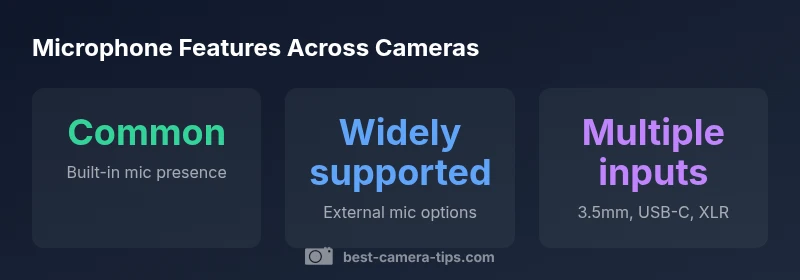
Not all cameras share the same port for audio input. Look for a dedicated 3.5mm mic jack, a USB-C audio input, or an integrated multi-port system that supports external mics. Some pro bodies include XLR inputs for professional-grade mics and phantom power. If you shoot with a compact camera, you may find a mono 3.5mm input, which can be limiting, but some cameras provide adapter options. When evaluating a purchase, confirm what input forms are supported, whether the camera provides voltage for power-hungry mics, and if there is a dedicated audio control interface (gain, wind reduction, and monitoring). If you need to synchronize sound with external devices, verify whether the mic input supports monitoring through headphones and if there is external audio recording via timecode.
Microphones for security cameras and IP cameras
Security-focused cameras often include built-in mics for basic audio surveillance. However, many IP cameras also support external mics or line-in connections for enhanced audio capture in monitoring setups. When shopping for a security camera, consider the mic pickup pattern, entry points for noise, and privacy features that regulate who can hear audio. If you're deploying cameras around a property, external mics can significantly improve the usefulness of recordings, especially for identifying voices or capturing environmental cues. Always check local regulations about audio recording in public or semi-public spaces.
How to test and evaluate microphone performance
Before committing to any camera, run a quick microphone test in environments that match your real use cases: quiet studio, busy street, windy outdoor space, and indoor rooms with echoes. Record samples and listen carefully for clarity, plosive sounds, and hiss. Adjust any camera audio settings (level, wind reduction, and noise suppression) to see how the mic responds. If you plan to rely on external mics, test compatibility with your chosen mic type, number of channels, and any adapters. Best Camera Tips suggests creating a simple test routine: record 30–60 seconds in each scenario, review the waveform, and compare how the camera’s mic performs relative to an external solution.
Practical setup and best practices for better audio
For the best audio results, treat the setup as a two-part system: capture the highest quality video and then layer in clean sound. Use external mics for interview-like sequences, and ensure proper mic placement (not too close to the mouth to avoid clipping, not too far to lose intelligibility). Use windscreens on outdoor shoots, and consider a small portable mixer or field recorder for better control over levels and monitoring. If you frequently shoot with the camera indoors, invest in a compact mic with good cardioid pattern and a windscreen, and position it to minimize room reflections. Finally, always test your setup with the exact camera and mic combination you intend to use and document the best settings for future shoots.
Common pitfalls and quick fixes
Avoid common mistakes: assuming built-in mics are good enough in every scenario; neglecting wind protection; ignoring mic placement; and failing to check compatibility with accessories. Quick fixes include re-positioning the microphone, enabling wind reduction, lowering gain to prevent distortion, and using an external recorder when necessary. If you notice persistent hiss or hum, verify grounding and cable quality, swap cables, and consider new adapters designed for your microphone model. By pre-testing and preparing in advance, you’ll reduce post-processing time and improve overall audio quality.
Camera mic presence and input options by type
| Camera Type | Built-in Microphone | External Mic Support | Common Input Options |
|---|---|---|---|
| Point-and-Shoot | Often basic or none | Limited | 3.5mm or USB-C on newer models |
| DSLR/Mirrorless | Usually present (stereo on newer models) | Yes | 3.5mm, USB-C, sometimes XLR on pro bodies |
| IP/Security Camera | Often built-in mic | Many support external mics | 3.5mm, USB, or dedicated mic input depending on model |
Common Questions
Do all cameras have built-in microphones?
Not all cameras include a built-in microphone. Some compact cameras and older models omit one to save space or reduce costs. When a mic exists, its quality varies widely by model and category. Always check the spec sheet for mic presence and quality before relying on it for audio.
Many cameras have built-in mics, but their quality varies. Check the specs before you rely on them.
Can I use an external microphone with my camera?
Yes, most cameras support external microphones via a 3.5mm jack, USB-C, or dedicated audio input. External mics often provide significantly better sound than the built-in mic, especially in noisy environments or professional setups.
Yes, external mics are common and usually improve sound.
Are mic inputs universal across brands?
No universal standard exists. Check the camera’s input type, power requirements (some mics require phantom power), and the availability of monitoring and gain controls. If in doubt, consult the user manual or manufacturer support.
There isn’t a universal mic input; verify type and power needs.
Why is mic quality important for photography and video?
Audio quality matters for storytelling. Poor sound can ruin a great shot, especially for vlogs, tutorials, or surveillance footage. External mics typically deliver clearer dialogue, better room tone, and less ambient noise.
Good audio makes your video more effective and engaging.
How do I test my camera’s microphone?
Record short clips in typical shooting conditions, then listen critically for clarity, noise, and clipping. Adjust gain and wind settings, and compare with an external mic when possible. Documentation from Best Camera Tips provides practical tests you can follow.
Record and listen for clarity; adjust settings as needed.
What about microphones for IP cameras?
IP cameras often include built-in mics and may support an external mic, depending on the model. Review the camera’s input options and privacy features, especially in shared or public spaces.
IP cameras may have mics or support external ones; check specs.
“Audio is the often overlooked companion to great imagery; a sharp mic setup can dramatically improve the storytelling of any shot.”
The Essentials
- Check mic presence in camera specs before purchase
- Plan for external mics for high-quality audio
- Test mic inputs in environments similar to real use
- Choose input options that match your mic hardware
- Always verify privacy and legal considerations for audio recording